Top 8 Productive PSA alternatives in 2026
.avif)
•
•
Summarize blog with






Productive.io was designed around a specific model of agency work: contained projects, consistent billing, repeatable delivery. For teams that have grown past it, the system starts requiring more work than it saves.
The tell is rarely one thing. It is a utilization report that does not match what project managers are saying in standups. Or a margin conversation that requires three exports before anyone can answer it. Or the client update assembled manually the night before a call.
Each moment looks like a process failure. But the patterns point to a platform problem.
Most professional services teams respond by adding: another standup, another status field, another tool to cover the gap. The platform does not change. The coordination overhead grows around it.
This is the actual question worth asking when evaluating Productive alternatives: not which tool has better features, but which one requires the least amount of work to happen outside it.
Where does resource planning actually happen — inside the system or alongside it? Where does financial visibility come from — live data or a reporting cycle? Where does client communication originate — from the platform or from a slide deck someone built on Friday?
The right alternative to Productive.io is the one where the answers to those questions change. This guide compares 10 tools on that basis.
If you're already shortlisting professional services automation (PSA) tools, skip straight to the comparison.
How we evaluated these Productive alternatives
The tools here were selected based on G2 ratings, real user reviews, and how well each platform handles the specific operational gaps that drive PS teams away from Productive in the first place.
This includes reporting that requires too much manual assembly, delivery workflows that don't connect cleanly to financials, and a customization ceiling that shows up as teams and project complexity grow.
Each tool is assessed against five criteria:
Quick comparison: 8 Productive io alternatives for agencies and PS firms
What is Productive?
Productive is a cloud-based PSA built for agencies and professional services firms. It combines project management, time tracking, resource planning, budgeting, and invoicing in a single interface, with a particular emphasis on financial visibility — connecting logged time to project budgets, and budgets to invoicing.
It was designed around the workflows of small-to-mid-size agencies running retainer and fixed-fee work, and that design shows clearly in both its strengths and its limits.
The limits matter more as teams scale. The platform is modular and data-rich, but that modularity comes with a configuration burden that compounds as teams try to use more of its interconnected financial and resource modules together.
That complexity is manageable when a team has the time and ownership to maintain it. It becomes a liability when a 60-person PS team needs fast answers and the platform requires significant setup to produce them.
Why professional services teams are looking for Productive.io alternatives in 2026
Reporting has a hard ceiling
Productive's reporting works within its own framework: utilization by person, revenue by client, profitability by project. Where it breaks down is at the edges. Net Revenue is not currently a reportable metric, a meaningful gap for finance teams trying to close the month accurately.
Building reports that cut across dimensions the platform didn't anticipate, such as margin by service line across a mixed portfolio of fixed-fee and T&M projects, tends to require exports and manual assembly. The data is in the system. The specific question the finance lead or ops director is asking often isn't.
Resource planning works for assignment, not for forecasting
Productive's resource planner gives visibility into who is booked to what. What it doesn't give cleanly is forward visibility under uncertainty: soft bookings for pipeline deals, skills-based matching across a large team, fractional allocations across concurrent projects, or capacity forecasting that accounts for probable new work landing next quarter.
At the level of precision that real resource planning requires, where decisions affect hiring timelines, utilization targets, and margin commitments, that imprecision is where downstream problems begin.
The client portal is too shallow to manage projects for enterprise delivery
Productive has a client portal. Clients can be added as external collaborators to view project progress and budgets at no extra seat cost.
What it doesn't support well is structured, enterprise-grade client delivery: milestone-gated visibility, onboarding workflows, branded experiences, and the kind of real-time client collaboration that larger clients increasingly expect as a baseline.
Teams running high-touch implementations or managing enterprise accounts typically end up supplementing with manual status decks regardless.
UX complexity increases over time
A consistent pattern in how the platform evolves: features that gave quick at-a-glance answers get replaced with more tabs, more navigation steps, more depth, without necessarily making the day-to-day faster.
The data doesn't disappear. Accessing it gets slower. For delivery leads who need quick answers mid-project, that friction accumulates into real overhead across a week.
Billing model flexibility is limited
Productive handles standard billing models, including fixed fee, T&M, and retainers, at a functional level.
Where it struggles is with complexity within a single engagement: milestone-based billing tied to delivery phases, hybrid models where part of a project is fixed and part is T&M, or the nuanced rate card logic that enterprise contracts often require.
As PS teams win structurally complex professional services engagements, configuring Productive to accurately reflect the billing reality becomes a significant operational task in itself.
Tool sprawl fills the gaps
The most common Productive setup at 50+ headcount isn't Productive alone. It's Productive for PSA basics, a separate tool for project management depth, and QuickBooks or Xero handling the accounting layer.
Each integration creates a reconciliation point, and every reconciliation point is where data drifts, delays surface, and someone on the ops team owns the gap.
The question isn't whether the integrations work. It's whether maintaining them is where a growing PS team wants to spend its operational capacity.
What to look for in a Productive.io alternative
Switching PSA platforms is expensive in time, disruption, and effort. The risk is picking a tool that solves the problem that was loudest during evaluation but leaves the deeper ones intact.
A more reliable way to evaluate options is to pressure-test a few capabilities that tend to shape day-to-day operations.
Resource management and capacity forecasting
Every tool has a resource planner. The real question: does it reflect how allocation actually happens, or just where people are supposed to be?
In practice, planning includes:
- Soft bookings tied to pipeline or expected work
- Skills-based allocation across teams
- Fractional assignments across concurrent projects
- Forward visibility into capacity versus demand over the next 60–90 days
A stronger system makes future capacity visible enough that decisions can be made without cross-checking multiple people or tools.
Client collaboration and portal
Client visibility tends to become a recurring task when it sits outside the delivery system.
You will see:
- Status updates prepared before meetings
- Progress summarized separately from where work is tracked
- Documents and approvals handled across different channels
The difference lies in whether the system exposes delivery directly or requires translation.
What to look for:
- A client-facing layer that reflects tasks, milestones, and ownership as they change
- Structured access to documents and approvals within the same context
- Visibility that reduces the need for periodic status compilation
Real-time financial visibility and project profitability
Financial data is usually available. The constraint is how quickly it becomes usable.
In many setups, the sequence looks like:
- Export data
- Reconcile across sources
- Calculate metrics
- Review outcomes
This provides accuracy, but it introduces delay.
A more integrated system brings financial signals into delivery:
- Budget vs actuals visible within the project
- Burn rate tracked as work progresses
- Estimates updating as scope or timelines change
- Margin visible without requiring a reporting cycle
Project management depth
Project management features are often comparable across tools. The distinction shows up in how consistently delivery is structured.
Two patterns tend to emerge:
- Systems that enforce a single structure across all projects
- Systems that allow complete flexibility, leading to variation across teams
What matters is how well the system supports repeatability without removing necessary variation.
Look for:
- Multi-phase templates that reflect how work is actually delivered
- Dependencies and workflows that guide execution
- Enough structure to make portfolio-level visibility meaningful
Time tracking and billing integration
Time tracking is not just about logging hours. It is about how smoothly that data moves into billing.
A useful way to evaluate this is to follow the path:
- From time entry
- Through approval
- Into billing
- And finally into invoicing
Each additional step introduces coordination.
What to look for:
- Low-friction time entry tied to actual work
- Clear approval workflows
- Billable rates applied without manual intervention
- A direct path from timesheet to invoice
Implementation timeline and vendor support
Implementation tends to shape the first few months of how the system is experienced.
The key variables are:
- Who owns configuration and data migration
- How structured the onboarding process is
- How data is validated before go-live
- How changes are handled if requirements evolve
A long or unstructured implementation extends the period where teams operate across old and new systems, increasing friction.
How to think about system behavior over time
Alongside core capabilities, one dimension that becomes more relevant as delivery scales is how much of the operational load the system carries during execution.
In day-to-day work, this shows up in small but frequent moments:
- Keeping documentation aligned with what was discussed in calls
- Ensuring time entries follow billing rules before they reach finance
- Noticing early signals that a project is slipping or a client is disengaging
- Answering questions about utilization, margins, or project health without assembling reports
A system that supports this well tends to handle more of these flows directly within the workflow:
- Documentation updates are generated from ongoing work and conversations
- Policy checks happen at the point where actions are taken
- Signals about risk or variance surface as patterns form across activity
- Delivery data can be queried directly, without needing a reporting cycle
The practical effect is continuity. Planning, execution, and visibility remain connected as work progresses, instead of being stitched together periodically.
When evaluating alternatives, this is worth observing in demos and trials. Not as a separate feature category, but as a pattern:
- How much stays aligned automatically
- How often teams need to step in to reconcile or interpret
- How quickly the system reflects changes in delivery
This dimension tends to become more important as the number of projects, people, and dependencies increases.
The 8 best Productive alternatives in 2026
1. Rocketlane
Rocketlane is an agentic professional services automation platform built specifically for customer-facing delivery.
It brings project delivery, resource management, client collaboration, and financial operations into one system, without requiring integrations to cover the gaps that most project management tools leave open for PS teams.
It treats delivery as a single system. Projects, resources, financials, and client collaboration are modeled together — so when scope changes, budgets update.
When time is logged, margin reflects it. When a client disengages, delivery signals surface it.
Rocketlane covers the full lifecycle by design:
- Scoping → planning → resourcing
- Active delivery and client collaboration
- Time tracking, billing, and margin visibility
- Handoff and reuse of delivery knowledge
Key Rocketlane features
Resource allocation with real-time capacity and skills context: Enables forward-looking staffing aligned with actual delivery needs. This includes:
- Live resource heat maps for current and upcoming allocation
- Skills-based assignment, not just availability
- Soft and hard allocations for pipeline and confirmed work
- Capacity visibility across teams and regions
Real-time margin and budget tracking: Keeps financials tied to execution as work progresses. This includes:
- Budget burn linked to task-level time entries
- Margin visibility across projects, clients, and portfolio
- Continuous updates, not month-end reporting
- EAC and burn rate available within workflows
Conditional templates with inheritance: Maintains consistency while adapting to project context. This includes:
- Conditional logic based on deal, product, or segment
- Centralized updates across active projects
- Standardized workflows without duplication
White-labeled client portal with controlled visibility: Aligns client visibility directly with delivery. This includes:
- Magic link access without logins or seat costs
- Role-based permissions for stakeholders
- Real-time project progress and document access
- Branded client experience
Native bidirectional CRM and delivery integration: Connects sales and delivery into one flow. This includes:
- Direct CRM integrations (Salesforce, Hubspot) without middleware
- Automatic project creation from closed-won deals
- Real-time sync of delivery data back to CRM
Portfolio dashboards with real-time visibility: Provides a live view of delivery performance. This includes:
- Portfolio tracking of health, utilization, and margin
- Real-time refresh for ongoing monitoring
Enterprise-ready global delivery support: Supports distributed and regulated environments. This includes:
- Multi-currency financials
- SOC 2, SSO, role-based access, and audit logs
- Data security provision such as GDPR compliance and data residency options
Nitro: agentic AI embedded inside delivery
Most AI in PSA tools is generative. It helps teams summarize, draft, or report faster. Nitro, Rocketlane’s agentic AI layer, operates at a different level.
This agentic execution layer is embedded directly inside delivery workflows, taking on coordination, governance, documentation, and financial accuracy work that currently lives in the gap between systems, between people, or between the end of a project and the start of the next.
Nitro’s network of agents operate continuously across delivery, as part of how work runs:
- They work from full project context (SOWs, calls, emails, plans)
- They execute repeatable delivery tasks (documentation, migration, configuration)
- They enforce rules (governance, billing, sequencing)
- They surface signals early, while work is still in motion
Here is how these agentic capabilities play out across the cycle.
Phase 1: Project initiation; Role: structuring ambiguity into a plan
This agent works directly on raw project inputs, and
- Interprets calls, emails, and notes to generate structured artifacts
- Produces SOWs, BRDs, and plans aligned to templates
- Maintains traceability, linking decisions back to source context
- Updates documents continuously as scope evolves
These agents handle the most error-prone part of delivery: setup.
- Define mappings between systems and validate transformations
- Execute configuration tasks across environments
- Reuse patterns from past implementations to reduce variability
- Identify issues early, before they cascade into delivery delays
Phase 2: Active delivery phase; Role: maintaining alignment as things change
Once execution begins, the challenge is not planning. It is maintaining alignment across multiple moving variables.
This agent operates on interaction data, not just task updates.
- Monitors customer conversations and activity continuously
- Detects early signals such as disengagement, delays, or new requirements
- Links signals back to specific interactions for context
This shifts risk detection earlier. Instead of waiting for metrics to show deviation, teams see patterns as they form.
These agents enforce delivery structure in real time:
- Ensure dependencies and approvals follow defined workflows
- Prevent incomplete transitions between phases
- Maintain consistency across projects without manual oversight
Financial & Operations Agents
These agents connect delivery activity directly to financial outcomes:
- Validate time entries against billing rules at submission
- Detect missing timesheets or unbilled work
- Surface budget overruns and margin risks early
- Align staffing decisions with real delivery demand
Phase 3: Review and reporting; Role: moving from assembly to access
This agent works directly on live delivery data:
- Answers operational questions (utilization, margins, risks) in natural language
- Connects metrics to underlying drivers, not just outputs
- Automates recurring analyses such as QBR preparation
Phase 4: Handoff and continuity; Role: retaining delivery knowledge
One of the consistent challenges in PS delivery is knowledge loss.
Information is spread across:
- Documents
- Conversations
- Individual contributors
The Documentation Agent consolidates this into a structured record:
- Captures decisions, scope changes, and interactions
- Maintains a continuous audit trail
- Makes past project context reusable and queryable
Across these agents, the pattern is consistent: work that typically sits between systems or roles is absorbed into the system itself.
What Nitro replaces
Pros and cons
Best for
- Directors and VPs of Professional Services managing 30 to 150+ concurrent client projects who need structured, repeatable delivery
- PMO Directors at B2B SaaS companies looking for portfolio-level utilization and margin visibility without manual consolidation
- Implementation leaders scaling delivery across regions who need consistent execution across teams
- PS organizations moving from Productive and supplementary tools to a system with built-in operational structure
Key takeaways
What customers say (G2 reviews)
2. Scoro

Scoro is a PSA platform built for agencies, consultancies, architecture firms, IT services companies, and engineering practices. It covers the full business lifecycle: sales pipeline, quoting, project delivery, resource planning, time tracking, invoicing, and financial reporting, in one system.
The platform's design philosophy is financial visibility first. Every hour logged connects to a budget, every budget connects to a project, and every project connects to a margin.
The quote estimation matrix, which breaks deliverables down by role and effort with full cost and margin visibility before a project starts, is one of the more specific capabilities that distinguishes Scoro from lighter-weight tools in this category.
Scoro's AI layer, ELI, is an assistant built into the platform that operates through natural language. It interprets business data queries in plain language, helps build reports without navigating the full reporting interface, and surfaces insights from live operational data.
It works well for teams who have the data in the system but struggle to extract the specific answer they need quickly. It does not actively manage workflows, governance, or documentation the way an agentic system would.
Key features
- Quote-to-cash lifecycle management: Connects estimation, delivery, and billing into a continuous flow.
- Resource planning and capacity forecasting: Provides visibility into how teams are allocated now and in the near future.
- Real-time financial tracking: Keeps financial performance tied to actual delivery activity.
- Project management: Supports structured execution across different delivery styles.
- Reporting and dashboards: Enables ongoing visibility into performance and operations.
- Security and compliance: Supports enterprise requirements for governance and global operations.
Pros and cons
Best for
- Agencies and consultancies between 20 and 150 people that need an end-to-end business management platform covering sales through invoicing
- Finance-led PS organizations where profitability tracking and quote accuracy are the primary operational priorities
- Architecture, engineering, and IT services firms with structured, role-based delivery models
- Teams moving off Productive that need more financial depth and a tighter quote-to-cash workflow
Key takeaways
What customers say (G2 reviews)
3. Kantata

Kantata is a professional services automation platform designed for organizations managing complex, multi-project delivery at scale.
It combines resource management, project delivery, and financial tracking into a single system, with a strong emphasis on capacity planning and portfolio-level visibility.
At its core, Kantata is built for environments where staffing, forecasting, and financial control need to stay tightly aligned. It is less focused on lightweight task execution and more on managing delivery as a coordinated system across teams, regions, and client engagements.
Key features
- Resource management and capacity planning: Centers on staffing accuracy across large, multi-project environments.
- Project and portfolio management: Structures delivery across concurrent engagements.
- Financial management and profitability tracking: Connects delivery activity with financial performance.
- Time tracking and expense management: Captures effort and cost inputs for billing and analysis.
- Demand and scenario planning: Supports planning under changing delivery conditions.
- Reporting and analytics: Provides operational and financial insights across the organization.
- Enterprise readiness and governance: Designed for scale, compliance, and operational control.
Pros and cons
Best for
- Services organizations managing 50+ concurrent projects
- Teams where resource planning and utilization are primary constraints
- Enterprises operating across regions with shared resource pools
- Delivery environments requiring scenario planning and forecasting
- Organizations prioritizing financial control alongside delivery
Key takeaways
What customers say (G2 reviews)
4. Monday.com
Monday.com is a work operating system built around visual boards that teams use to plan, track, and coordinate work. Instead of a traditional task list, everything sits inside customizable boards where items represent tasks, deals, or projects, and columns capture status, ownership, timelines, and other attributes.
The system is designed to be configurable without code. Teams can create workflows by adjusting columns, switching between views like timeline or calendar, and adding automations that trigger actions such as status updates or notifications.
The goal is to give teams a shared workspace that is structured enough to stay organized, but flexible enough to adapt to different types of work.
For teams comparing alternatives, Monday often feels easier to understand and roll out. The interface is consistent, the setup is more guided, and workflows are easier to standardize across teams without heavy customization.
It also extends beyond task tracking. Built-in dashboards aggregate data across multiple boards to show progress and workload at a higher level. WorkForms allow teams to capture structured inputs, and a lightweight CRM module supports basic sales and client tracking within the same system.
These additions make it usable across functions, not just project teams.
At the same time, it is still primarily a coordination tool. It helps teams organize and track work, but it does not natively handle deeper operational needs like resource utilization, capacity planning, or financial tracking tied to delivery.
Key features
- Board and timeline views: Organizes work visually while allowing multiple ways to track progress.
- Native dashboards: Brings together data across boards for broader visibility.
- Automations and integrations: Reduces manual coordination and connects workflows.
- Monday CRM: Adds a lightweight layer for managing sales alongside delivery.
- Workdocs: Keeps documentation close to execution.
- WorkForms: Standardizes how work enters the system.
- Monday AI: Supports routine actions within workflows.
Pros and cons
Best for
- Teams looking to move away from overly complex, hard-to-maintain setups toward something more structured and visually intuitive
- Early to mid-stage professional services teams (roughly 10–150 people) that care more about usability and adoption than operational depth
- Cross-functional teams that need a shared layer of visibility across delivery, sales, and operations
- Organizations that want consistent workflows, but do not yet require full PSA-level capabilities like resource or financial management
Key takeaways
What customers say (G2 reviews)
5. Teamwork
Teamwork is a project management platform built around client work. It assumes that projects are not just internal tasks but engagements tied to timelines, budgets, and billable effort.
That assumption shapes how the system is structured. Projects sit within a client context. Time logged against tasks feeds into budgets. Progress is not just about completion, but about whether work is staying within scope and cost.
Compared to more open-ended tools, Teamwork is less about designing your own system and more about working within a predefined model of delivery. For teams that operate on billable work, that constraint tends to reduce ambiguity. Work is not just tracked, it is tied to outcomes that matter commercially.
At the same time, it does not go all the way into full PSA territory. It connects execution with time and basic financials, but deeper layers like utilization strategy or margin optimization are not fully modeled within the system.
Automation in Teamwork is rule-based and tied to project workflows. It supports task updates, notifications, and scheduling, but does not extend into system-wide orchestration. AI features exist within TeamworkAI, primarily assisting with summaries, content generation, and task suggestions. These are assistive, not operational.
For professional services teams, Teamwork behaves closer to a lightweight PSA system than a pure project tool. It connects execution with time, cost, and client context. However, it still stops short of fully unified delivery governance. Utilization, margin optimization, and advanced financial modeling remain limited or require interpretation.
Key features
- Project and task management: Provides structure for organizing and executing client work.
- Client collaboration and visibility: Keeps clients connected to delivery without external coordination.
- Time tracking and billing: Links effort directly to invoicing and revenue tracking.
- Resource and workload management: Provides visibility into team allocation and capacity.
- Reporting and performance tracking: Surfaces delivery and operational metrics across projects.
- Integrations and ecosystem: Connects Teamwork with commonly used business tools.
- Automation and workflow management: Reduces manual coordination in project execution.
Pros and cons
Best for
- Professional services teams that want projects, time tracking, and billing to live in the same system instead of being split across tools
- Agencies and client delivery teams where work is directly tied to billable hours and revenue
- Teams moving away from highly flexible setups toward more consistent, client-centered project structures
- Organizations that value alignment between execution and cost tracking, even if it means giving up some flexibility
Key takeaways
What customers say (G2 reviews)
6. BigTime
BigTime is a PSA platform that combines project management, time tracking, resource planning, and billing into a single system.
At its core, it is designed to help services businesses run on billable work. Projects are not just timelines and tasks, they are tied to hours, rates, budgets, and invoices. The system captures how time is spent, connects it to project progress, and converts it into revenue through structured billing workflows.
This makes BigTime fundamentally different from general project management software in that it is built to ensure that work translates into accurate billing and predictable financial outcomes.
In practice, that shows up as a tight linkage between execution and finance. Time entries feed project budgets in real time. Budget performance informs billing. Billing reflects actual work done without requiring reconciliation across systems.
For professional services teams, BigTime acts as an operational layer that sits between delivery and finance. It provides visibility into how projects are performing in terms of cost, utilization, and profitability.
That said, its center of gravity is financial control. While it includes project and task management, those layers exist primarily to support time tracking and billing accuracy rather than to orchestrate complex delivery workflows end to end.
Key features
Time tracking and expense management: Captures billable work and associated costs close to where delivery happens.
- Billing and invoicing workflows: Connects tracked work directly to revenue generation.
- Resource planning and utilization tracking: Provides insight into how teams are staffed and performing.
- Project budgeting and financial tracking: Keeps project financials connected to execution.
- Reporting and analytics: Supports operational and financial visibility across the organization.
- Project management capabilities: Provides structure for tracking and coordinating delivery work.
- Integrations and ecosystem: Extends functionality into accounting and adjacent systems.
- Compliance and operational controls: Supports governance requirements for services organizations.
Pros and cons
Best for
- Professional services firms that run on billable hours and need tight alignment between time tracking, projects, and invoicing
- Accounting, consulting, IT services, and agency teams where revenue depends on accurate time capture and billing
- Organizations replacing spreadsheets or disconnected time + billing tools with a unified system
- Teams that prioritize financial control and billing accuracy over advanced project orchestration
Key takeaways
What customers say (G2 reviews)
7. Forecast
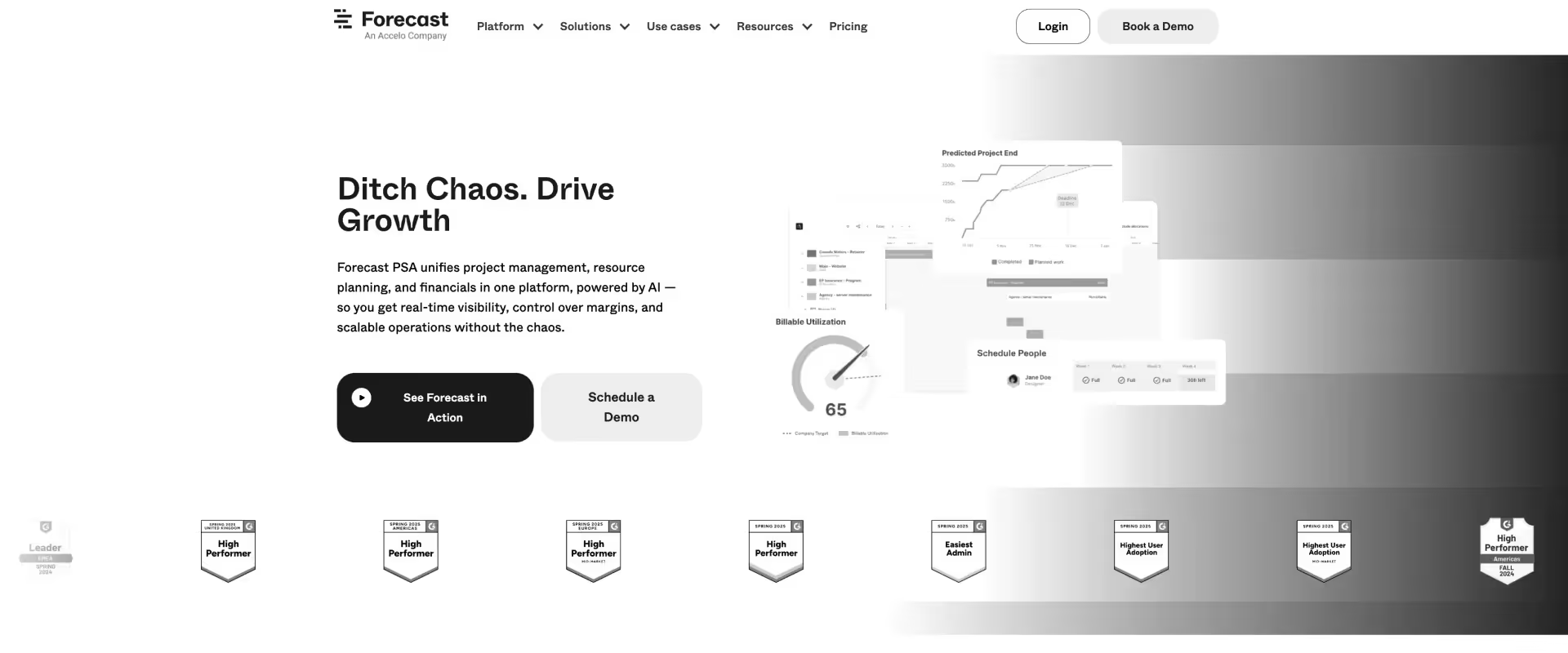
Forecast is a professional services platform built around one core idea: delivery performance is only predictable when planning, resourcing, and financial data are connected.
It is not just a project management tool with add-ons. It is a system that combines project execution, resource planning, and financial forecasting into a single model.
The defining layer is its predictive engine. Instead of showing you what is happening, it tries to tell you what is likely to happen next.
That changes how teams operate. Capacity is not just tracked, it is forecasted. Margins are not calculated after the fact, they are monitored as delivery evolves. Projects are not just managed, they are continuously evaluated against risk and profitability.
In practice, Forecast functions as a forward-looking PSA system. It is designed for teams that need to make decisions before problems surface, not after they show up in reports.
Key features
- AI-driven forecasting: Keeps plans responsive to how delivery is actually unfolding.
- Resource and capacity planning: Balances demand against available capacity across teams.
- Project and financial alignment: Links execution directly to financial performance.
- Scenario and demand planning: Allows teams to evaluate trade-offs before committing.
- Time tracking and actuals feedback: Uses real delivery data to improve planning accuracy over time.
- Portfolio-level visibility: Brings delivery, utilization, and financials into a single view.
Pros and cons
Best for
- Professional services teams that need forecasting, not just tracking
- Organizations managing capacity, utilization, and margins at scale
- Teams that want to move from reactive delivery to predictive planning
- Mid-market to enterprise environments where financial visibility is critical
Key takeaways
What customers say (G2 reviews)
8. Clickup
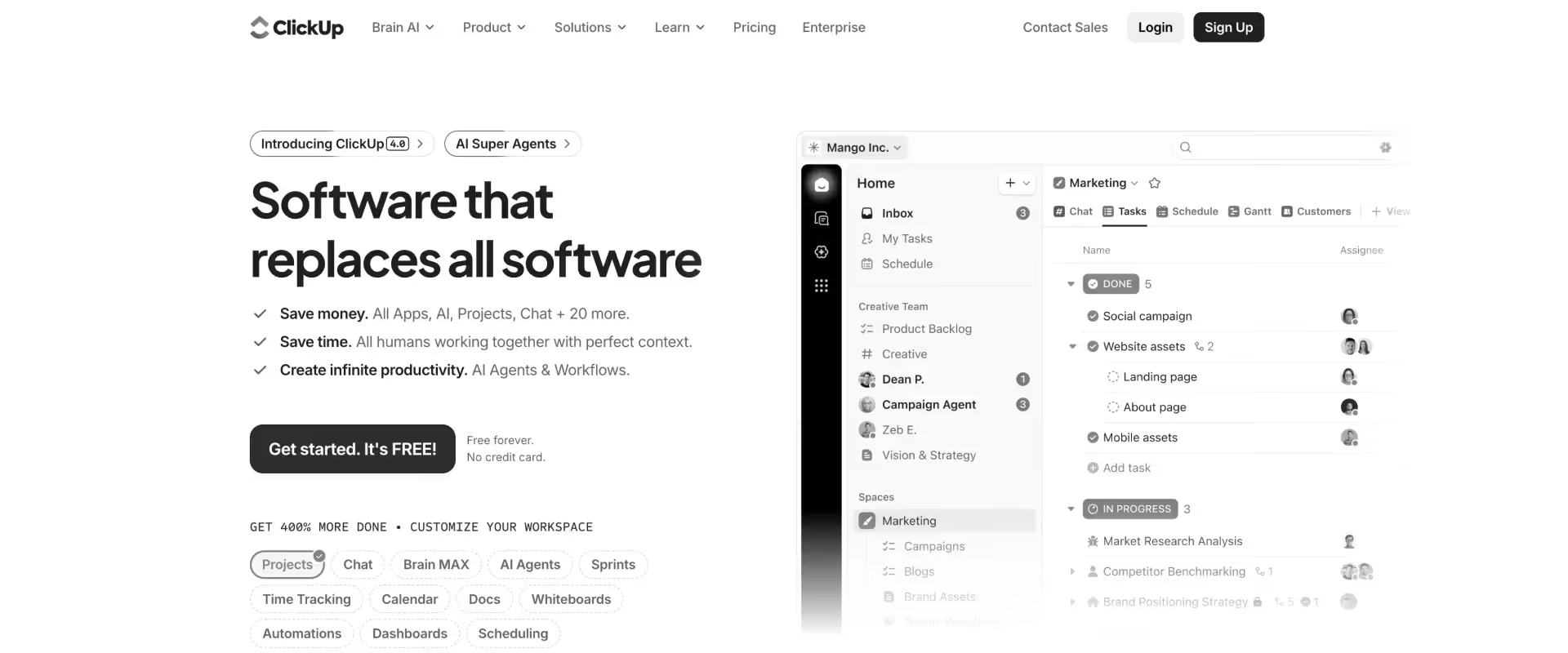
ClickUp is an all-in-one work management platform designed to consolidate tasks, documents, goals, and collaboration into a single workspace.
Its defining characteristic is flexibility. Instead of enforcing a specific way of working, ClickUp allows teams to design their own system using customizable hierarchies, views, fields, and automations. Projects can be structured in multiple ways, and the platform adapts to different workflows rather than prescribing one.
This flexibility is both its strength and its tradeoff. It enables a wide range of use cases, from simple task tracking to complex operational systems. But it also means that the quality of the setup depends heavily on how well teams design and maintain it.
ClickUp is best understood as a general-purpose work operating system. It brings everything into one place, but leaves it to the team to define how structured or scalable that system becomes.
Key features
- Customizable task hierarchy and views: Supports flexible structuring and visualization of work across teams.
- All-in-one workspace: Brings multiple work layers into a single platform.
- Dashboards and reporting: Provides visibility into work and performance across projects.
- Automation engine: Reduces manual coordination through rule-based workflows.
- Time tracking and resource visibility: Offers basic insight into effort and allocation.
- ClickUp AI (Brain): Adds AI assistance within workflows to support productivity.
- Integrations ecosystem: Extends functionality through external tools and systems.
Pros and cons
Best for
- Teams that want maximum flexibility in how they structure work
- Small to mid-sized teams looking for an all-in-one productivity platform
- Organizations willing to invest in setup and governance
- Use cases that span multiple functions beyond just project delivery
Key takeaways
What customers say (G2 reviews)
Productive.io alternatives compared: feature-by-feature breakdown
How to choose the right Productive alternative

Start with where your team is spending effort outside the system. Those moments usually tell you what the system is not carrying.
Start by identifying your top three friction points in Productive.io. For most teams, these cluster around:
- Resource planning that does not extend far enough into the future
- Client visibility that depends on manual updates
- Financial tracking that requires separate reporting workflows
Then match the alternative to the depth of those problems.
What matters here is coverage, not just improvement. A tool that solves one of these well but leaves the other two outside the system tends to recreate the same operational pattern, just with a different stack.
Map your pain to the right platform depth
It helps to think of this less as “features” and more as where the system carries the work.
If client experience is your primary constraint
This shows up as a recurring need to explain progress.
- Updates prepared before calls
- Status consolidated from multiple sources
- Clients relying on summaries instead of direct visibility
What to look for:
- A client-facing portal or layer that reflects live project state
- Role-based access to tasks, milestones, and documents
- Visibility that stays aligned without additional effort
If resource planning is your primary constraint
This usually appears as uncertainty in forward planning.
- Availability confirmed through conversations
- Allocation conflicts discovered late
- Utilization understood after delivery
What to look for:
- Forward-looking capacity across teams
- Partial allocation (not just full assignment)
- Utilization tied to actual work, continuously updated
If financial visibility is your primary constraint
This tends to surface as a reporting workflow rather than a data gap.
- Exports before reviews
- Spreadsheets used to calculate margins
- Budget drift identified after it accumulates
What to look for:
- Budget vs actuals within the project view
- Burn rate and margin at task or phase level
- Estimates that adjust as delivery evolves
If tool sprawl is your primary constraint
Here, the issue is not any single gap, but the coordination between systems.
- Projects, time, and financials managed separately
- Reporting dependent on combining multiple sources
- Operational effort spent on keeping systems aligned
What to look for:
- A shared model across projects, resources, and financials
- Reduced reliance on exports for core workflows
- Fewer transitions between systems to understand delivery
If flexibility is your primary constraint
This shows up in environments where workflows change frequently.
- Different project types requiring different structures
- Teams adapting processes regularly
- Need for configurability across use cases
What to look for:
- Flexible structures and views
- Ability to adapt workflows without heavy setup
- Awareness of where structure is still needed for consistency
Match the platform to your growth trajectory
The same system can feel sufficient at one stage and limiting at another. The shift is usually driven by how much coordination is required to keep delivery aligned.
10–30 people
- Coordination is largely direct
- System supports visibility more than control
- Priorities:
- Ease of use
- Fast adoption
- Minimal setup
30–75 people
- Resource planning becomes less intuitive
- Financial tracking moves closer to delivery
- Priorities:
- Structured allocation
- Consistent project setup
- Early financial signals
75–200 people
- Multiple projects run in parallel across teams
- Portfolio-level visibility becomes necessary
- Priorities:
- Cross-project visibility
- Utilization tracking
- Standardized workflows
200+ people
- Delivery spans teams, regions, and systems
- Governance and integration become important
- Priorities:
- Data consistency
- Financial control
- Integration with existing systems
Simple guiding framework to choose the right Productive alternative
The decision becomes clearer when you look at how often your team steps outside the system to understand what is happening. Each step outside, whether for reporting, coordination, or validation, is a signal.
The right alternative reduces those steps. Over time, that is what changes how delivery runs.
Six questions to ask every vendor in demos
Most demos are designed to show how a product works. What you need to understand is how it behaves under the conditions your team actually operates in.
That means moving away from feature walkthroughs and asking for live, multi-variable scenarios that reflect real delivery complexity.
1. Show resource allocation across multiple active projects
Ask them to model a realistic scenario:
- 15–30 concurrent projects
- Fractional allocations across the same people
- A mix of confirmed work and pipeline
What you’re looking for:
- Whether capacity is visible forward, not just current
- How easily conflicts and over-allocation appear
- Whether changes propagate cleanly across plans
This reveals whether resource planning is operational or just visual.
2. Show exactly what a client sees, without narration
Ask them to switch to the client view and stop explaining.
What you’re looking for:
- Whether the view reflects real delivery state or a curated layer
- How tasks, timelines, and documents are presented
- Whether approvals, updates, and communication happen in context
This tells you if client visibility is embedded or reconstructed.
3. Show project profitability in real time
Ask a direct question: “Are we making money on this project right now?”
Then watch how they answer.
What you’re looking for:
- Whether margin, burn, and budget vs actuals are visible immediately
- Whether the answer requires exports, filters, or reports
- How financial data connects back to tasks and time
This surfaces whether financials are part of execution or a reporting layer.
4. Walk through a mixed billing scenario
Use a realistic case:
- Fixed fee onboarding
- T&M support phase
- Milestone-based payment tied to deliverables
What you’re looking for:
- Whether billing models can coexist within a single project
- How changes in scope affect billing and revenue
- Whether invoicing follows naturally from delivery
This shows how tightly billing is integrated with execution.
5. Clarify who owns implementation and migration
Don’t accept a high-level answer. Ask for specifics:
- Who configures templates, workflows, and integrations
- How data is extracted, transformed, and validated
- What your team is expected to do week by week
What you’re looking for:
- Whether implementation is structured or open-ended
- How much internal bandwidth is required
- Whether the vendor has a repeatable migration approach
This directly impacts time-to-value more than pricing does.
6. Ask what the AI layer actually does inside workflows
Move past generic descriptions.
Ask them to show:
- What actions happen automatically during delivery
- How the system responds to changes in scope, time, or activity
- Where AI reduces coordination, not just content creation
What you’re looking for:
- Whether AI operates on live delivery data
- Whether it enforces, updates, or surfaces signals
- Whether it removes steps from your workflow
This helps distinguish assistive features from operational capability.
Pay attention to:
- How many steps it takes to answer a simple question
- Whether data stays aligned as scenarios change
- Where manual intervention is still required
The best demos feel less like a walkthrough and more like a simulation of your actual delivery environment.
Common mistake
Teams optimize for the loudest problem, usually resource planning or reporting, and select a tool that improves that layer. Delivery becomes easier in one area, but client communication, financial tracking, and reporting still sit outside the system. Coordination effort remains, just redistributed across a slightly different stack.
Right approach
Start by mapping the full delivery workflow end to end, from planning and staffing to execution, financial tracking, and client communication. Then evaluate whether the system keeps these layers aligned without handoffs. The objective is reducing ongoing coordination effort, not improving one function while leaving the rest fragmented.
Best Productive.io alternative by agency type, team size, and use case
Why Rocketlane is the best Productive.io alternative for professional services teams in 2026

Rocketlane treats delivery as a single system rather than a set of connected parts. Projects, resources, financials, and client collaboration are modeled together, so the state of one reflects the state of the others.
A system built around delivery, not coordination
In a fragmented setup, each system answers a different question. The project tool shows progress.
The time tracking tool shows effort. The reporting layer shows financial outcomes.
The connection between them is maintained through process. Data is exported, reconciled, and interpreted before it becomes usable.
Rocketlane removes that separation. Work, effort, and financial impact are part of the same model.
- Time logged against a task updates budget consumption.
- Changes in scope reflect in project timelines and financial projections.
- Resource allocation is based on live capacity tied to actual delivery work.
Client visibility as a native part of the workflow
Client communication is often treated as an external layer. Updates are compiled, formatted, and shared periodically.
Rocketlane brings that interaction into the system itself through a structured client portal. Clients see tasks, milestones, and documents as they evolve, with access defined by role.
This removes the need to translate delivery into updates. Visibility comes directly from the system that runs the work.
Financial clarity during delivery
Financial insight in most Productive.io setups is derived after a reporting cycle. Data is exported, processed, and reviewed. The information is accurate, but it reflects a completed state.
Rocketlane integrates financial tracking into execution. Budget consumption, burn rate, and estimated completion update continuously as work progresses.
This changes how teams respond to variance. Instead of identifying issues after completion, they are visible while the project is still in motion.
Implementation as part of the system, not an afterthought
Transitioning systems is usually constrained by active delivery. Projects cannot pause while tools change.
Rocketlane’s implementation approach reflects that constraint. Data from Productive.io and surrounding tools is extracted, structured, and validated before import. Workflows and templates are configured alongside migration.
The process is designed so teams can continue running projects while the system is being set up.
The role of Nitro, Rocketlane’s agentic AI in this model
Rocketlane extends this system through Nitro, its embedded agentic layer.
Nitro operates on live delivery data. It maintains documentation, monitors project signals, enforces workflow conditions, and responds to operational queries. These are not separate actions performed after work is done. They happen as part of delivery.
Over time, the system carries more of the alignment work. Teams coordinate less, deliver more.
How Rocketlane Nitro gives PS leaders intelligence that Productive.io can't?
With Nitro, the execution layer embedded inside delivery, agents that take on specific parts of operational work in professional services.
Each agent does three things:
- Observes live delivery data across projects, time, client interactions, and documents
- Structures that data into usable context, signals, or outputs
- Acts within workflows, enforcing rules, generating artifacts, or surfacing decisions
Nitro agents mapped to PS outcomes
Where the impact shows up
Decisions stay close to the work
Most teams operate on delayed visibility. Reports are built after the fact. By the time insights are available, the situation has already changed.
Nitro works on live delivery data. Questions about utilization, margins, or project health can be answered instantly, with context attached.
Impact on PS and delivery: Over time, this removes the lag between execution and decision-making. Teams stop waiting for updates and start operating on what is already happening.
Risk becomes visible as it forms
Delivery risk rarely appears suddenly. It builds through small signals. A delayed response. A shift in engagement. A subtle scope change.
Nitro’s Signals Agent surfaces these patterns early, tying each signal back to the exact interaction it came from.
Impact on PS and delivery: This creates a continuous layer of awareness. Teams can intervene while projects are still recoverable, not after escalation.
Documentation stays aligned with delivery
In most systems, documentation is created after work is done. It is incomplete, inconsistent, and rarely trusted.
Nitro’s Documentation Agent generates artifacts directly from conversations and updates them as delivery evolves. Every decision remains traceable.
Impact on PS and delivery: Documentation becomes part of the workflow, not a separate activity.
Governance runs within execution
Consistency usually depends on oversight. Reviews, approvals, manual checks.
Nitro embeds governance into workflows:
- Billing rules are validated at the point of time entry
- Project progression follows defined conditions
- Closure reflects a complete and verified state
Impact on PS and delivery: This reduces reliance on manual enforcement while improving accuracy.
Implementation knowledge compounds
Nitro’s migration and configuration agents carry forward patterns across projects. Field mappings, transformation logic, and edge cases are not re-solved each time. They accumulate.
Impact on PS and delivery: Over time, implementations become faster, more predictable, and less dependent on manual effort.
What this means for PS teams
Most professional services teams scale by adding coordination. More check-ins, more reporting, more oversight.
Nitro changes that model.
- Consistency becomes built into the system
- Visibility becomes continuous, not reconstructed in reports
- Execution becomes structured and explainable, without slowing teams down
How to migrate from Productive.io: what to expect and how long it takes

Migrating from Productive.io to a modern PSA platform like Rocketlane typically takes 6–12 weeks, depending on data complexity and integrations.
With Rocketlane, most teams complete the transition in ~8 weeks, with implementation covering configuration, data migration, and integrations.
The client’s role is focused and practical: define requirements, validate outputs, and ensure teams are trained and ready to operate in the new system.
8-week migration timeline (typical rollout)
What actually gets migrated
Migration is about making existing data usable inside a better-structured system. Typically, this includes:
- Historical project data and templates
- Time tracking records (including external tools)
- Resource allocations and skills data
- Budgets, bill rates, and financials
- Client records and contacts
- User roles and permissions
- Custom fields and configurations
Most teams find that the data going into the new system is cleaner and more reliable than what they had before.
Common migration concerns while moving away from Productive
Will we lose historical data?
Projects, time entries, and financials are migrated with full traceability. In practice, migration often improves data quality because it is cleaned and structured during the process.
Can both systems run during the transition?
Phased rollout is standard. Teams can pilot with a subset of projects or run parallel systems for a defined period before full cutover.
How much work falls on our team?
Rocketlane handles the majority of implementation work. Internal teams provide inputs (templates, rate cards, integrations), validate outputs, and participate in training.
Common mistake
Treating migration as a DIY exercise. Exporting CSVs, rebuilding workflows manually, and trying to replicate the existing setup in a new tool. This often leads to gaps in historical data, inconsistent templates, and broken reporting a few weeks later.
Right approach
Approach migration as a system transition, not a data transfer. A platform like Rocketlane has a structured implementation methodology and experience migrating from Productive.io and similar tools. The goal is not to recreate the old system, but to move to one where delivery, resources, and financials stay aligned without ongoing reconciliation.
Conclusion
At some point, evaluating alternatives stops being about tools and starts being about how delivery actually runs. Most teams begin by trying to fix usability. They want something cleaner, easier to navigate, quicker to adopt. And that works, for a while. Work becomes more visible. Coordination improves. Friction drops.
But as delivery scales, the pressure shifts. The real work is no longer inside tasks. It sits between systems. Reconciling time with budgets. Explaining margin variance after the fact. Chasing context across emails, docs, and dashboards. The system tracks activity, but understanding performance requires reconstruction.
That is where the limitation becomes structural, because the tool was never designed to hold delivery, resources, and financial outcomes together.
This is where Rocketlane stands out from other PSA tools. Instead of organizing work and leaving the rest to integrations, they model delivery as a single system. Projects, staffing, client collaboration, and financial visibility are not separate layers. They operate in sync.
That shift changes how teams work. Planning reflects real capacity. Execution updates financials in real time. Client interactions stay tied to delivery. Reporting no longer requires stitching together data from multiple places.
The decision, then, is not about which tool feels better to use. It is about whether your system can carry the full weight of delivery as it grows.

Authored by

Kailash Ganesh
Kailash Ganesh is a professional services researcher at Rocketlane with more than seven years of experience in content, research, and market analysis. He studies how enterprise PS teams are adopting agentic AI to transform delivery operations, has evaluated every major PSA platform in the category, and writes from the perspective of a practitioner who watches enterprise PS teams make these exact decisions daily.
Table of Contents

Regsiter for the live webinar


Great consultants didn't join your team to spend Fridays writing documentation.
Table of contents
18 of Forbes Cloud 100 chose Rocketlane. The best PS teams aren't waiting around.
FAQs
What are the best Productive.io alternatives for agencies and professional services firms?
The strongest alternative depends on how your delivery is structured. Rocketlane is the most complete option for professional services and implementation teams that need projects, resources, and financials in one system. Scoro fits agencies that want an all-in-one business platform, while Teamwork works well for smaller client-focused teams. Kantata is better suited for enterprise organizations with complex resource planning needs.
Why do services teams move away from Productive.io?
Common reasons for seeking alternatives include the need for improved financial oversight, better integration with existing tools, and a more user-friendly interface. Integrated platforms should support the entire client lifecycle and entire client journey, from initial client acquisition through project delivery, ongoing support, and reporting, to ensure all stages are streamlined within one system. Common issues include limited resource planning depth, lack of a true client collaboration layer, and reliance on manual reporting to understand profitability. Over time, teams also accumulate additional tools, which creates fragmentation and increases operational overhead.
How long does it take to migrate from Productive.io?
Most migrations take between 6 to 10 weeks, depending on data complexity and team size. The process usually includes data migration, workflow configuration, integrations, and team onboarding. With structured implementation support, mid-sized teams can transition fully within about two months without disrupting active projects.
What gaps does Productive.io have compared to full PSA platforms?
Productive.io does not fully unify delivery, resource management, and financial visibility in real time. Capabilities like advanced capacity planning, deeper utilization tracking, and integrated client collaboration are often limited or require workarounds. As a result, teams may rely on additional tools, which introduces manual reconciliation and reduces system clarity.
Is Rocketlane a strong alternative to Productive.io?
Yes, particularly for delivery-led teams that need tighter operational control. Rocketlane brings project execution, resource planning, financial tracking, and client collaboration into a single system, reducing the need for multiple tools. This makes it more suitable for teams that want structured, repeatable delivery with real-time visibility into performance.













Copyright © 2026 Rocketlane Corp. All rights reserved.





















.webp)