RAID management: Complete guide for PS teams (2026)

•
•
Summarize blog with






RAID management is the structured practice of identifying, documenting, and actively monitoring four categories of project factors: Risks, Assumptions, Issues, and Dependencies, across the full project lifecycle.
For professional services teams, an untracked dependency on a 5-person engagement at a $150 blended rate costs $12,000–$24,000 in unrecoverable margin every two weeks.
Teams running RAID as governance catch material risks 2–3 weeks earlier and convert scope events into change-order conversations instead of margin write-offs.
Rocketlane is the PSA platform 750+ professional services teams use to embed RAID governance into project execution, with a 94% recommendation rate on G2.
Built for the Outcome Era of professional services delivery, Rocketlane Nitro marks the shift from merely tracking work to actively executing it.
This guide covers the four RAID categories, the seven-step Governed RAID Loop, real PS examples, scale-breaking failure modes, the metrics that matter, a buyer-stage tool comparison, and how Rocketlane Nitro turns RAID management into a system behavior.
Why does RAID management decide PS delivery outcomes?
RAID management is the structured practice of identifying, documenting, and actively monitoring four categories of project factors: Risks, Assumptions, Issues, and Dependencies, across the full delivery lifecycle.
For professional services (PS) teams, it is delivery governance, not documentation.
Most PS teams still treat the RAID log as a kickoff artifact. The cost shows up directly in the margin.
At a $150 blended rate, a 2-week dependency slip on a 5-person engagement amounts to $12,000–$24,000 in unrecoverable hours, absorbed straight out of the project margin on fixed-fee work.
Teams that run RAID as governance, weekly cadence, named owners, log linked to the project plan, catch material risks 2–3 weeks earlier, and convert scope events into change-order conversations instead of margin write-offs.
What is RAID management in project management?
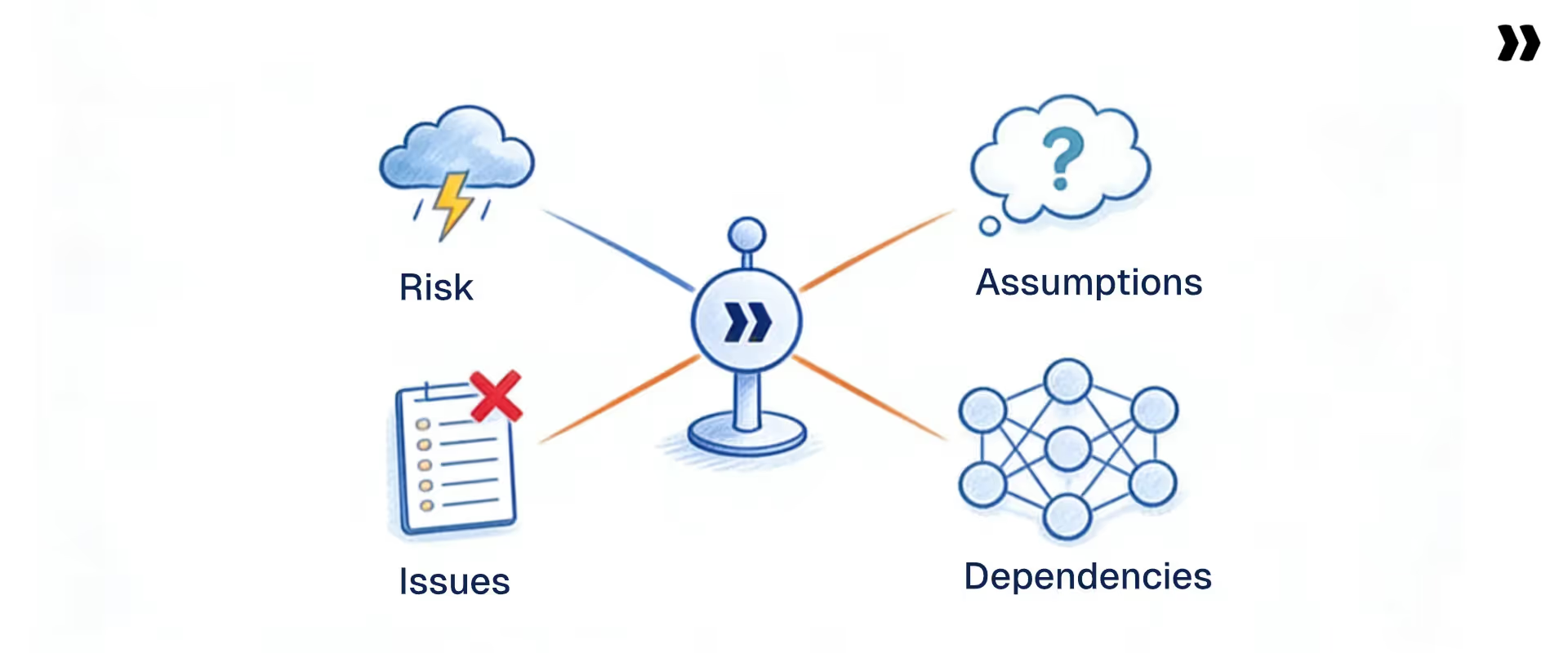
RAID management in project management is the structured practice of identifying, documenting, and actively monitoring four categories of project factors: Risks, Assumptions, Issues, and Dependencies.
It gives project teams a shared framework for anticipating problems before they occur, resolving active issues, validating planning assumptions, and tracking external dependencies that could delay delivery.
In professional services delivery, this distinction matters more than in any other context. The word 'management' is doing real work here. RAID analysis is the act of identifying and assessing items at a point in time. RAID management spans the full project management lifecycle. It is the ongoing cycle of tracking, reviewing, escalating, and resolving RAID elements through delivery.
Managing RAID elements well requires a consistent review cadence and named owners.
A RAID log nobody reviews is documentation theater, not management. The strongest teams treat the RAID log as a living governance tool. They refresh it in status meetings and review it before every milestone.
RAID management vs. RAID analysis: What's the difference?
RAID analysis is the identification and assessment of items at a point in time. RAID management is the continuous cycle of tracking, reviewing, escalating, and closing those items throughout delivery.
Running a RAID analysis at kickoff without maintaining it through delivery is a common failure mode. It is like taking a patient’s blood pressure once and assuming they are healthy for the rest of the year.
Effective RAID management enables proactive risk and issue management throughout the project lifecycle, allowing teams to anticipate and address challenges before they escalate, rather than simply reacting to problems as they arise.
Who owns RAID management on a PS team?
On a PS team, project managers or delivery leads execute RAID management and assign ownership of each RAID item to ensure accountability and effective resolution, while leadership monitors the aggregate health.
The PMO sets the RAID framework and escalation standards. Some teams pair RAID and RACI in project management.
RACI formalizes who is Responsible, Accountable, Consulted, and Informed for each RAID item.
Shared ownership is not the same as no ownership. Every RAID item needs a designated owner with responsibility for resolution.
Why does RAID management matter for PS teams?
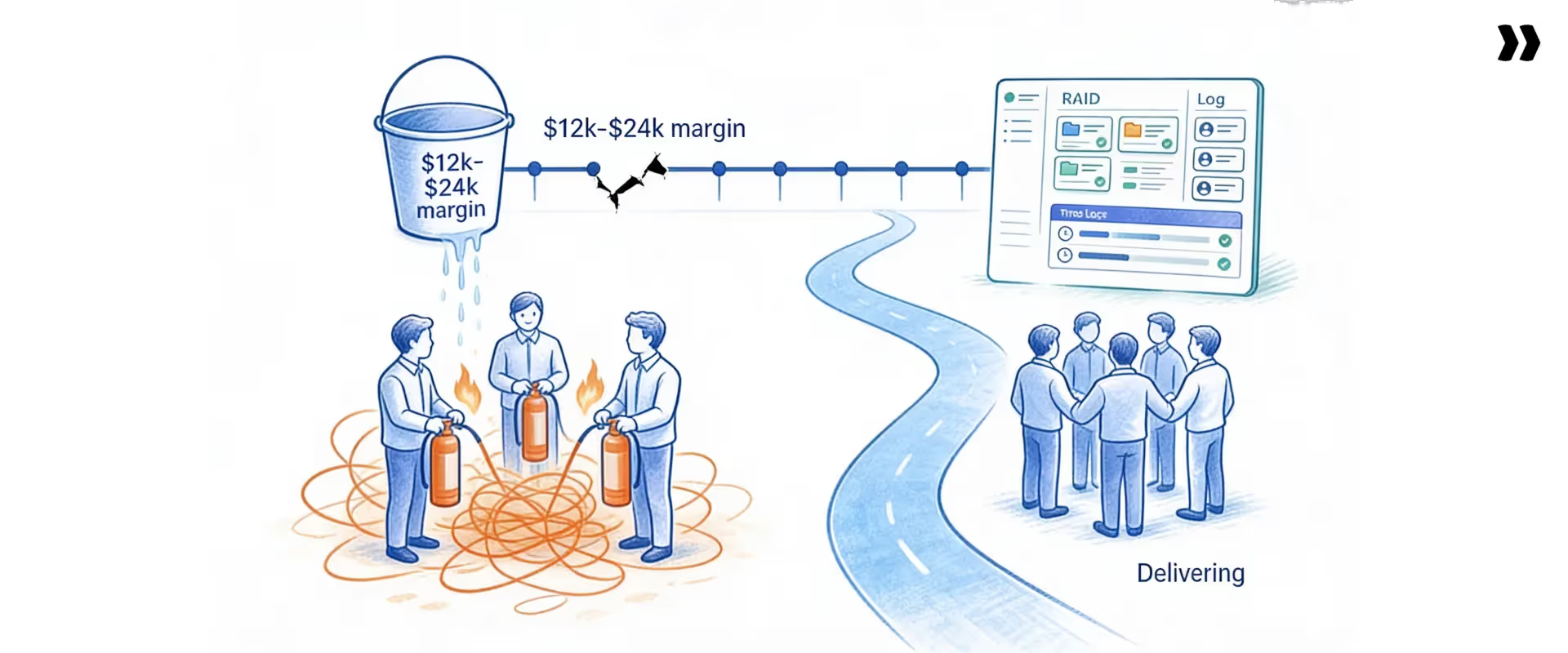
RAID management matters because it determines whether project risks become managed work or unmanaged escalations.
For PS teams running successful projects, the difference shows up in three places: margin, customer trust, and delivery predictability.
- Consider a single untracked dependency: At a $150 blended rate, a 2-week delay on a 5-person engagement costs $12,000 to $24,000 in unrecoverable hours. On a fixed-fee project, that comes straight out of the margin. That number captures the business case in miniature.
Every RAID category traces back to a financial outcome: margin, utilization, time to value, and escalation cost. In project management refer, understanding dependencies is critical because they directly impact the project schedule and timely delivery. Failing to identify these links can cause cascading delays and disrupt the overall workflow. - Margin protection: Scope creep identified in week 3 is a change order conversation with a billing recovery path. The same scope creep identified in week 10 is a write-off. Project margin absorbs the cost. RAID management is the mechanism that determines which outcome you get.
Without it, every uncaught risk becomes a margin event by default. Teams that manage risks proactively prevent that pattern. Identifying potential risks early is essential for protecting project success, as it allows teams to address issues before they impact financial outcomes. - Client trust: Clients who receive proactive stakeholder communication about risks escalate far less than clients who discover problems on their own. The conversation about a delayed go-live is easier three weeks early than during the go-live week itself. Transparency becomes a retention factor in its own right.
- Delivery predictability: Teams with active RAID governance produce more accurate completion estimates. Tracking risks consistently across the portfolio also feeds better capacity planning, sharper revenue forecasting, and steadier utilization. Predictability compounds: when projects deliver on time, the next project plan is more credible, and the cycle reinforces itself.
- The compounding effect runs the other way too: PS teams that operate without active RAID management spend their days managing escalations instead of delivery. Each escalation pulls senior resources, stretches PM bandwidth, frustrates multiple stakeholders, and strains the customer relationship. The cost rarely appears as a single line item, which is why teams discount it until renewal numbers slip.
A PM managing 3 projects can hold RAID context in their head. A PM managing 8 cannot.
Most PS teams growing beyond 20 concurrent, complex projects discover this in the middle of a client escalation.
What are the four components of RAID?
What does RAID stand for in project management? RAID stands for Risks, Assumptions, Issues, and Dependencies.
In project management, RAID serves as a strategic framework and a reference point for teams to consistently identify, track, and manage these key project factors.
The full form of the RAID acronym names four categories of project factors that delivery teams must actively monitor.
Every category needs documenting and active review, not filing away. Together, the four categories cover the most common sources of project failure in professional services delivery.
1. Risks: What could go wrong
In PS, risks are potential risks or risks associated with potential events, adverse scenarios, or conditions that could negatively impact the project timeline, scope, budget, or client outcome.
Examples include resource shortages, such as when a key resource takes leave mid-project, or when the client IT team is unavailable for sign-off during user acceptance testing (UAT), or when scope assumptions in the statement of work (SOW) remain unvalidated.
Identifying these risks early allows teams to develop risk mitigation strategies and plans to address them before they materialize.
Teams rate risks by combining likelihood and impact on a High/Medium/Low scale.
2. Assumptions: The silent project killers
Assumptions are conditions the team treats as true during the planning phase, without confirmed evidence. In PS delivery, unvalidated assumptions are a common cause of scope disputes and budget overruns.
They feel settled until they aren’t. Assumptions should be documented in the RAID document for ongoing review and validation.
- The data migration will be clean and on schedule
- Stakeholders will be available for UAT sign-off
- No post-SOW scope changes will occur
- An assumption that proves false becomes a risk or issue, depending on the impact.
3. Issues: Problems that exist right now
Issues are problems that have already materialized and are actively affecting the project. Unlike risks, issues don't need probability assessment.
They need resolution plans, owners, and deadlines.
- An integration bug blocks UAT progression
- Delayed client data delivery pushes go-live back
- Someone pulls a key resource mid-engagement before confirming a replacement
- Issues without owners rot in the issue log. Unresolved critical issues become major problems. Medium-severity issues nobody has touched in four weeks are the most dangerous.
4. Dependencies: The links that determine your schedule
In project management, dependencies directly impact the project schedule and require careful tracking to avoid delays and ensure smooth workflow.
Dependencies link tasks, teams, or external parties, where progress on one item is blocked until another finishes. Unmanaged dependencies are the most common cause of cascading delays.
They often involve the client or third parties outside the team’s direct control. External dependencies need active tracking because the team can’t control them, only anticipate them.
- Go-live waits on client UAT sign-off
- Data migration waits on legacy system access provisioning
- Phase 2 scope waits on phase 1 formal acceptance
Types of dependencies in project management include mandatory (legally or contractually required), discretionary (preferred but not mandatory), and external (involving a third party).
Effective management of dependencies involves tracking them in a centralized system, often automated with software tools, to ensure awareness of dependency statuses.
How do you classify RAID items?
RAID items aren't all created equal. Strong delivery teams classify each item in three ways: by severity, by source, and by delivery phase.
The classification scheme determines what gets escalated, what gets reviewed weekly, and what stays in the background.
1. Classifying by severity: High, medium, low
- High items could materially delay delivery, erode margin, or damage the client relationship. These significant risks need immediate attention and weekly visibility from a named owner.
- Medium items create friction or rework but don't derail delivery on their own. These potential roadblocks need an owner and a documented resolution plan.
- Low items are worth tracking but can be managed in the background. Review them at milestones.
A common mistake: teams track only High items while ignoring Medium items. The highest cumulative delivery risk often comes from 3-5 Medium items nobody actively manages. Automated alerts for Medium items that have aged past their review date prevent this drift.
2. Classifying by source: Internal vs. external
Internal RAID items originate within the delivery team: resource conflicts, technical decisions, and internal approvals. The team can resolve them directly.
External RAID items originate outside the delivery team: client dependencies, third-party integrations, vendor timelines, and regulatory approvals. Every external dependency should have a named client-side contact.
The delivery team can flag and escalate external items, but resolution requires the client-side contact to engage. Keeping stakeholders informed on external blockers shifts the conversation from blame to coordination.
3. Classifying by delivery phase
RAID composition shifts across the project lifecycle. Pre-delivery work at kickoff centers on risks and assumptions. Active delivery surfaces issues and dependencies as work progresses. Project close reviews all categories for patterns that feed future templates.
This phase awareness matters because each phase introduces new risks.
Risks identified at kickoff often look different from issues that surface in week 6. Phase-aware classification also prepares the team for what's coming next, rather than reacting to potential challenges as they hit.
How does RAID management work step-by-step?
The RAID management process follows seven steps from kickoff through close-out. Together, they form the Governed RAID Loop: a closed cycle that turns RAID into delivery governance.
Each step builds on the last, emphasizing proactive management and the importance of assigning ownership of RAID items to specific project team members to ensure accountability and effective project control.
Step 1: Define project scope and delivery boundaries
Document what's in scope, out of scope, and what the team is assuming before identifying any RAID items. The SOW is the starting point, not the complete picture. In a 90-day HR tech onboarding, the scope includes who owns the data migration. That ambiguity, unresolved at kickoff, becomes a blocking dependency in week 8.
Step 2: Run a structured RAID brainstorm with the full delivery team
Bring the project team, including PMs, technical leads, and client-facing team members, together for structured brainstorming sessions to collaboratively identify RAID items.
Use four RAID prompts: what could go wrong, what is assumed, what is happening now, and what is blocked. Run a 60-90 minute session at kickoff and a 15-minute standing item at each weekly review. Identify the 8-12 items that could materially impact delivery.
Step 3: Categorize and enter every item into the RAID log
Assign each item to R/A/I/D and give it a unique ID. Write a specific one-sentence description, assign ownership by designating a named owner for each RAID item, and set an initial priority.
Clearly assigning ownership ensures accountability and effective project control. A complete RAID log includes a unique ID, category, description, owner, priority, and status for every item. The difference between weak and strong entries:
Weak: “Risk: client delays.”
Strong: “Risk (R004): Client IT team has not confirmed availability for integration testing in weeks 6-8. If unconfirmed by [date], go-live is at risk; escalate to client sponsor.”
Step 4: Prioritize by impact and likelihood. Apply High/Medium/Low
High items could delay delivery or significantly erode margin if unmanaged. A 2-by-2 grid works well for team alignment, especially when onboarding a new PM to an in-flight project.
Some enterprise PMOs use a 3-by-3 matrix for finer granularity in complex multi-workstream programs.
Step 5: Assign owners and create action plans
Every open RAID item needs a named owner and a documented next action with a date. 'Team' or 'TBD' does not qualify. For dependencies, identify who is responsible on the client side, not only internally.
For risks, the action ladders up to broader mitigation strategies executed through delivery. A risk without an owner is a worry. A risk with an owner and a date is a plan.
Step 6: Review, update, and escalate on a cadence
Review the full RAID log in every weekly project status meeting. Update statuses. Close resolved items. Escalate anything that has moved to High without a clear resolution path. Apply different cadences to different items.
Review risks and issues weekly. Validate assumptions before each milestone. Review dependencies based on linked project tasks. Any item 'In Progress' for two consecutive reviews without movement needs escalation.
Step 7: Close items and capture learnings
Close RAID items when resolved. At project close, review the full log for patterns. Which risks materialized? Which assumptions proved false? Which dependencies were consistently late?
Most teams skip this step and repeat the same delivery failures. The RAID log at project close is the most valuable input to the next project's template.
Skipping step 7 is why teams repeat the same risk patterns project after project.
What does RAID management look like in real PS projects?
Two real-world examples show RAID management in practice for professional services teams. The first comes from a Salesforce CRM implementation; the second comes from onboarding a SaaS HR platform.
Both RAID project management examples illustrate what active governance prevents.
Effective RAID management is a key factor in delivering a successful project, as it helps teams proactively address risks, issues, and dependencies.
Example 1: Salesforce CRM implementation
Context: mid-sized B2B company, 90-day implementation, 4-person delivery team.
Risk logged: Integration with the client's marketing automation platform may fail if field mappings are misaligned. Assigned to the technical lead, marked High, monitored weekly.
Assumption tracked: Client would complete data export from legacy CRM by the end of week 3. Validated at week 2 status call, confirmed on time, closed.
Issue logged at week 5: Lead assignment rules weren't firing correctly in UAT. The team assigned a 48-hour resolution deadline to the configuration bug.
Dependency tracked: The client must provision the Salesforce production org and licenses before the go-live rehearsal. Client IT is responsible, deadline set 2 weeks ahead of go-live.
What the RAID log prevented: The team flagged the provisioning dependency 3 weeks before go-live. Client IT was running 10 days behind. Escalation to the client sponsor at week 7 expedited license provisioning, and go-live proceeded on schedule.
Without active RAID tracking, the team would have noticed the gap during go-live week, by which point it would have been too late to recover.
Example 2: SaaS HR platform onboarding
Context: 500-seat HR platform, 90-day onboarding, implementation team of 3.
Risk: Client IT security review of single sign-on (SSO) configuration has historically taken 3-4 weeks. A late start would block SSO setup and delay go-live.
Assumption: Client would assign a named technical point of contact within 5 days of kickoff. Logged, validated at day 4, closed.
Issue at week 3: The data export from the legacy HR information system (HRIS) contained 15% duplicate employee records. The team assigned the client's HR ops lead a resolution deadline.
Dependency: SSO configuration cannot begin until the IT security review is complete. Go-live could not proceed until SSO went live.
What the RAID log prevented: The team flagged the SSO risk at kickoff. The PM initiated the security review request in week 1 rather than week 4.
That move absorbed the 3-week review window into the timeline, rather than treating it as a delay. Without proactive RAID tracking, the security review would have started in week 4, pushing go-live 3 weeks past the original date.
Which RAID management strategy fits your PS team?
Knowing what RAID is matters less than knowing how to apply it. Strong RAID management gives PS teams project control and lets them maintain control as projects scale.
Central to effective RAID management strategies are proactive management, early identification of potential risks, and ongoing risk mitigation.
The right RAID management approach depends on context. Different delivery contexts call for different RAID strategies and guides.
Three strategies cover most of what PS teams need: proactive identification, layered escalation, and agile adaptation. Each strategy comes with a mechanic and a failure mode it prevents.
1. Proactive RAID strategy: Anticipate before you react
Mechanic: Front-load RAID identification at kickoff with a structured brainstorm, then shift to weekly maintenance. The goal: surface 80% of material risks before the first delivery milestone.
What it prevents: Reactive RAID management, in which the team updates the log only after something has already gone wrong. At that point, the RAID log is a post-mortem, not a governance tool. Reactive teams spend their cycles managing damage rather than preventing it.
PS application: Use the SOW as the primary source of risk at kickoff. Every deliverable, client dependency, and assumed timeline becomes a corresponding risk or assumption logged before week 1 closes. This anchors the RAID management plan.
2. Escalation-layered RAID strategy: Governance without noise
Mechanic: Define three escalation tiers before the project starts.
- Tier 1 (PM handles) covers Low and Medium items with clear resolution paths.
- Tier 2 (Delivery Director visibility) covers High items with resolution stalls or missed deadlines.
- Tier 3 (Client sponsor) covers items with go-live implications or contractual scope impact.
What it prevents: PMs who under-escalate create surprises for leadership. PMs who over-escalate create noise that disengages everyone. A pre-agreed escalation ladder removes both patterns. Each tier has clear ownership, response timing, and decision authority.
PS application: Document the escalation thresholds in the project kickoff deck so the whole team operates from the same rules.
3. Agile-adapted RAID strategy: Sprint cycles, not phase gates
RAID in agile project management adapts to sprint-based cycles rather than milestone checkpoints. Teams review risks and dependencies at sprint planning and retrospectives.
Issues escalate immediately rather than waiting for a weekly review cycle. Teams validate assumptions before each sprint begins.
The RAID log structure stays the same; the review cadence aligns with agile ceremonies.
For PS teams delivering iteratively, the RAID log is a living sprint artifact, not a phase-gate document. The same governance principles apply: every item has an owner, a status, and a documented next step.
Why do current RAID approaches break down at scale?
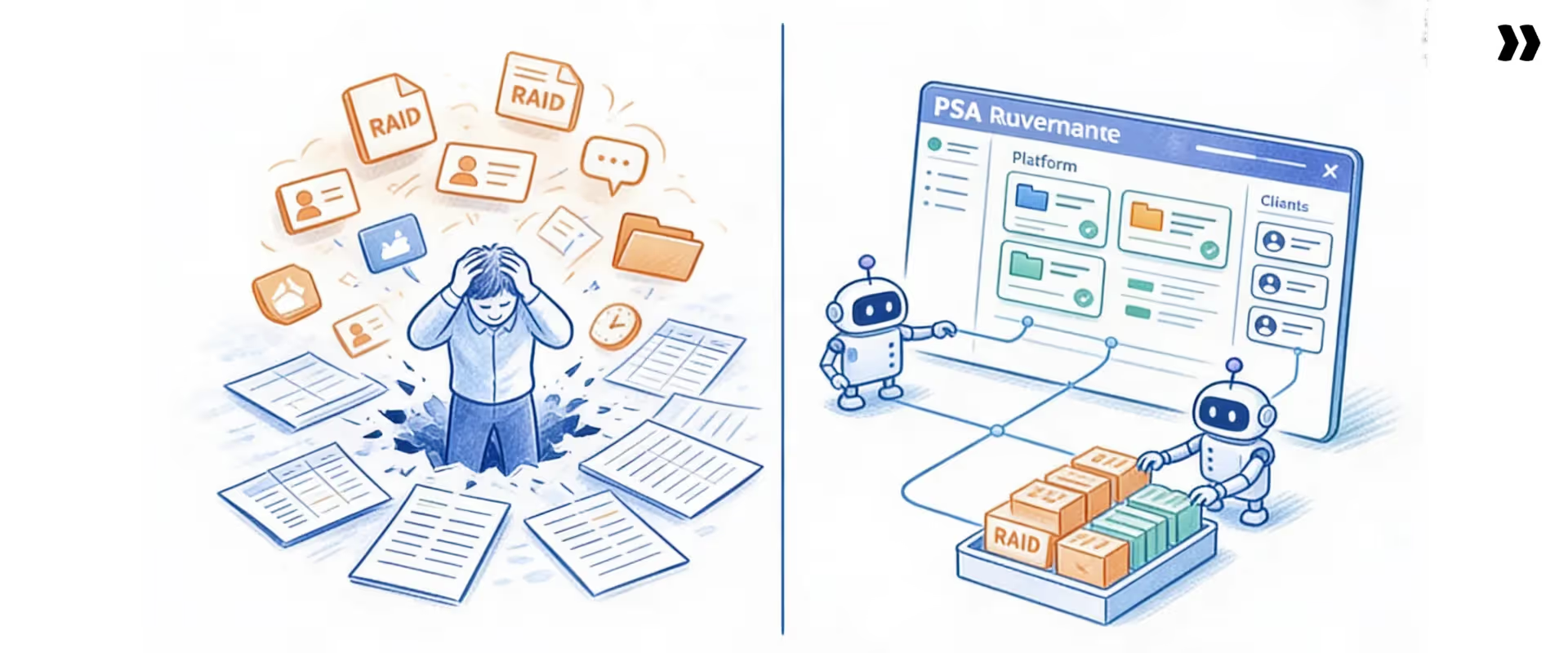
Most PS teams know their RAID processes are breaking down. They are not wrong. The infrastructure most teams use never targeted RAID at scale.
No spreadsheet stack qualifies as RAID management software or a real RAID management system. The cracks show up where you would expect: spreadsheets, tool sprawl, human dependency, and visibility.
- The spreadsheet problem: A RAID log in Google Sheets works for one PM managing two projects. It breaks down at 15 PMs and 80 concurrent projects. There is no centralized visibility, no escalation automation, no integration with project tasks, and no audit trail. Leadership takes a different form for every PM. Each PM compiles their own manually before every QBR.
The data is a week out of date by the time the QBR happens. Each PM adapts the template to their preferred fields. By the time the data reaches leadership, comparing across projects is impossible. - The tool sprawl problem: RAID items live in Monday.com, risks in a spreadsheet, issues in Jira, and dependencies in Slack. With no single source of truth, items fall between tools. A dependency flagged in a Slack message at 4 pm Tuesday disappears by Thursday. Nobody is negligent. The infrastructure makes the loss inevitable. Items duplicate across systems. Updates land in one place but not the others. Reconciliation eats hours every week.
- The human dependency problem: RAID management done manually runs entirely on the discipline of individual PMs. A diligent PM with a manageable load maintains a clean log. A stretched PM managing 6 projects does not. When delivery quality depends on individual habits rather than system-enforced governance, it does not scale. It also does not survive team growth.
- The visibility problem: Delivery leaders see what each PM chooses to surface in a status update. They cannot see what nobody surfaces. The projects most likely to escalate are often the ones that look fine in the weekly report. Visibility gaps compound during the projects that need the most attention. Quiet teams stay quiet until escalation forces them to become visible.
PS teams use phrases like 'flying blind,' 'we don't know until it's too late,' or 'everything's in spreadsheets.' These are not cultural problems. They are infrastructure problems.
The current toolkit is no longer valuable. Tools that scale make governance the default; tools that don't make heroics the default.
How do you build a RAID management framework for your PS team?
Building a RAID project management framework takes five components. Maintaining a RAID document provides a single, updated repository of information that acts as a reference point for the team, ensuring effective communication among team members and stakeholders.
Each component fixes a different reason why RAID logs go stale. The framework works at the team level, not per project. Every PM uses the same template, review cadence, and escalation rules, and assigns ownership of each RAID item as part of the framework.
These five components turn RAID into a team-level system rather than a personal practice.
The result is a well-managed RAID approach that withstands team growth and scales as the portfolio expands.
Step 1: Define your RAID log template and fields
Standardize on a single template before creating any logs. Minimum required fields: ID, category (R/A/I/D), description, owner, priority (High/Medium/Low), status, action plan, and review date.
The decision rule: if you don't review a field in every status meeting, drop it from the template. RAID data management starts with template consistency across every project.
Teams abandon RAID logs that are too complex. Standardizing also makes the log auditable and traceable.
Step 2: Connect RAID items to the project task plan
Every logged item should link directly to the task or milestone it affects. A dependency is not a note. It blocks specific tasks.
An issue is not a flag. It has a resolution task with a due date. When connected, the log updates as work moves. When separate, the log goes stale.
Connection enables visual tools, such as a RAID board or dashboard, that pull live status from the source data.
Step 3: Establish your review cadence
Different items need different review frequencies.
- Weekly cadence covers full RAID log review in every project status meeting (10-15 minutes).
- Per-milestone validation closes out assumptions before each phase gate.
- Per-sprint review (agile) covers risks and dependencies at planning and retro.
- Monthly rollup feeds a portfolio-level RAID dashboard for delivery leadership.
- Project close hosts a retrospective on the full log; patterns feed the next project's template.
Step 4: Define the escalation ladder before day 1
Agree upfront on what triggers Tier 2 visibility (delivery director) and Tier 3 escalation (client sponsor).
Define how quickly a notification happens once an item crosses a threshold. Document the ladder in the project kickoff deck, not a separate governance doc nobody reads. Without a defined ladder, escalations either come too late or flood leadership with noise.
Step 5: Build a retrospective into every project close
At project close, the PM reviews the full RAID log with the delivery team. Three questions drive the retrospective: which risks materialized? Which assumptions proved false? Which dependencies ran consistently late?
Findings feed the next project's template, not a doc that the team files and forgets. This is the step where a well-maintained RAID log becomes a strategic asset. Repeated patterns suggest a structural fix, not a one-off mitigation.
What are the best practices for RAID management?
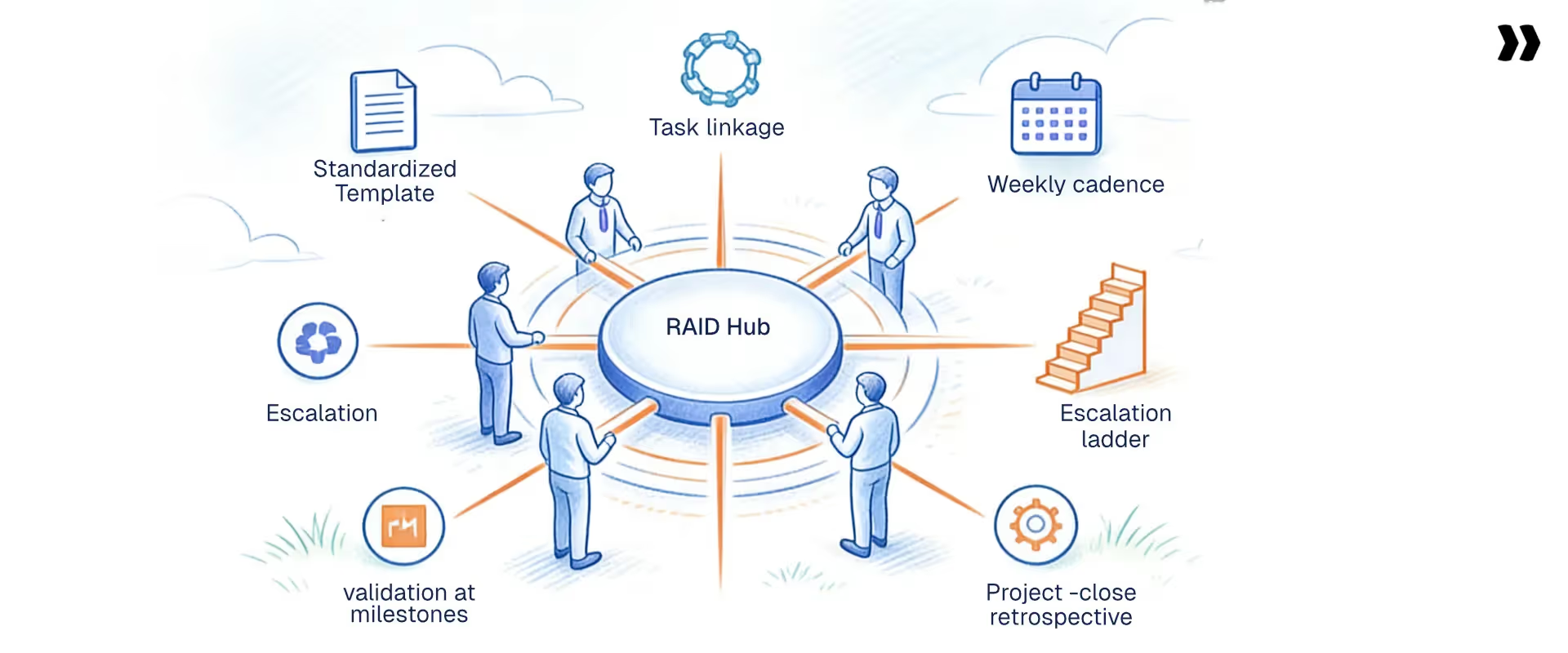
These six practices separate teams that manage RAID well from teams that only maintain a log. Each practice has a mechanic and a failure mode it prevents. Adopting them turns RAID from documentation into governance.
- Standardize the RAID log template across all projects: Every PM uses the same fields, categories, and priority framework. Bespoke formats per PM or client should not exist. Without standardization, portfolio data becomes incomparable.
Leadership sees different formats from each PM and cannot triage across the team. A single template also enables cross-project pattern analysis. The choice of template is one decision worth getting right early. A simple internal RAID manager guide also speeds onboarding new PMs. - Write RAID items specifically enough that a different PM could act on them: Every description names the item, the project phase it affects, and the consequence if unresolved.
Nobody acts on vague entries. 'Risk: resource availability' is a worry. 'Risk: senior consultant X is on leave weeks 7-9 with no confirmed cover' gives a PM something to act on. Specificity also makes handoffs cleaner when project ownership changes. - Never let a RAID item go more than two reviews without movement: If an item's status hasn't changed in two consecutive weekly reviews, the team needs to act. That action is a new owner, an escalation, or a formal client notification. Without this rule, items go stale. PMs lose confidence in the log. The review cadence quietly collapses. The two-review rule is a forcing function for follow-through.
- Validate assumptions before every major milestone, not only at kickoff: At every phase gate, review the assumptions log. Mark validated assumptions closed. Flag any unconfirmed before progressing.
Assumptions reasonable at kickoff often prove false by week 4. Without milestone validation, nobody notices until the impact has already materialized. RAID risk management is incomplete without this discipline. Assumptions decay faster than risks; revalidate often. - Give clients visibility into selected RAID items: Share relevant risks and dependencies in the client-facing project view, especially client-owned items requiring action.
Share a curated view, not the full internal log. Without this, clients discover problems independently. That is the fastest path to a strained client relationship. Many teams accomplish this through a customer-facing RAID management portal. - Use the project-close RAID retrospective to update delivery templates: Find patterns: which risk types materialized consistently, which assumptions proved false, which dependency types ran late.
Bake learnings into the next project's kickoff checklist. Without this practice, delivery teams repeat the same risk patterns on every project. RAID's recommended actions inform the design of the next project's template. The retrospective is where individual project lessons become team intelligence.
Which RAID tracking metrics and KPIs actually matter?
Most PS teams log RAID items. Few track how well they manage them. A delivery director with a RAID tracking system answers Which active projects have unresolved High-priority risks?' without a follow-up email.
One who can't does. The difference is logging versus tracking. Logging captures items; tracking measures performance against the log over time. Tracking turns the RAID log from a static document into an instrument.
These seven metrics turn RAID tracking into a measurement system rather than a status update.
Each metric maps to a specific governance question. Together, they describe the health of the RAID tracking system. None require new tools; all require consistent capture in the existing log. The signal is the trend, not the snapshot.
Two metrics should immediately alert a VP of PS to a delivery problem in motion:
- Rising open issues week-over-week with no resolution movement signals failing governance: the team is logging but not closing.
- Assumption validation rate below 60% approaching a phase gate predicts a scope dispute within 2-3 weeks.
Both signals tend to surface 2-3 weeks before the impact lands. That window is what an active RAID tracker buys you.
Strong RAID tracking is what separates teams that deliver predictably from teams that hope for the best.
For PS teams on fixed-fee projects, catching a scope or dependency risk 2–3 weeks earlier can mean the difference between a change-order conversation and a margin write-off.
At $150/hr, a 2-week unplanned overrun on a 5-person engagement results in $12,000–$24,000 in unrecoverable costs, absorbed directly into margin.
The documentation mindset is why most RAID logs fail. The governance mindset is what makes them worth building.
How do top RAID management tools compare for PS teams?
MOFU buyers evaluating RAID management tools compare a handful of options across the same set of capabilities.
The table below benchmarks Rocketlane against the most common alternatives that PS teams shortlist. G2 recommendation rates reflect publicly listed scores at the time of writing.
Which RAID management tool is right for your team?
Use the routing table below to map your team profile to the right RAID management tool. The choice depends on delivery context, portfolio size, and whether RAID needs to be visible to clients.
Why does Rocketlane have the best RAID management features?
The infrastructure problem behind RAID failures has a clear pattern: spreadsheets, tool sprawl, human dependency, and visibility gaps. Rocketlane solves it not by adding another template, but by embedding delivery governance into the project execution layer.
Six capabilities make this work.
1. Centralized RAID tracking inside the project plan
Most PS teams manage RAID in a Google Sheet that's three versions out of date. The platform keeps RAID items inside the project as structured objects linked to the tasks they affect.
When the team logs a dependency, it connects to the task it blocks. When the dependency is overdue, the project plan reflects it automatically. The result is one source of truth per project. PMs stop hunting across three tools before a client call.
2. Real-time portfolio visibility across all projects
Delivery directors typically get their risk picture from whatever each PM chose to include in Friday's status update. The portfolio dashboard shows open risks, active issues, and overdue dependencies across every project.
It updates in real time, no batch processing, real-time data pulled from project execution, not compiled manually before the Monday QBR. Leadership can answer 'which projects are at risk right now?' without a single follow-up email to a PM.
3. Automated alerts and escalation triggers
Governance that depends on a PM remembering to escalate failures. PMs are stretched, traveling, or managing 6 projects at once. Define automated alert thresholds in advance. Examples: a risk moves to High priority, an issue stays open without movement, or a dependency approaches its deadline.
Governance runs in the background. The system surfaces what needs attention before the PM has to find it.
4. Client-facing visibility through the customer portal
Clients in complex implementations rarely complain that problems occur. They complain that they discover problems before the delivery team communicates them. Rocketlane's client portal gives clients real-time visibility into project health, including selected risks and dependencies requiring client action. No login required.
The portal carries vendor branding. Clients stop asking 'where are we?' in every call. Escalations drop because transparency replaces surprise. This is Rocketlane's core differentiator: the only PSA platform where delivery governance extends to the client-facing layer.
5. Standardized RAID templates across all projects
Standardization at the team level used to require enforcement on every project. Build a RAID log template once: fields, categories, priority framework, escalation rules. The platform applies it automatically to every new project.
Every PM follows the same framework. Portfolio data becomes comparable across projects. Leadership sees apples-to-apples across 80 concurrent projects. Onboarding a new PM takes hours, not weeks.
6. Financial impact connected to the delivery of data
A dependency delay that pushes go-live by 2 weeks is not only a schedule problem. It is a margin problem. Most RAID management tools don't show you the cost. The platform connects every logged risk or issue to the project's resource allocation and financial data.
A dependency delay shows its projected cost impact: hours at risk, margin exposed, and invoicing timeline affected. Delivery leaders make risk decisions with a full financial context, not only timeline awareness.
These six capabilities work together. Each one closes a specific gap that breaks RAID at scale. Combined, they make RAID management a system rather than a habit.
Customer proof point
Hapi Cloud hit 85% billable utilization after standardizing delivery operations in Rocketlane. The team cited consistent project governance as the operational change that made it possible.
See Rocketlane's project governance in action. Book a 20-minute walkthrough
How does Rocketlane Nitro transform RAID management?

The Achilles heel of every RAID best practice is human dependency. Best practices work when the PM is disciplined, rested, and carrying a reasonable load. They break when the PM is stretched, traveling, or onboarding to a new project.
Most teams accept this as a fact of life. Rocketlane Nitro is the agentic execution platform that changes the governance equation by shifting from merely tracking work to actively executing it, turning RAID management from a PM habit into a system behavior.
How does AI change RAID management for PS teams?
AI changes RAID management by shifting governance from a PM habit to a system behavior. AI agents replace the manual loop of remembering to update the log, flag risks, and escalate issues.
They monitor project activity continuously, surface risks, populate RAID items from meeting transcripts, and enforce governance rules in real time. The result is consistent delivery governance at scale, independent of individual PM bandwidth.
Four agents address four different RAID-management failure modes that bedevil even the best teams.
1. Project Governance Agent: Always-on RAID enforcement
Governance today is reactive. A PM marks a phase complete without the required sign-off. Nobody catches it until the next status meeting, or worse, the client does. The Project Governance Agent continuously monitors project activity against defined delivery rules.
It flags tasks marked complete without dependencies resolved, phases advancing without sign-offs, or projects approaching closure with open issues. Real scenario: a PM tries to mark UAT complete before the client attaches the formal sign-off.
The agent blocks the action and surfaces the gap in real time. Governance becomes a system behavior, not a PM habit. Delivery standards hold whether the PM is senior, stretched, or new.
2. Signals Agent: Risk detection from every client conversation
Most risks surface in client conversations weeks before they reach the RAID log. A client mentions in a Tuesday Zoom that their IT team is tied up with an internal migration. The PM notes it mentally. It does not make the log until Friday, if at all.
The Signals Agent monitors customer calls and emails to surface risk signals before they reach the RAID log. Examples: a client deprioritizing the project, a stakeholder frustrated with the pace, or a new requirement in a discovery call. The RAID log then reflects the actual relationship, not only what the PM remembered to log.
3. Documentation Agent
RAID Log Updates From Meeting Transcripts. After every client call, a gap opens between what was discussed and what gets formally logged. Context lives in the PM's head, or a meeting transcript nobody searches.
The Documentation Agent ingests meeting transcripts and identifies new RAID items, populating draft entries for PM review and one-click confirmation.
Real scenario: the client mentions their IT team will be unavailable for 2 weeks due to an internal migration. The agent flags this as a new dependency and creates a draft RAID entry. The PM confirms in under a minute. Nothing falls between the call and the log.
4. AI Analyst: Portfolio-level risk intelligence on demand
A delivery director managing 80 concurrent projects cannot review 80 RAID logs. They get a summary from each PM, which is only as good as what the PM chose to surface. The AI Analyst answers natural-language queries: 'Which active projects have High-priority risks?' or 'What's the average issue resolution time across Q2?' Structured, real-time answers come back without anyone building a report.
Leadership walks into every exec review knowing which projects need intervention, rather than finding out during the meeting. The result: portfolio-level risk visibility on demand.
These four agents give PS teams a RAID management system that operates regardless of who is running the project.
See Nitro's Project Governance Agent in action. Book a demo!
What are the most common RAID management mistakes (and how do you fix them)?
Four mistakes break RAID management more often than any others. They are not the obvious ones. Each has a specific cause and a specific fix worth implementing today.
Mistake 1: Treating the RAID log as a one-time kickoff deliverable
RAID analysis is a visible kickoff activity. Ongoing RAID management has no equivalent forcing function. Nobody puts 'update the RAID log' on the calendar. Without a forcing function, RAID work falls behind work that has one.
Put RAID review as a standing 10-minute agenda item in every project status meeting. Make skipping it the exception that requires a reason. The first three reviews feel forced; by the fourth, the discipline starts to stick.
Mistake 2: RAID log entries without named, accountable owners
Nobody wants to create conflict at kickoff by assigning ownership of something potentially difficult. 'Team' feels collaborative. Introduce a rule. If it doesn't have a name next to it, it doesn't exist as a RAID item. Go item by item in the kickoff meeting.
Every item gets a name before the meeting ends. Even unpleasant ownership beats unowned items rotting in the log. Some teams require every item to have a primary and a backup owner.
Mistake 3: Keeping the RAID log disconnected from the project plan
Most RAID templates are standalone spreadsheets, separate from the tool the team uses to manage project work. The RAID log should live inside the project management tool. Every item links to the task or milestone it affects.
When a task moves, the linked RAID item should update. Disconnected logs always go stale because nobody is updating two places. Connection makes the log the byproduct of doing the work, not a separate chore.
Mistake 4: No agreed escalation threshold before the project starts
Teams assume they'll know when something is serious enough to escalate. Some PMs over-escalate every Medium item. Others hold back until a High remains unresolved for three weeks. Define escalation criteria at kickoff.
Document the criteria in the project plan. Review them in the first status meeting so the team shares the same definition of escalation. Without this, escalation becomes either too sensitive or too slow, and either pattern breaks delivery.
Table of Contents

Regsiter for the live webinar


Great consultants didn't join your team to spend Fridays writing documentation.
Table of contents
18 of Forbes Cloud 100 chose Rocketlane. The best PS teams aren't waiting around.
FAQs
What is RAID management in project management?
RAID management in project management is the structured practice of identifying, documenting, and actively monitoring four categories of project factors: Risks, Assumptions, Issues, and Dependencies. It gives project teams a shared framework for anticipating problems before they occur, resolving active issues, validating planning assumptions, and tracking external dependencies that could delay delivery.
What does RAID stand for in project management?
RAID stands for Risks, Assumptions, Issues, and Dependencies. This is its full form in project management. Risks are potential problems that have not yet occurred. Assumptions are conditions the team treats as true without confirmed evidence. Issues are problems actively affecting the project. Dependencies are relationships where one task cannot proceed until another completes. Together, these four categories cover the most common sources of project failure in professional services delivery.
What is a RAID log in project management?
A RAID log in project management is a centralized document. It tracks all identified Risks, Assumptions, Issues, and Dependencies for a project in one place. Each entry includes a unique ID, category, description, named owner, priority level, status, action plan, and review date. Teams also call the RAID log a RAID register or RAID matrix. All three terms describe the same document.
When should you create a RAID log?
Create a RAID log at project kickoff, before delivery work begins. Starting early allows teams to identify risks and dependencies while there is still time to plan around them. After setup, the team reviews the RAID log at every weekly project status meeting. A final retrospective review at project close captures learnings for future projects.
What is the difference between a RAID log and a risk register?
A risk register tracks only project risks. A RAID log is broader, covering risks plus assumptions, issues, and dependencies. What is RAID risk management? The risk management RAID log uses these four categories to capture more delivery factors than a risk register. For professional services teams managing concurrent projects, unvalidated assumptions and untracked dependencies cause as many delivery failures as identified risks.













Copyright © 2026 Rocketlane Corp. All rights reserved.





















.webp)