Time Off Requests: The Complete Guide for Managers to master project time tracking

•
•
Summarize blog with






A manager gives verbal approval for a week off. Forgets to log it. Schedules the same consultant for a critical client kickoff two days later. Nobody catches it until Monday morning, and when the consultant is on a flight, the client is waiting on a call with no one to lead it.
All of it traces back to one gap: the lack of a formal process.
A time-off request is a formal notification from an employee seeking approval to be absent from work for a defined period.
It includes the type of leave, start and end dates, and any context the manager needs to make a decision.
That connection is the entire point. Approved leave that never reaches your scheduling tool creates phantom capacity, which in turn creates delivery failures.
This guide covers the types of leave, what a time off request policy should include, what belongs on every request form, how to build an approval workflow that connects to delivery, the common mistakes teams make, and what to look for in a tool.
What are time off requests?

A time-off request is not just a leave application but a data entry that immediately adjusts your project plan, capacity forecast, and utilization baseline. Miss it, and your team is staffed for a capacity that does not exist. That connection is the entire point.
That formality is the entire point. A verbal “I’m taking Friday off” leaves no record. It does not update a leave balance, trigger a scheduling adjustment, or create an audit trail.
A formal employee time off request does all four, which is why the distinction between a logged request and a hallway conversation is not bureaucratic overhead but an operational safeguard.
The process has three owners, and each one breaks down differently when the request stays informal. Employees submit written requests, including the required employee details, through the designated system. This ensures that employees submit requests in a standardized, documented manner, whether via forms, emails, or digital platforms.
The manager reviews team coverage, project commitments, and capacity before approving or declining. HR or operations tracks the approved leave, updates balances, and ensures the absence flows into payroll and scheduling systems.
What stays consistent is the process itself. A two-day vacation request and a three-month parental leave follow the same submission path.
The required documentation, expected lead time, and the downstream resource-planning impact are the only variables. Skip the formal path on either, and the same Monday-morning surprise from the intro plays out again.
What are the common types of time off requests?
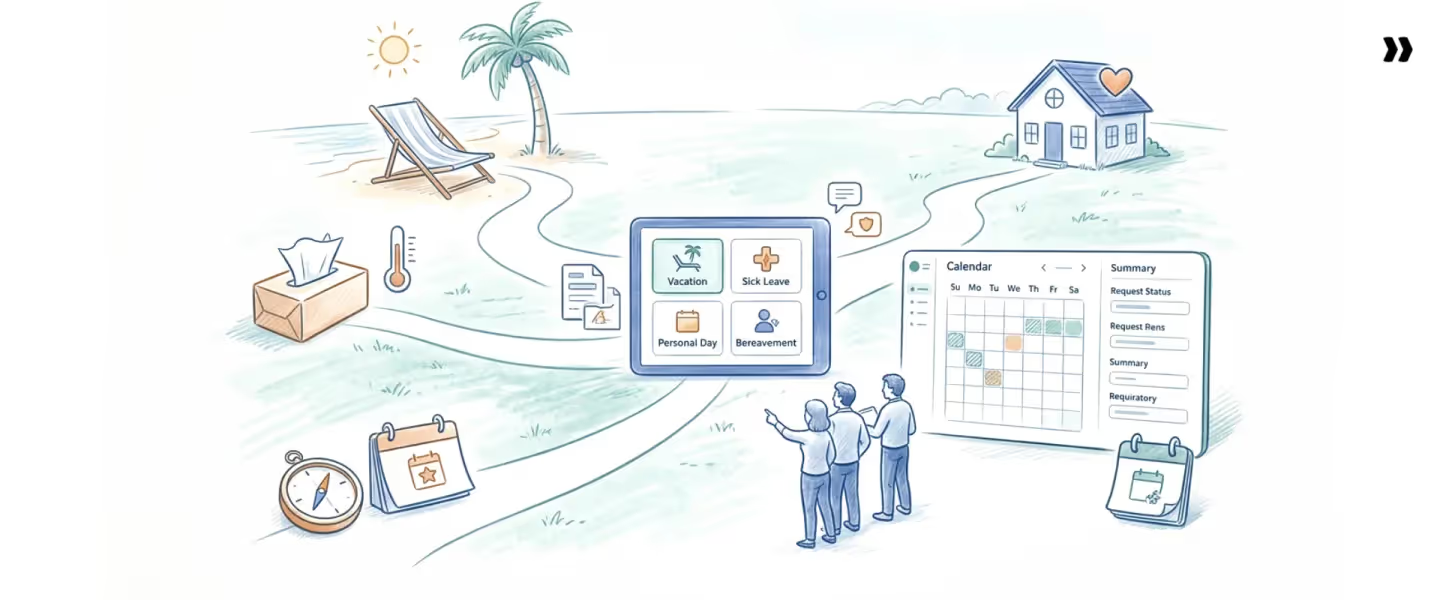
The documentation, lead time, and planning impact of a day-off request depend on the type of leave being requested. Organizations typically manage eight common types of time off, and each one puts different pressure on the team and the schedule.
- Vacation / Annual Leave is a scheduled time away from work for rest or personal travel. Vacation requests typically require two weeks' notice or more, and employees should clearly specify the dates requested. This makes it the easiest type of paid time off (PTO) request to plan around. The advanced window gives managers enough lead time to adjust staffing and redistribute project work.
- Sick Leave covers absences due to illness, injury, or medical appointments. Notice is same-day or within 24 hours, which makes it the hardest type to cover operationally. Teams that rely on a single person for client-facing work need standby coverage plans, not after-the-fact scheduling adjustments.
- Personal Days cover non-medical, non-vacation absences like family obligations, appointments, or personal matters. Notice is usually 24 to 48 hours, and the planning impact stays low unless multiple team members request the same window. Most organizations cap personal time at two to five days per year. Some personal day requests may be for unpaid leave, depending on company policy.
- Parental Leave covers time off for the birth, adoption, or foster placement of a child. With eight to twelve weeks of advance notice typically expected, managers need to plan extended backfill, redistribute project ownership, and adjust capacity forecasts well before the leave begins.
- Bereavement Leave provides time off following the death of a family member. It is almost always the same day with no advance notice. Policies should define the eligible employees' relationships and standard duration, typically three to five days. The short length limits project disruption, but the lack of warning demands flexible coverage plans.
- Jury Duty leave covers court-mandated service. Employees should notify managers as soon as they receive a summons, but the duration is unpredictable. A single day of selection can extend into weeks of trial service. Avoid assigning jury-summoned team members to milestone-critical work until the obligation is resolved.
- Sabbatical leave requests cover extended time away, typically for research, personal development, or rest. The notice window is three to six months, and the planning impact is severe. Backfill often requires hiring, contracting, or redistributing assignments across multiple projects for the full duration of the absence.
- Disability Leave covers extended absences due to serious medical conditions and is governed by legal requirements such as the FMLA (Family and Medical Leave Act) and the ADA (Americans with Disabilities Act). Duration varies widely. HR must manage compliance documentation, and project teams need long-range contingency plans, such as parental leave coverage.
Each type carries different notice requirements, documentation rules, and downstream planning complexity. A single approval workflow that treats all leave the same way will break at the edges.
What should a time off request include?
Every effective time-off request form, whether paper, digital, or PTO, should capture seven fields, with special attention to the requested dates.
Including the requested dates is crucial for clarity, ensuring the request is processed correctly, and helping prevent issues from overlapping requests.
Miss one, and the request either stalls in approval or creates a gap that surfaces weeks later in a billing cycle or staffing conflict.
- Employee name and department: Identifies who is requesting and which team’s capacity is affected.
- Type of leave: Determines which policy applies and what documentation is required.
- Start date and end date (dates requested): Exact dates allow scheduling adjustments before the absence and help manage overlapping requests.
- Total number of days: Confirms balance sufficiency and triggers multi-approver workflows if above a threshold.
- Reason or supporting context: Required for medical, bereavement, or sabbatical requests. Optional for standard PTO (Paid Time Off).
- Submission date: Documents advance notice compliance with policy.
- Approval status and date: Creates an audit trail for HR and payroll.
These seven elements form the foundation of any time-off request template. Without all seven, the form collects partial data, forcing manual follow-up at every downstream step.
Quick reference: Time off request form template
What does a strong time off request policy cover?
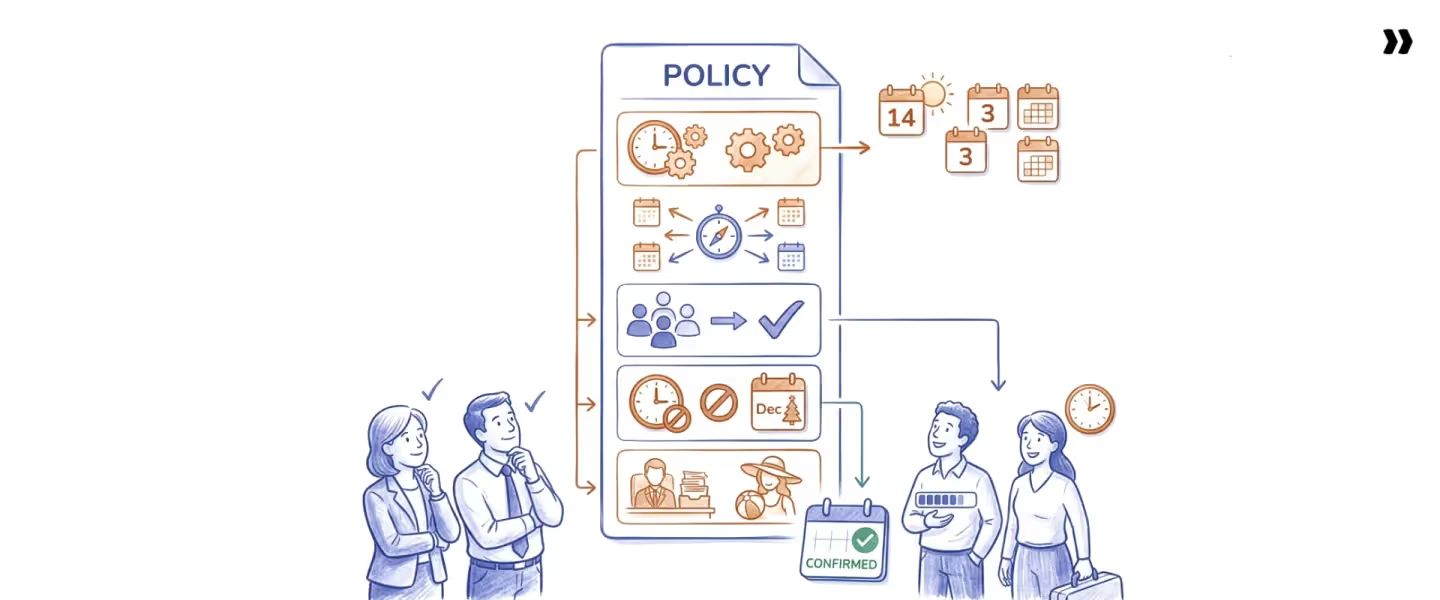
A time-off request in your HR system means nothing if it never reaches the resource plan where staffing decisions are made.
When leave approvals and scheduling tools operate separately, capacity forecasts run blind, and projects get staffed with people who are approved to be gone.
To ensure clarity and compliance, a company's PTO policy should be documented in the employee handbook and align with all applicable local laws.
Here are seven elements that separate a policy template that works from one that collects dust.
- Advance notice requirements: Vacation: two to four weeks. Sick leave: same-day. Sabbatical: three to six months. Each leave type needs its own documented lead time.
- Approval chain: Who approves, when a second approver is required, and what happens to requests that take more than 10 business days or occur during blackout periods.
- Blackout periods: Delivery-critical windows and busy periods, such as Q4 closes, product launches, and client go-lives, when leave is restricted. Publish these at the start of each fiscal year.
- Leave balance rules: Accrual rates, carryover caps, and whether unused days expire or roll forward. Ambiguity here creates a December bottleneck, where half the team burns through the remaining days at once.
- Documentation requirements: What is needed, by leave type, within what timeframe? Medical certificates, court summons, parental leave plans: each tied to a submission deadline.
- Dispute and denial process: A defined appeal path with clear limits on manager discretion and HR escalation available. Managers should deny requests based on objective criteria such as staffing needs or peak periods, not personal preferences, and manage requests fairly for both your employees and the business. Without this, denied requests breed resentment with no channel for resolution.
- How approved leave connects to scheduling and payroll: The element most policies skip. If the policy stops at approval without defining how leave is routed to capacity planning and payroll, it solves half the problem.
The best practices for managing a time off policy do not stop at the approval step. The downstream, how approved leave flows into the systems where staffing and billing decisions happen, matters as much as the approval itself. Managing leave requests effectively requires balancing employee needs with business demands.
How do you manage time off requests effectively?
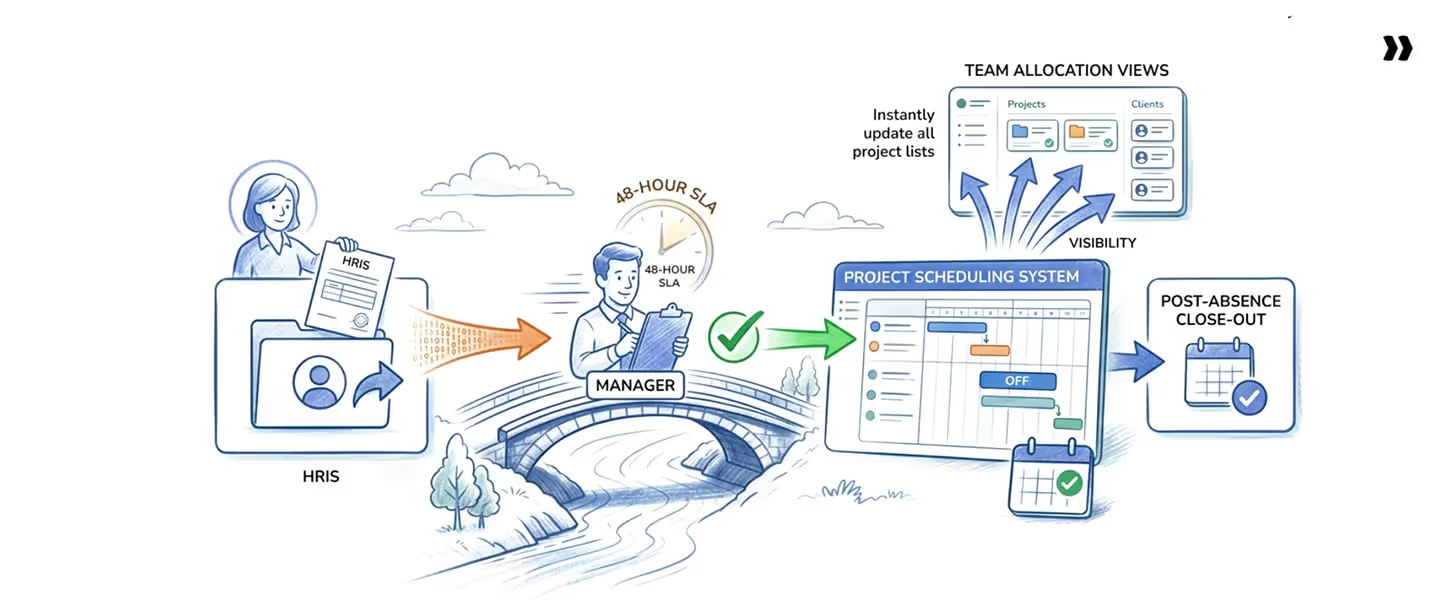
Most PS orgs have a PTO policy. What they're missing is the connection between HR approval and the reality of delivery. The policy says someone is out. The project plan says they're staffed. That gap is where delivery fails.
Few organizations have a process in which approval reaches the systems that make staffing and capacity decisions. That gap is where managing employee time off requests breaks down, and it is the problem “The Connected Leave Workflow” is built to solve.
The connected leave workflow
- Inputs: Employee leave request + HRIS approval data + regional holiday calendar + project scheduling tool
- Process: Five-step time off request procedure
- Outputs: Accurate capacity, utilization metrics, and project plans built on real availability
The workflow has 5 steps:
- Employees request time off through the HRIS: Workday, BambooHR, HiBob, ADP, or whichever system owns the leave record. Not Slack or email. The system automatically logs the submission date and routes it to the correct approver.
- Manager reviews against real commitments: Check active project staffing, team coverage, and blackout dates before approving, declining, or counter-proposing. Response SLA: 48 hours for requests submitted with two or more weeks of notice.
- Approval triggers an automatic sync: This is where most time-off workflows break. Approved leave should flow directly into the resource management or scheduling platform, reducing available capacity for the affected period. No manual calendar update. No spreadsheet entry.
- Scheduling visibility updates across the team: Project managers and resource managers see the absence in allocation views, capacity dashboards, and utilization reports without opening the HR system. The absence is visible where time-off requests are planned, not locked in a system that project managers never check.
- Post-absence close-out: Leave balances update in payroll. If the absence affected delivery, a coverage debrief captures what broke and how to staff differently next time.
What are the common challenges in managing time off requests?
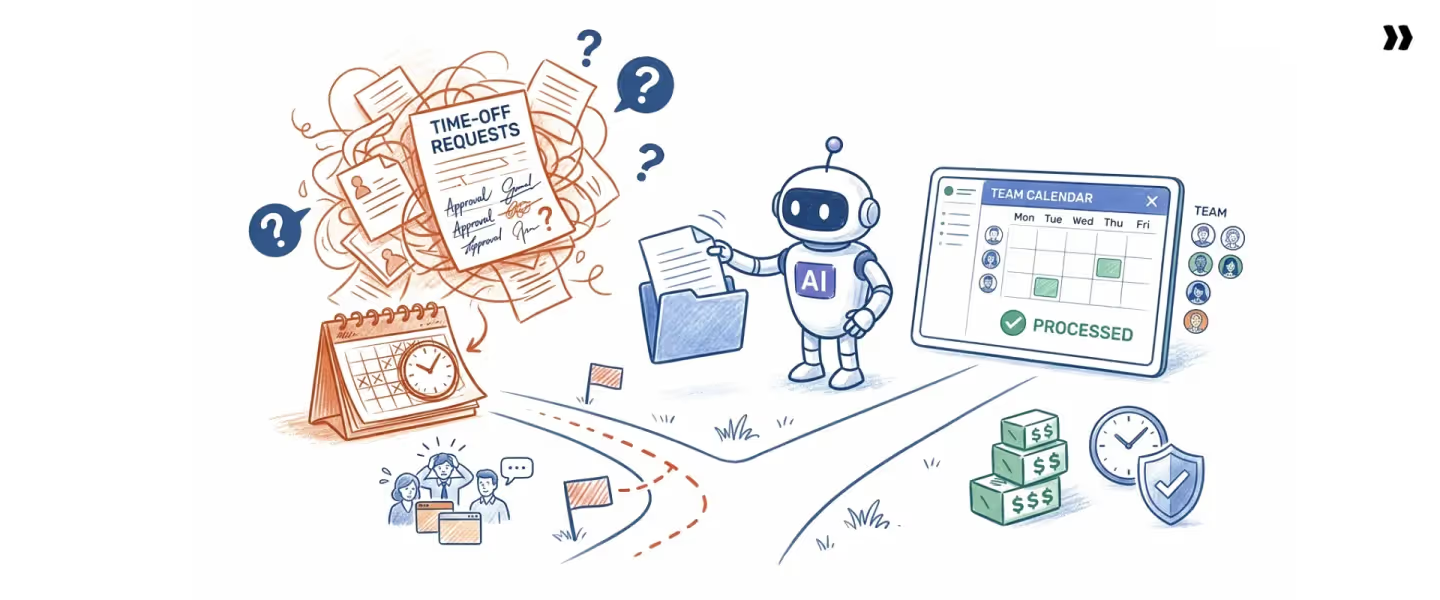
The Connected Leave Workflow works when all steps fire in sequence. In practice, four recurring breakdowns force resource managers to discover staffing gaps on the morning a consultant is already unreachable, each one a common mistake in time-off request tracking that compounds the further downstream it travels.
Overlapping time off requests can create challenges for scheduling and business operations, making it essential to establish clear communication among all parties involved to ensure fairness and transparency.
When requests overlap or last-minute absences occur, mutual respect between management and employees is crucial. Relying on other employees to provide coverage helps maintain business continuity and supports a positive workplace culture.
Challenge 1: Last-minute and informal requests
- Why it happens: No single required submission channel exists, so managers accept verbal asks, Slack messages, and hallway conversations because saying "submit it formally" feels like unnecessary friction.
- Fix: Make the formal path the fastest path. One submission channel, one system of record. Requests outside it are not logged, not tracked, and not covered when a scheduling conflict surfaces. Handling last-minute time-off requests starts with eliminating informal ones entirely.
Challenge 2: Utilization distortion from untracked leave
- Why it happens: Time tracking measures utilization against a fixed 40-hour work week regardless of approved leave. A consultant who works four productive days shows 80% utilization and gets flagged as underperforming.
- Fix: Connect HRIS approval to time tracking so the available-hours denominator adjusts automatically. Measure performance against the hours the person was available, not an arbitrary baseline.
Challenge 3: Regional holiday blind spots
- Why it happens: Resource plans run on a single company calendar, but teams in Pune observe Diwali, colleagues in Bogota follow a different regional schedule, and the US team has its own federal holidays. One calendar cannot represent all three.
- Fix: Define per-region holiday calendars and assign each team member to the correct one at onboarding. Holidays should block availability automatically without a resource manager intervening each time.
Challenge 4: Approval bottlenecks that stall planning
- Why it happens: Approval chains require too many sign-offs, or manager response times have no defined SLA. An employee submits a request and waits eight days in silence, unable to confirm travel or childcare arrangements.
- Fix: Set a 48-hour response SLA for standard advance requests. Define an escalation path when the SLA is missed so requests do not sit unactioned.
Left unaddressed, these four breakdowns compound. The most expensive time-off management mistake is not approving enough leave. It is approving leave that never reaches the tools where staffing and scheduling happen.
What should you look for in time off request software?
When time off management breaks down, the root cause is rarely the policy. It is the tool.
A PTO spreadsheet or basic time off planner records who is off, but lacks the ability to efficiently track employee requests by pay period or provide detailed documentation.
Time off request forms, especially digital ones, allow for accurate record-keeping, tracking of all employee requests, and compliance with company policies.
Time-off request software ensures that information reaches the systems that make staffing decisions and helps manage requests within each pay period for greater transparency and efficiency.
Five capabilities to evaluate:
- HRIS integration: Native sync with Workday, BambooHR, HiBob, ADP, or Rippling. Approved PTO requests are automatically entered into the time off request system, with no re-entry required.
- Resource and scheduling visibility: Leave shows in project scheduling and utilization views, not locked inside the HR module where project managers never look.
- Regional holiday calendar support: Define multiple calendars by geography and assign each team member to a calendar at onboarding. Holidays block availability automatically without a resource manager intervening each time.
- Role-based visibility: Employees see their balance. Managers see team coverage. Resource managers see capacity impact. Executives see utilization trends. One PTO tracker system, four views.
- Audit trail and reporting: Leave history, approval timestamps, and payroll balance reconciliation. Every PTO request is documented from submission through close-out.
What to avoid: Standalone PTO tracking software that does not connect to project scheduling. PTO spreadsheets that require manual updates after every approval. Time off request trackers that show leave in a separate module project managers never open.
Tools like Rocketlane connect time off directly to resource scheduling, so capacity adjusts the moment leave is approved, and teams plan against availability that reflects reality. PS teams report 70-85% billable utilization built on leave-adjusted capacity data.
How does a time tracking tool help solve time off request problems?
A time-tracking tool solves time-off request problems by linking approved leave to the hours-worked record.
Using time-tracking software helps manage employee time by ensuring that time off is accurately reflected in each pay period, making it easier to track accruals and enforce time-off policies.
When time logging and leave data are stored in the same system, utilization calculations, billing records, and capacity forecasts reflect actual availability rather than theoretical maximums.
Without that connection, five operational gaps persist across every team that manages employee time-off requests. Each one starts as a data mismatch and ends as a financial or delivery problem.
The pattern across all five gaps is the same: approved leave exists in the HRIS, but time-tracking and scheduling systems treat the employee as fully available.
The key distinction is that a standalone PTO tracker system records who is off and when.
A time-tracking tool integrated with time-off management ensures that every approved absence updates the numbers billing, utilization, and scheduling depend on, and that time off is properly accounted for in each pay period. One is a record. The other is an operational input.
For professional services teams, disconnection between time logging and leave data is not an abstract risk.
It surfaces in margin reports that do not match reality and delivery timelines built on availability that does not exist.
In a 2026 operating environment where utilization targets of 70-85% define service profitability, every untracked absence distorts the number that matters most.
How Rocketlane prevents delivery failures caused by disconnected time off systems
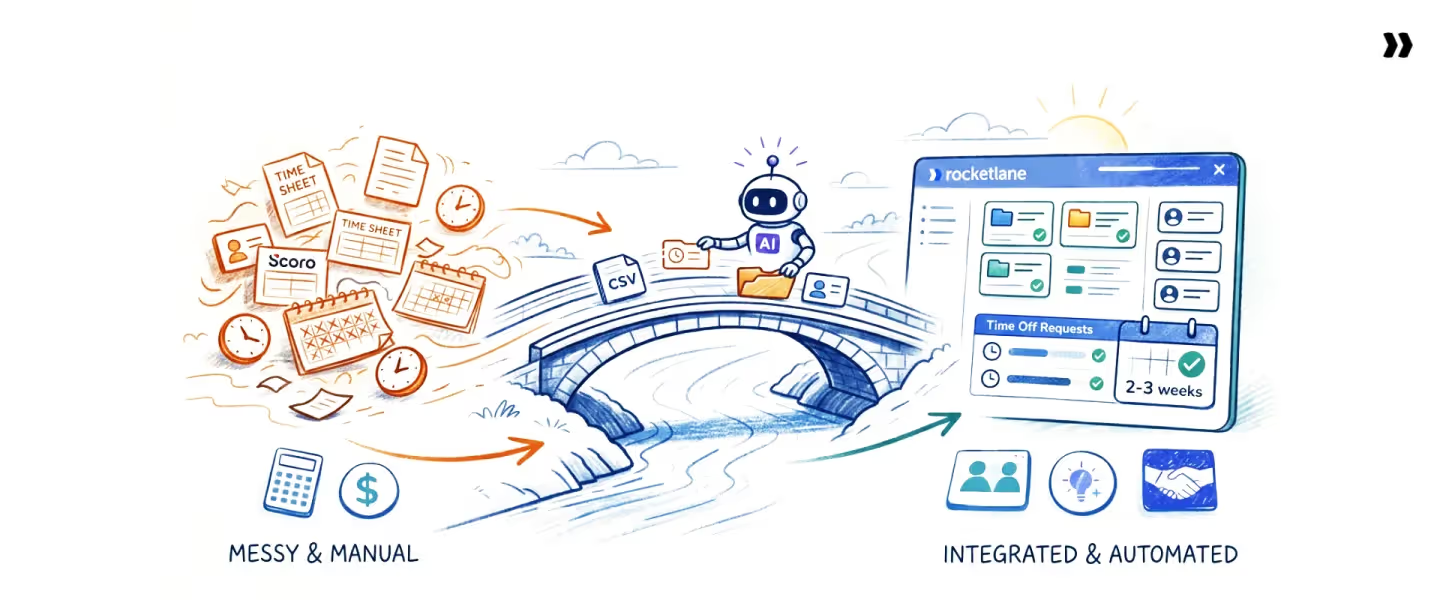
HR systems track who's out. Scheduling tools plan who's working. The gap between those two systems is where delivery fails.
A consultant approved for vacation still shows as available in the project plan, gets assigned to a client kickoff, and no one notices until Monday morning.
That’s where Rocketlane comes in. It is an agentic, AI-powered PSA platform that unifies time off management, time tracking, and resource planning into a single time off request management system.
- Capacity that adjusts the moment leave is approved: Most teams discover a staffing gap after someone is already out. In Rocketlane, an approved day off turns a 40-hour week into a 32-hour week across all resource views. Project managers allocate based on what is available, not on what requires manual correction.
- HRIS integration that eliminates the reconciliation step: Rocketlane syncs natively with Workday, BambooHR, HiBob, ADP, and Rippling. Approved PTO requests flow in automatically. No second calendar. No duplicate entry. No time-off request manager; chasing updates between systems.
- Regional holiday calendars that work without intervention: Define a separate calendar for India, the US, Colombia, Israel, or any region, and assign each team member at onboarding. Regional holidays block availability automatically, without a resource manager needing to remember which team observes which holidays.
- One source of truth for availability: Your VP's utilization report, your resource manager's capacity forecast, and your project plan all use the same leave-adjusted data, because they are the same system. No conflicting numbers between HR and scheduling. No manual reconciliation. No project staffed on availability that does not exist.
PS teams using Rocketlane report 70-85% billable utilization because capacity forecasts, project staffing, and utilization reporting all account for actual availability.
The PTO approval, the leave record, the project plan, and the time-tracking system are one connected system. Unaccounted leave cannot hide.
[See how Rocketlane connects time off to resource management →Read Now!]
How Nitro's time policies agent makes time tracking effortless for PS leaders

Nitro's Time Policies Agent is an AI agent embedded in Rocketlane that automatically enforces time-tracking rules, flagging missing logs, policy violations, delayed submissions, and incorrect allocations before they lead to billing errors or revenue leakage.
What it monitors:
What it prevents:
Late submissions that delay billing cycles. Time logged to the wrong projects distorts margin reports. Missing entries that create revenue leakage go unnoticed until month-end.
Policy violations that trigger manual audits and correction loops between managers and consultants. For teams managing employee time off requests at scale, these are not edge cases. They are the weekly default without enforcement.
Why this matters for PS leaders:
Most PS organizations lose billable hours not because consultants skip work, but because timesheets are submitted late, allocated to the wrong project, or never submitted at all.
For a 50-person team billing at $150/hour, one unlogged hour per consultant per week is $390,000 in annual revenue leakage. That's not a rounding error. It's the cost of treating time tracking as an admin task instead of a revenue control.
The Time Policies Agent removes the manual chase cycle. Policies are described in plain language, enforced the moment time is entered, and configurable by project type, region, or role. The agent handles monitoring and flagging. The leader makes the final call.
PS leaders move from reactive timesheet chasing to proactive compliance. Billing accuracy improves. Revenue recognition holds. Admin overhead drops by 30-50%, and the hours spent policing the time-off request process go back into managing delivery.
Conclusion
Every delivery failure that traces back to a staffing gap shares one root cause: an approved time-off request that never reached the system where scheduling decisions are made.
The policy was followed. The leave was approved. The system still showed the consultant as available. That is not a people problem. It is a process architecture problem.
For professional services teams, time off requests are not an HR administrative function. They are a direct input into capacity, utilization, and project delivery. When that input is disconnected from the resource plan, every forecast, every staffing decision, and every utilization report runs on data that does not reflect reality.
The fix is not a stricter policy. It is a connected system — one where approved leave automatically adjusts available capacity, scheduling visibility updates without manual intervention, and utilization is measured against the hours the team was actually present.
That is what separates PS organizations that consistently hit 70–85% billable utilization from those that chase the number each quarter.
[See how Rocketlane builds time off into resource planning →Learn More]

Authored by

Kailash Ganesh
Kailash Ganesh is a professional services researcher at Rocketlane with more than seven years of experience in content, research, and market analysis. He studies how enterprise PS teams are adopting agentic AI to transform delivery operations, has evaluated every major PSA platform in the category, and writes from the perspective of a practitioner who watches enterprise PS teams make these exact decisions daily.
Table of Contents

Regsiter for the live webinar


Great consultants didn't join your team to spend Fridays writing documentation.
Table of contents
18 of Forbes Cloud 100 chose Rocketlane. The best PS teams aren't waiting around.
FAQs
What are time off requests?
A time-off request is a formal notification from an employee seeking approval to be absent from work for a defined period. It includes the type of leave, start and end dates, and any context the manager needs to make a decision.
What are the common types of time off requests?
The eight most common types are vacation/annual leave, sick leave, personal days, parental leave, bereavement leave, jury duty, sabbatical, and disability leave. Each carries different notice requirements, documentation rules, and planning impact for the team.
What should a time off request include?
Every request should capture seven fields: employee name and department, type of leave, start date, end date, total number of days, reason or supporting context where required, and approval status with date. These fields create the audit trail needed for payroll, scheduling, and compliance.
How do organizations typically manage time off requests?
Effective organizations follow The Connected Leave Workflow: the employee submits through the HRIS, the manager reviews and approves within a defined SLA, approval triggers automatic sync to the scheduling platform, team-wide visibility updates across resource and capacity views, and post-absence close-out reconciles balances with payroll.
What are the potential drawbacks of not having a proper time off request process?
Without a formal process, teams face utilization distortion from measuring against a 40-hour baseline when someone worked 32, resource over-allocation from scheduling people who are approved to be out, and delivery failures that surface only when the absent team member was expected on a client call.













Copyright © 2026 Rocketlane Corp. All rights reserved.





















.webp)