How to Create a Project Risk Register [Free Template]

•
•
Summarize blog with






Imagine your VP asking you in a Monday portfolio review: "Which projects are at the highest risk right now?"
You open three spreadsheets, scan four Slack threads, and pull up last week's meeting notes.
Ten minutes later, you give a qualified answer based on data that is already a week old.
Two days later, a customer escalates on a project you described as green.
Every PM on your team tracks risks. The problem is they track them differently, in different places, with different scoring, and no one consolidates the data until someone senior asks.
The risk register template exists in every project folder. It does nothing because no one maintains it, no one reviews it, and it connects to nothing in the delivery plan.
This guide covers the 8-column risk register template, the 5x5 scoring matrix, step-by-step setup, review cadence by project phase, and the KPIs that tell you whether your register is working or collecting dust.
What is a Risk Register?

A risk register is a structured document that captures, scores, and tracks project risks from identification through resolution, giving project teams a single source of truth for threats to timelines, budgets, and project outcomes.
It standardizes how your team names threats, assigns risk ownership, scores severity, and documents resolution.
Without that structure, risk awareness lives in meeting notes, sidebar conversations, and spreadsheet tabs no one reviews. The register turns scattered awareness into a proper risk response plan.
Risk Register vs. Risk Report
A risk register is the working database. A risk report is the summary you pull from it. The register holds every risk with full detail: scores, owners, mitigation steps, and status.
The report distills that into a format for a specific audience. Teams that build reports from memory spend 4-6 hours per week reconstructing data that should be queryable in seconds.
Risk Register vs. Risk Log
A risk log records the existence of a risk. A risk register adds structure: probability, impact, risk rating to quantify the seriousness of each risk, severity score, owner, mitigation plan, due date, and resolution status. If your artifact lacks scoring, risk rating, and mitigation fields, you have a log, not a register.
Risk Register vs. RAID Log
A RAID log (Risks, Assumptions, Issues, Dependencies) tracks four categories in one artifact. It tracks multiple risks but lacks the depth of a dedicated register.
A risk register focuses on a single category in greater depth. RAID logs work for small projects. In the past 15-20 concurrent projects, the risk section has lacked the scoring and escalation structure needed for proactive portfolio management.
[Download the risk register template]
Why do you need a project risk register?

You already know your projects have risks. The question is whether you are managing risks or rediscovering them during escalation calls.
Most teams track risks informally. A PM mentions a dependency in a status meeting. Someone adds a note to a spreadsheet. Three weeks later, the dependency stalls two workstreams.
The risk was identified. It was never managed.
A risk register template supports informed decision-making by documenting risk management activities and providing transparency for all stakeholders.
A structured risk register solves five problems that informal tracking cannot.
1. Pre-mortem thinking at kickoff
A risk register forces your team to catalog threats before work begins. Documenting "customer IT team has limited availability during Q4" with a score, an owner, and a mitigation plan changes how the team plans.
Risks documented in week one get mitigation plans. Risks mentioned in passing get forgotten.
2. Defensible paper trail
When a project goes off track, leadership asks what happened. A risk register provides a timestamped record: when the risk was logged, who owned it, what mitigation was planned, and whether it was escalated. Without that trail, your post-mortem becomes a memory exercise.
3. Institutional knowledge that compounds
Every closed risk is a data point. Teams with 12+ months of structured data can predict recurring risk types by project category or customer segment. Without a register, your team encounters the same risks as if each were new.
4. Portfolio-level risk intelligence
When you manage 30+ concurrent projects, you need to answer fast: which projects are at the highest risk right now? Standardized scoring makes that query possible. Spreadsheets in individual project folders cannot.
5. Connects risk to action
The most common failure mode is documentation without follow-through. A well-structured register connects each risk to the tasks it threatens, assigns an owner, and sets a deadline.
Assigning owners and deadlines enables teams to allocate resources effectively for risk mitigation, ensuring proper oversight and timely action. The risk becomes a managed work item with visibility and accountability.
Free risk register template: What's included?
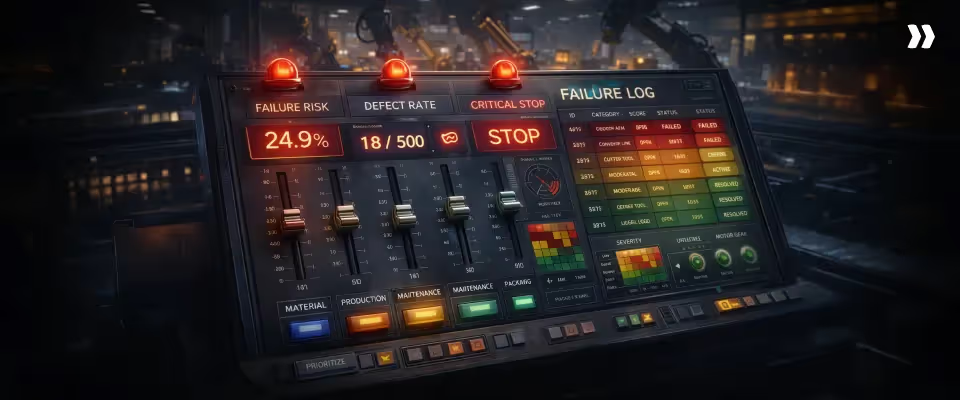
This project risk register template gives you a ready-to-use risk management process in a single workbook with six tabs.
It is designed to support risk management professionals throughout the entire project lifecycle, ensuring risks are identified, monitored, and mitigated at every phase.
Tab Structure
6-Step Setup
- Customize the scoring matrix: Define what each level means for your project types with concrete examples.
- Set your risk categories: Start with six: technical, resource, dependency, scope, compliance, and external.
- Assign column owners: Decide who enters risks and who reviews severity scores.
- Pre-populate known risks at kickoff: Pull recurring risks from past projects and create a risk entry for each identified risk event, ensuring that each specific risk occurring that could impact project objectives is documented.
- Set a review cadence: Weekly reviews are locked into your existing standup.
- Define escalation thresholds: Risks scoring above 15 escalate to the portfolio lead.
This template works standalone for teams managing up to 20 concurrent projects. Beyond that, manual updates and cross-project rollups become the bottleneck.
The 8 key components of a risk register
The eight components of a risk register are: risk ID, description, category, likelihood score, impact score, risk score, owner, and mitigation plan.
Each component helps document the risk event, assess its likelihood, and provide a brief description for clarity.
1. Risk ID
A unique identifier (R-001, R-002) so your team can reference risks without ambiguity in status calls and escalation threads.
2. Risk description
A specific statement of what could go wrong, naming the trigger, affected workstream, and consequence.
3. Category
Group risks by type for pattern analysis: technical, resource, dependency, scope, compliance, timeline, budget, and external. When 60% of high-severity risks are resource-related, that signals a staffing gap, not a PM gap.
4. Likelihood score
5. Impact score
Score for the full downstream consequence, not the triggering event.
6. Risk score (Likelihood x Impact)
Multiply likelihood by impact for a 25-point severity matrix. Formula-based scoring removes subjectivity from prioritization.
Teams should prioritize risks based on their scores, ensuring that high-priority risks, those with the highest scores, receive immediate attention and escalation.
- 1-7 (Green): Monitor at weekly reviews.
- 8-14 (Amber): Active mitigation required.
- 15-25 (Red): Escalate to portfolio lead immediately.
7. Risk owner
One named individual is accountable for monitoring, mitigation, and escalation. Not a team. Not a role. Unowned risks do not get mitigated.
8. Mitigation plan
Every plan needs a deadline. Plans without deadlines become documentation, not action.
Effective risk mitigation and ongoing risk management are essential to reducing the impact of identified risks and ensuring efficient resource allocation to address the most significant threats.
Additional columns worth adding to your risk register
- Status: Open, In Mitigation, Escalated, Closed, or Accepted.
- Due Date: Deadline for next mitigation action. Risks without due dates drift.
- Review Date: Last review date. If older than two weeks, the score is stale on an open risk.
- Customer Visibility Flag: Marks whether to include in customer-facing reports.
- Contingency Plan: Fallback action if mitigation fails and the risk becomes an issue.
- Residual Risk: Represents the remaining level of risk after mitigation actions are implemented. Tracking residual risk helps evaluate the effectiveness of risk controls and prioritize further mitigation strategies.
How to create a risk register: Step by step
.avif)
Building a functioning risk register takes under two hours at kickoff. Comprehensive risk identification at this stage ensures that all important risks, including technical risks, are captured and managed throughout the project lifecycle.
The goal is to leave the meeting with risks identified, scored, owned, and scheduled for review.
Step 1: Run a team risk identification session at kickoff
Block 30 minutes during kickoff. Use three prompts:
- "What has gone wrong on the last three similar projects?"
- "What does this project depend on that we do not control?"
- "If this project fails, what will be the most likely reason?"
Capture every risk in the register during the session. Risks logged after the meeting have a low chance of being documented.
Step 2: Write specific descriptions within 24 hours
Rewrite every risk using: [Event] + [Consequence] + [Impact]
Example: "Customer IT lead is on leave during weeks 4-6 (event), blocking UAT setup (consequence), delaying go-live by 2-3 weeks (impact)."
Complete within 24 hours while the context is fresh.
Step 3: Score each risk using the 5x5 matrix
Apply likelihood (1-5) and impact (1-5). Multiply for severity. Score as a team on the first pass to calibrate. If your PM rates a risk as Likelihood 2 and your tech lead rates it as 4, resolve the disagreement in the room.
Step 4: Assign one owner before leaving the room
Every risk gets one named owner accountable for monitoring, mitigation execution, and escalation. No clear owner? Assign the PM by default.
Step 5: Write mitigation plans for all red and amber risks
Every risk scoring 7+ gets a plan within 48 hours. Structure around three types:
- Prevention: Reduces the likelihood. "Schedule weekly syncs with customer IT starting week 1."
- Reduction: Reduces impact. "Pre-build test scripts in sandbox so testing starts within 24 hours of access."
- Contingency: Fallback if prevention fails. "If access is not confirmed by week 5, activate manual validation and shift go-live by one sprint."
Step 6: Set review cadence and lock it in the calendar
Do not create a separate meeting. Embed 15 minutes into your existing standup.
Risk scoring: How to prioritize what actually matters

Risk scoring answers one question: which risks get your attention this week? Effective risk scoring requires evaluating both the likelihood and impact of each risk to prioritize and mitigate risks effectively.
The 5x5 severity matrix replaces gut-feel prioritization with a repeatable method.
The 5x5 Severity Matrix
Threshold protocols
- Red (15-25): Escalate to portfolio lead within 24 hours. Daily monitoring until the score drops below 15.
- Amber (8-14): Active mitigation efforts on a defined timeline. Escalate if the score trends upward for two consecutive weeks.
- Green (1-7): Monitor at weekly reviews. No formal mitigation unless score changes.
Two scoring discipline rules
- Rule 1: Score for the full downstream consequence. A vendor delay blocking one task might be Impact 2 in isolation. If that task gates three workstreams, the real impact is 4 or 5.
- Rule 2: Rescore at every review. A risk scored Likelihood 2 in week one might be Likelihood 4 by week four. Treat every review as a rescoring opportunity.
Qualitative vs. Quantitative assessment
The 5x5 matrix is semi-quantitative: numeric scales with judgment-based inputs.
- Use qualitative when scoring at kickoff before delivery data exists, when risks involve human factors, or when your team manages fewer than 30 projects.
- Use quantitative when you have 12+ months of historical risk data, when risks involve measurable variables (SLAs, utilization rates), or when you manage 50+ projects and need automated scoring.
Most teams start qualitative and layer in quantitative scoring as structured data accumulates.
Risk register best practices that actually work
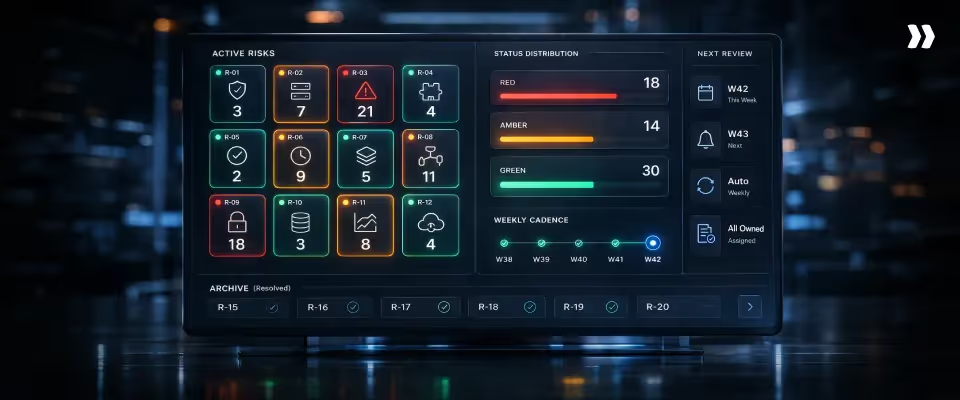
Here are six practices, along with the operational mechanics, that actually work when building a risk register.
1. Risk identification is a team sport
Engineers, consultants, and migration specialists see risks the PM cannot. Add a 5-minute "new risks" prompt to every internal sync. Ask: "What have you seen this week that could affect timeline, scope, or customer experience?" Capture entries live.
2. Fixed weekly review cadence
Add 15 minutes to your existing standup. For each open risk, ask: Has likelihood or impact changed? Is the mitigation plan on track? Does this need escalation? A project with 8-12 active risks takes 10-15 minutes.
3. Link risks to tasks and milestones
For each risk, fill in the "Linked Tasks" field, referencing the affected phases or deliverables. When a risk reaches Red, you see the delivery impact without manually tracing dependencies.
4. Separate internal vs. Customer-visible risks
Add a Customer Visibility Flag. Before customer meetings, filter to flagged risks only. Internal: resource constraints, margin pressure, bench availability. Customer-visible: timeline delays with mitigation plans, dependency blockers requiring customer action.
5. One Owner, Every Time
Before your kickoff risk session ends, confirm the owner's name on every risk. When team members go on PTO, reassign risks in the same meeting where you discuss coverage. Orphaned risks are the fastest path to avoidable escalations.
6. Archive Closed Risks: Never Delete
For each closed risk, record: Outcome (materialized, mitigated, or irrelevant?), What worked (which mitigation had the most effect?), Lesson (what would the team do differently?). After four quarters, you have enough data to build playbooks by project type.
In practice, one PS team ran quarterly risk retrospectives and fed the findings back into templates. Within two cycles, PMs proactively added risks from prior projects to new kickoff registers. Recurring risks dropped because the team stopped treating every project as the first.
Risk register examples by project type
Here are four populated registers showing what entries look like by project type:
1. SaaS Implementation
2. Professional Services Engagement
3. IT Infrastructure Project
4. Multi-customer portfolio view
With 20+ concurrent projects, individual registers are necessary but insufficient. A portfolio view answers five questions that individual PMs cannot:
- Which projects carry the highest total risk exposure? Sort by aggregate severity. The top three get reviewed first.
- Which risk category dominates? If 55% of Red/Amber risks are resource-related, the fix is staffing, not better PM.
- Which customers have risks across multiple projects? A customer with Red risks on two of three active projects is a churn signal.
- How many risks are stale? Open risks unchanged for 30+ days indicate registers that are populated but not managed.
- What is the 90-day severity trend? Rising risk volume with flat capacity predicts escalations 6-8 weeks out.
Risk register vs. RAID log: Which one does your team need?

Risk register and RAID log both track project uncertainty. The question is depth on risks or breadth across four categories. Let’s see which one is right for you.
Side-by-Side Comparison
Recommendation
Most teams managing 5-15 projects benefit from a RAID log. Add a dedicated risk register when you manage 20+ projects, need formal scoring with escalation thresholds, or leadership requires portfolio risk trend reporting. Start with the RAID log. Layer in the risk register when the project volume outgrows it.
Risk register KPIs: How to know if it's working
A populated register is not a functioning register. The following KPIs indicate whether your organization is driving proactive management strategies or gathering dust.
When to Review
- Weekly: Review adherence and mitigation completion. These indicate whether the register is active or stale.
- Monthly: Proactive identification rate, open risk age, risk-to-issue conversion. These tell you if your team is getting ahead of risks.
- Quarterly: Reporting time and portfolio risk trend. These indicate whether your process is scaling with project volume.
From spreadsheet to real-time: Where manual risk management breaks
Spreadsheets are where most teams start. They are also where most risk processes stall. The template in this guide works for up to 20 projects.
Beyond that, five structural constraints break regardless of how well you build the spreadsheet
These five breakdowns share a root cause: spreadsheets treat risk registers as standalone documents disconnected from project plans, resource data, and customer communications.
The question is not whether your spreadsheet process will break. At what project volume does the manual overhead exceed the value the register provides? For most PS teams, that threshold falls between 15 and 25 concurrent projects.
What changes when the register moves into the platform where your team manages projects, tracks time, and communicates with customers?
How Rocketlane turns risk registers into real-time delivery intelligence
In most platforms, the risk register lives in a separate module. Your PM logs a risk in the register, then opens the project plan in a separate tab to assess the impact. By the time they update both, the risk has changed.
In Rocketlane, the risk register lives inside the same workspace where your team manages tasks, tracks milestones, and communicates with customers.
A PM logs a vendor dependency risk, links it to the three tasks it blocks, and sees which milestones shift, all in one view, without switching tabs or tracing dependencies manually.
One source of truth inside the project
Rocketlane embeds risk registers directly into project workspaces alongside tasks, timelines, and communication. Risk data stays current because it lives where your team works, not in a separate folder or disconnected spreadsheet, reducing the overhead of maintaining parallel systems.
Formula fields calculate severity scores automatically when your team updates likelihood or impact, so the register reflects current conditions without manual recalculation.
Real-time risk scores
When a PM updates a likelihood or impact score, the severity rating recalculates instantly. Portfolio dashboards reflect the change in the same session.
There is no overnight data refresh, no sync delay, and no waiting until the next report cycle. Your portfolio lead sees the same risk data your PM sees, at the same moment.
Risks linked directly to tasks and milestones
Every risk entry connects to the specific tasks, phases, or milestones it threatens. When a vendor dependency risk materializes, you see which tasks are blocked and which milestones shift without opening the project plan in a separate tab and tracing dependencies manually.
The link also prevents underscoring: when your PM sees that a single risk gates 12 downstream tasks across two phases, they score impact accurately.
Portfolio visibility without manual compilation
Rocketlane aggregates risk data across every active project into a portfolio view. Filter by severity, category, customer, or team. Sort by aggregate risk score to surface your highest-exposure projects first.
What takes 4-6 hours of spreadsheet consolidation per week takes 30 seconds in a filtered dashboard that updates as scores change.
Internal vs. Customer-facing risks solved with one column
A Customer Visibility Flag on each risk entry controls what appears in your customer-facing project portal. Delivery risks with mitigation plans get shared. Internal risks, such as resource constraints and margin pressure, remain internal.
Your team stops manually building sanitized risk summaries before every customer call and starts filtering the register with one click.
Automated escalation when thresholds are crossed
Configure threshold rules so the system acts when a risk score crosses into Red (15-25).
Rocketlane notifies the risk owner, alerts the portfolio lead, and flags the project in the portfolio dashboard, so no one needs to check a spreadsheet to decide whether the score warrants an email.
Escalation becomes systematic rather than discretionary, and Red risks no longer sit unnoticed between weekly reviews.
For professional services teams managing 20+ concurrent implementations, Rocketlane reduces risk administration overhead by 30-50% and surfaces at-risk projects before they reach the escalation stage.
[See Rocketlane's risk register in action → Book a 20-minute walkthrough]
How Rocketlane Nitro's project governance agent transforms project risk management
Risk registers work when your team maintains them. The Project Governance Agent removes that dependency by monitoring project conditions continuously and enforcing risk policies without waiting for a PM to open a spreadsheet and update a score.
What the Project Governance agent does
The agent monitors three categories of project signals that indicate risk before a human flags them.
- Budget burn monitoring: The agent tracks actual hours and costs against planned budgets at the task, milestone, and project level. When a project consumes 60% of its budget at 40% completion, the agent flags the variance and notifies the PM and portfolio lead. You stop discovering budget overruns during month-end reconciliation and start catching them before course correction is no longer possible.
- Milestone velocity: The agent measures the pace at which milestones move from planned to completed. When a project that typically completes Phase 2 in 10 business days reaches day 14 with no status change, the agent flags it. Milestone drift is the earliest measurable signal that a project is trending toward delay, and it surfaces days before anyone manually updates a RAG status.
- Scope signals: The agent detects scope-related changes, such as new tasks added after kickoff, requirement fields modified mid-phase, or deliverable counts increasing beyond the original plan. These changes often happen quietly across multiple workstreams. The agent aggregates them into a scope-drift indicator visible at the project and portfolio levels.
From reactive to proactive: What changes in practice
- Before the governance agent: Your PM reviews the risk register in a weekly standup. Between reviews, a vendor misses a deliverable on Tuesday, a customer cancels two meetings on Wednesday, and a consultant logs 30% more hours than planned on Thursday. None of these events updates the risk register. The PM discovers all three in the next Monday standup and spends the week in escalation mode.
After the governance agent: The vendor miss triggers a likelihood rescore on the dependency risk. Canceled meetings generate a sentiment flag for customer engagement risk. The hour overage triggers a budget burn alert. All three surface on Tuesday, Wednesday, and Thursday, respectively. By Friday, the PM has updated mitigation plans and escalated one risk to the portfolio lead. The Monday standup becomes a confirmation meeting, not a discovery meeting.
AI risk detection from customer conversations
Rocketlane's Account Signals monitors project activity, stakeholder engagement, and customer communication patterns to surface early indicators of churn risk or scope sensitivity, signals that might otherwise surface only in hindsight during escalation calls.
A customer mentioning a competitor in a status call, expressing frustration about the timeline in an email, or declining three consecutive meetings: these are risk signals in your communication data that never reach the register through manual entry.
Signals surfaces these indicators earlier than manual identification because it continuously monitors patterns across all project communications, not only the interactions your PM documents in the risk register. Each signal includes the source conversation, the relevant quote, and a recommended action, so your team can respond with context rather than guessing.
Natural Language Governance Rules
You can define governance policies in plain English. The agent interprets and enforces them in real time. No dashboard configuration or workflow builder. Here are a few examples:
- "Flag any project where budget consumption exceeds 130% of planned hours on any single milestone."
- "Block project completion if there are outstanding invoice balances greater than zero."
- "Notify the portfolio lead when any risk score crosses 15, and the risk has been open for more than 7 days."
The agent checks these rules every time a relevant field changes. Your team gets enforcement at the moment of action, not at the next review cycle.
Teams using the Project Governance Agent reduce average risk resolution time from 14 days to 6 days by detecting severity changes in real time and automatically routing escalations, rather than waiting for the next scheduled review.
[See the Project Governance Agent in action → Book a demo]
Common risk register mistakes and how to fix them

Most risk registers fail not because the format is wrong but because of six operational habits that undermine the process within the first month.
1. Building the register after the first problem
The mistake: The team starts tracking risks only after an issue surfaces. The register becomes a reactive log of problems that have already happened, not a proactive tool for preventing them.
The fix: Build the register at kickoff before delivery work begins. Pre-populate with the top five recurring risks from your last three similar projects. A register created in response to an escalation will always be one crisis behind.
2. Abandoning after week two
The mistake: The team fills the register during kickoff with energy and good intentions. By week three, no one updates it. By week six, the PM builds a new spreadsheet from scratch for the steering committee.
The fix: Embed the risk review into your existing weekly standup as a fixed 15-minute block. Do not create a separate meeting. Reviews that require a calendar invite get canceled. Reviews that are part of the standup become automatic.
3. Documenting risks without mitigation plans
The mistake: Risks get logged with a description and a score, but no mitigation plan. The register documents what could go wrong without specifying what anyone will do about it.
The fix: Require a mitigation plan for every Amber and Red risk before the entry is considered complete. Use the three-type structure: prevention (reduce the likelihood), reduction (reduce the impact), and contingency (a fallback if it materializes). A risk without a plan is an observation, not a managed threat.
4. Scoring everything as high severity
The mistake: The team rates every risk as High to ensure nothing gets overlooked. When everything is Red, nothing is Red. The register becomes a flat list with no prioritization signal.
The fix: Enforce the 5x5 matrix rubric with concrete examples at each level. A healthy register has 60-70% of risks in Green, 20-30% in Amber, and under 10% in Red. If your distribution skews higher, recalibrate as a team.
5. PM-only risk management
The mistake: Only the project manager logs and reviews risks. Engineers, consultants, and customer success team members see threats the PM cannot, but the register never captures their perspective.
The fix: Open risk identification to the full delivery team. Add a 5-minute prompt to every internal sync: "What have you seen this week that could affect timeline, scope, or customer experience?" The PM still owns the register. The team feeds it.
6. Deleting closed risks
The mistake: Resolved risks get deleted to keep the register clean. The team loses the historical data that makes future risk identification faster and more accurate.
The fix: Archive closed risks with three fields: outcome (materialized, mitigated, or irrelevant), what worked (which action had the most effect), and lesson (what the team would do differently). Four quarters of archived data give you enough to build risk playbooks by project type and stop treating every project as if it were the first.
These six mistakes compound. A register built reactively, abandoned by week two, and purged of closed risks produces zero institutional value. Each fix is small on its own. Together, they determine whether your register is a functioning management tool or a compliance artifact no one trusts.
Conclusion
A Risk Register Is a Management System, Not a Document
Every project has risks. The difference between teams that catch them early and teams that discover them during escalation calls is not awareness — it is infrastructure.
A populated risk register that no one reviews is a compliance artifact. A risk register embedded in your delivery workflow, scored weekly, owned by named individuals, and linked to the tasks it threatens is a control system.
That distinction determines whether your team spends Monday mornings steering projects or explaining what went wrong.
The process in this guide takes under two hours to set up at kickoff:
- Eight columns, scored with the 5x5 matrix
- Mitigation plans on every Amber and Red risk within 48 hours
- Weekly review locked into your existing standup — not a separate meeting
- Closed risks archived, never deleted
At under 20 concurrent projects, this process runs on the template. Beyond that, the manual overhead of spreadsheet consolidation, cross-project rollups, and delayed scoring breaks the process — not the intent behind it.
That is where the register moves from a document into a platform. Real-time severity scores, portfolio dashboards, risks linked directly to milestones, and automated escalation when thresholds are crossed.
The Nitro Project Governance Agent takes it further — monitoring budget burn, milestone velocity, and scope drift continuously, so risks surface on Tuesday instead of the following Monday.
A risk register works when it reflects what is happening now, not what was true last week.
Table of Contents

Regsiter for the live webinar


Great consultants didn't join your team to spend Fridays writing documentation.
Table of contents
18 of Forbes Cloud 100 chose Rocketlane. The best PS teams aren't waiting around.
FAQs
What should a risk register template include?
A risk register template should include eight columns: risk ID, description, category, likelihood score, impact score, risk score (likelihood multiplied by impact), risk owner, and mitigation plan. Additional columns for status, due date, review date, customer visibility flag, and contingency plan add operational depth as your risk management practice matures.
What is the difference between a risk register and a risk log?
A risk log records that a risk exists. A risk register adds structured scoring (likelihood, impact, severity), assigns an individual owner, documents a mitigation plan with a deadline, and tracks the risk through its full lifecycle from identification to resolution. If your tracking artifact lacks scoring and mitigation fields, you have a log, not a register.
When should you create a project risk register?
Create the risk register at project kickoff before delivery work begins. Pre-populate it with recurring risks from similar past projects and score them as a team during the kickoff session. Registers created after the first problem surfaces are always one crisis behind because they document issues reactively instead of capturing threats proactively.
What is a RAID log, and how does it relate to a risk register?
A RAID log tracks four categories in one artifact: Risks, Assumptions, Issues, and Dependencies. A risk register focuses on the risk category with greater depth, adding probability scoring, impact analysis, mitigation plans, and escalation thresholds. Teams managing under 20 concurrent projects often start with a RAID log and add a dedicated risk register when portfolio-level risk visibility becomes a requirement.
How often should a risk register be updated?
High-performing teams review risk registers weekly as a 15-minute addition to their existing standup. Monthly review cycles create three-to-four-week blind spots where risks escalate undetected. Automated threshold-based alerts should supplement weekly reviews so severity changes surface between scheduled check-ins rather than waiting for the next meeting.













Copyright © 2026 Rocketlane Corp. All rights reserved.





















.webp)