10 Best Time and Billing Software for Consulting Firms in 2026


•
•
Summarize blog with






Time and billing software records billable hours, applies the agreed rates and turns approved time into client invoices. Most tools on this list capture time well; they differ on what happens between an approved timesheet and a sent invoice.
A consulting firm can submit every timesheet on Friday and still spend the following week preparing invoices. The hours might be there, but what remains is deciding which ones can be billed, applying the agreed rates, checking contract limits, and explaining adjustments. Accurate time records give finance teams a starting point, but they do not automatically give it an invoice ready to send.
The gap becomes harder to manage as engagements multiply. One customer has negotiated rates by role. Another pays a fixed fee against milestones. A third has a monthly retainer with an allowance and an overage rate. Each arrangement changes how completed work becomes a billable amount.
Four recurring problems sit between those records and the invoice:
- Approved hours remain unbilled. Entries may miss the billing cutoff, sit on hold, or disappear from the spreadsheet used to prepare invoices.
- Delivered work falls outside the contracted scope. The team records the effort, but an additional charge still needs commercial approval.
- Rate cards require manual interpretation. Someone checks which client agreement, role rate, or effective date applies.
- Invoices are rebuilt each month. Finance combines timesheets, project updates and adjustments before seeking another round of approval.
These problems have different financial consequences. A missed billing cycle delays cash, while an incorrect rate can reduce the invoiced amount. Unapproved scope can create work the firm cannot recover, but on a fixed-fee engagement, extra hours may leave the invoice unchanged while reducing project margin.
That distinction matters when comparing time tracking and billing software for consultants. A platform needs to make the relevant decision visible, preserve its context and carry the result into billing.
The category itself makes the choice harder. Products described as time and billing software range from lightweight trackers to systems that coordinate delivery, staffing, and project financials. The useful distinction is how much work each product handles after time capture and how much configuration, integration, or reconciliation remains with the firm.
This guide compares ten tools against five criteria, with particular attention to what happens between approved time and invoice creation. A smaller firm may find that tracking plus invoicing covers its requirements.
About Rocketlane: Rocketlane, the best agentic AI PSA software for enterprise SaaS and technology services companies, connects approved time, rate cards, project budgets and invoicing in one platform.
Rocketlane is our product. We include its limitations and distinguish base-platform capabilities from separately priced Nitro agents, part of Rocketlane’s agentic layer. The comparisons draw on published product documentation and pricing; they do not represent a hands-on benchmark of every platform.
How we evaluated time and billing software
We compared the tools across five areas that affect billing effort, financial visibility, and customer coordination:
- Approved time to draft invoice: Whether approved billable entries flow into invoice creation with their rates and billing treatment intact. We distinguish direct workflows from exports and assess the review steps that remain.
- Rate and contract handling: How the platform applies client, project, role, and individual rates, including negotiated exceptions and changes over time. A saved rate card is useful only if the correct rate reaches the billing calculation.
- Project financial visibility: Whether teams can compare effort, cost, budget and contracted value while work continues. We distinguish current cost visibility from margin forecasts, which also depend on estimates of remaining work.
- Billing-model coverage: How the product supports time and materials, fixed fees, retainers, milestones and capped arrangements. The comparison considers how these models work in practice, including allowances, overages and adjustments.
- Client-facing coordination: Whether customers can review relevant progress, approve work or access invoices through a shared surface. Internal timesheet approval, customer acceptance and invoice approval are assessed as separate steps.
The list is ordered by fit for the core workflow examined here: moving approved time into accurate invoices. It is an editorial ranking based on the five criteria above, rather than a weighted performance score. The best fit still depends on a firm's billing model, team size, and existing systems.
A quick glance at the best time and billing software (2026)
The 10 best time and billing software platforms for consulting firms in 2026
1. Rocketlane: Best for connecting approved time with delivery and invoicing






Rocketlane is professional services automation (PSA) software that helps professional services teams staff projects, protect margins and scale delivery. Resource management, project management, customer onboarding and collaboration, and financial management run in one platform, which makes it the best agentic AI PSA software for enterprise SaaS and technology services companies.
For time and billing, it connects the work consultants deliver with the information finance needs to bill it: project time, agreed rates, budgets, approvals, and invoice details. For firms that reconcile a tracker, project plan, and billing spreadsheet every month, that connection reduces the work between an approved timesheet and an invoice ready for review.
The mechanics matter. Time entries belong to projects with configured billing methods and rates. Invoice preparation draws on those records, with approved, billable time included by default. Teams can group invoice lines by role, consultant, task, or phase, then route the draft through an approval workflow. Finance reviews the billing result without first exporting hours and reconstructing their context in another system.
Nitro, Rocketlane’s agentic layer, brings AI agents into operations, delivery oversight, and work execution. For time and billing, it checks entries against configured policies and flags exceptions for review.
The Nitro Analyst agent answers questions about recorded project and financial performance, helping teams investigate costs and margins before the billing cycle closes.
Rocketlane makes more sense when delivery decisions affect billing: different rates across engagements, customer approvals, changing project costs, and multiple people responsible for getting work accepted and invoiced.
Key features
- Time capture and governance: Records effort against project work, with timesheet approval workflows and separately priced Nitro capabilities supporting policy enforcement.
- Role-based and project-specific rates: Uses rate cards, project overrides and effective dates to reflect the pricing agreed for an engagement.
- Budget and profitability visibility: Connects recorded effort and costs with project budgets, margins and financial reporting while delivery continues.
- Flexible billing: Supports time-and-materials and fixed-fee work, with billing schedules for recurring and milestone-based invoicing, plus revenue recognition on Premium.
- Invoice approval workflows: Routes drafts through configured reviewers and approval chains before final approval.
- Native customer portal: Keeps project progress, shared work, and customer approvals within the delivery environment.
- Invoicing from project records: Prepares invoices from eligible time entries without an intermediate spreadsheet export.
- Rate-card versioning: Rocketlane ensures that a new price list does not automatically reprice existing engagements. That protects the distinction between updated standard pricing and previously agreed customer rates.
These capabilities connect billing with delivery, while preserving the review steps each firm needs. Timesheet approval confirms the recorded work; invoice approval checks what the customer will be charged. They serve different purposes.
An approved hour still needs the correct commercial treatment. Rocketlane’s invoice settings determine which entries qualify and how they appear on the invoice.
The result is a more consistent billing foundation: finance can review rates, included work, and presentation instead of rebuilding those decisions every month.
Margin visibility before the billing cycle closes
Invoice accuracy and project profitability are related, but they are different measures. A fixed-fee invoice can be completely correct while the engagement consumes more consultant time than planned.
Rocketlane brings project budgeting, rate cards, resource planning, and profitability reporting together. Delivery leaders can assess the cost of additional effort alongside the project’s commercial value, as opposed to discovering the impact only when finance prepares the bill.
Nitro: agentic AI for time, billing and delivery
Nitro is Rocketlane's agentic AI. It works across operations, delivery oversight and work execution, and it is sold separately as Nitro Premium or Nitro Enterprise.
For a consulting firm's time and billing, it does three jobs: it keeps time data clean before anyone approves it, it answers money questions from approved records, and it watches delivery for risks that end up on an invoice.
People still approve time and invoices, and Nitro works inside Rocketlane's permissions. Moveworks uses Timesheet Policies to catch miscategorized time off, which saved two to three hours of manual analysis a month. The fuller walkthrough of Nitro is in the section on why consulting firms choose Rocketlane.
Ask why margin dropped. Get the reason, not a chart.
Watch Nitro Analyst answer it on live, approved time and rates.
Enterprise capabilities for finance-led firms
- Security: SOC 1 Type 2 and SOC 2 Type 2 examinations; ISO 27001, ISO 27701 and ISO 42001 certifications; HIPAA and GDPR compliance, with US hosting and an EU option. Details are on the trust center.
- Access: SAML single sign-on on Enterprise, with role-based access controls so consultants, delivery managers and finance each see only what they need.
- AI and data use: Nitro agents work inside Rocketlane's permissions, and customer data is not used to train AI models.
- Financial controls: every time entry carries its approval status, approver and approval date; entries can be locked after approval; financial audit logs come with Premium.
- Reporting: project profitability and portfolio reports sit on the same records as time and invoices. See reporting and dashboards.
- CRM: HubSpot connects on every plan; Salesforce connects on Premium and Enterprise, so won deals become projects without re-keying.
- Finance stack: accounting systems such as QuickBooks connect through Workato; Enterprise adds revenue recognition ledger integration and a Snowflake integration. See all integrations.
- Global finance: multiple currencies and multiple budgets per project on Enterprise, for firms billing across regions and workstreams.
- Rollout and scale: typical go-live in 4 to 12 weeks, with the implementation team configuring rate cards, approvals and billing settings. 750+ customers run on Rocketlane; see the customer stories and pricing.
Key takeaways
Customer review
2. Harvest
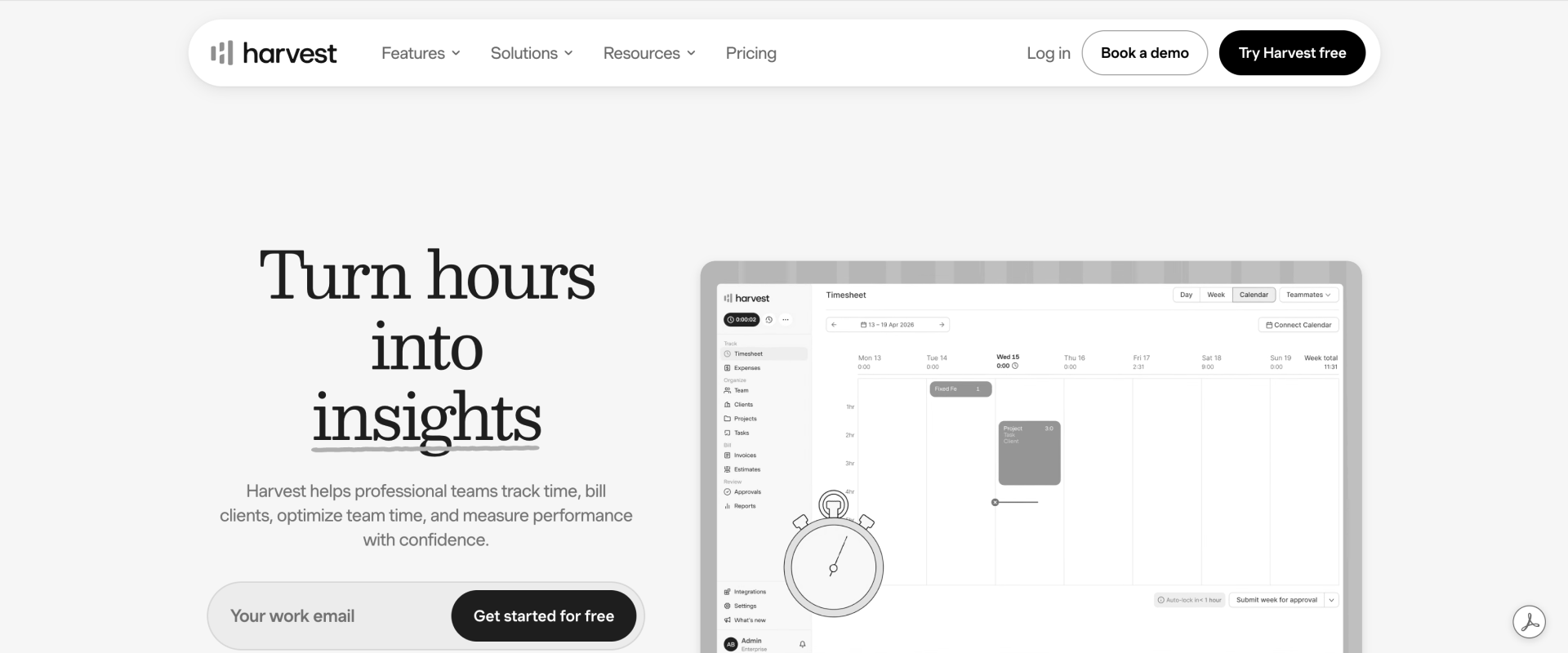
Harvest connects tracked time and expenses with invoices and online payments. It suits consulting firms that want a manageable billing workflow without adopting a broader PSA suite.
Its scope extends beyond a timer: recurring invoices can pull in tracked time and expenses for review, while higher-tier features include profitability reporting and timesheet approvals.
Where it falls short: Reviewers like the simple interface, but a 20-user engineering consultancy called its recent price increase "a big surprise", and pricing can now add usage fees on top of the seat price. Timesheet approvals and profitability reporting need the Enterprise plan.
Key features
- Time capture: Tracks work against clients, projects, and tasks, helping consultants track billable hours and non-billable hours clearly.
- Time-based invoices: Converts recorded hours and expenses into invoice line items.
- Fixed-fee invoicing: Supports invoices that do not depend solely on hours.
- Recurring invoices: Generates recurring drafts using configured intervals.
- Accounting connections: Connects with QuickBooks Online and Xero, two popular accounting software options, to reduce manual data entry between tracking and invoicing.
- Payment integrations: Supports online collection through payment providers.
- Advanced controls: Enterprise includes timesheet approvals and profitability reporting.
Key takeaways
Customer review
3. BigTime
BigTime combines time and expense tracking, project management, billing, and financial reporting, ideal for finance-led consulting firms. It is particularly relevant when finance owns invoice preparation and needs control over unbilled work, adjustments, and accounting-system handoffs.
Where it falls short: Reviewers report occasional timesheet bugs and say reviewing past approvals means digging into reports. Reporting can take extra effort to configure, and mobile workflows are less complete than desktop.
Key features
- Project time and expenses: Supports employee time tracking across projects and tasks.
- Flexible invoicing: Supports time and materials, fixed-fee, and item-based billing.
- Billing adjustments: Manages invoice exclusions and unbilled work.
- Invoice templates: Controls the detail presented to customers.
- Accounting handoff: Posts finalized invoices to supported accounting systems.
- Client payments: Provides a portal for invoice payments and receipts.
- Resource and financial tools: Additional capabilities depend on product and package, contributing to broader expense management and reporting.
Key takeaways
Customer review
4. Kantata
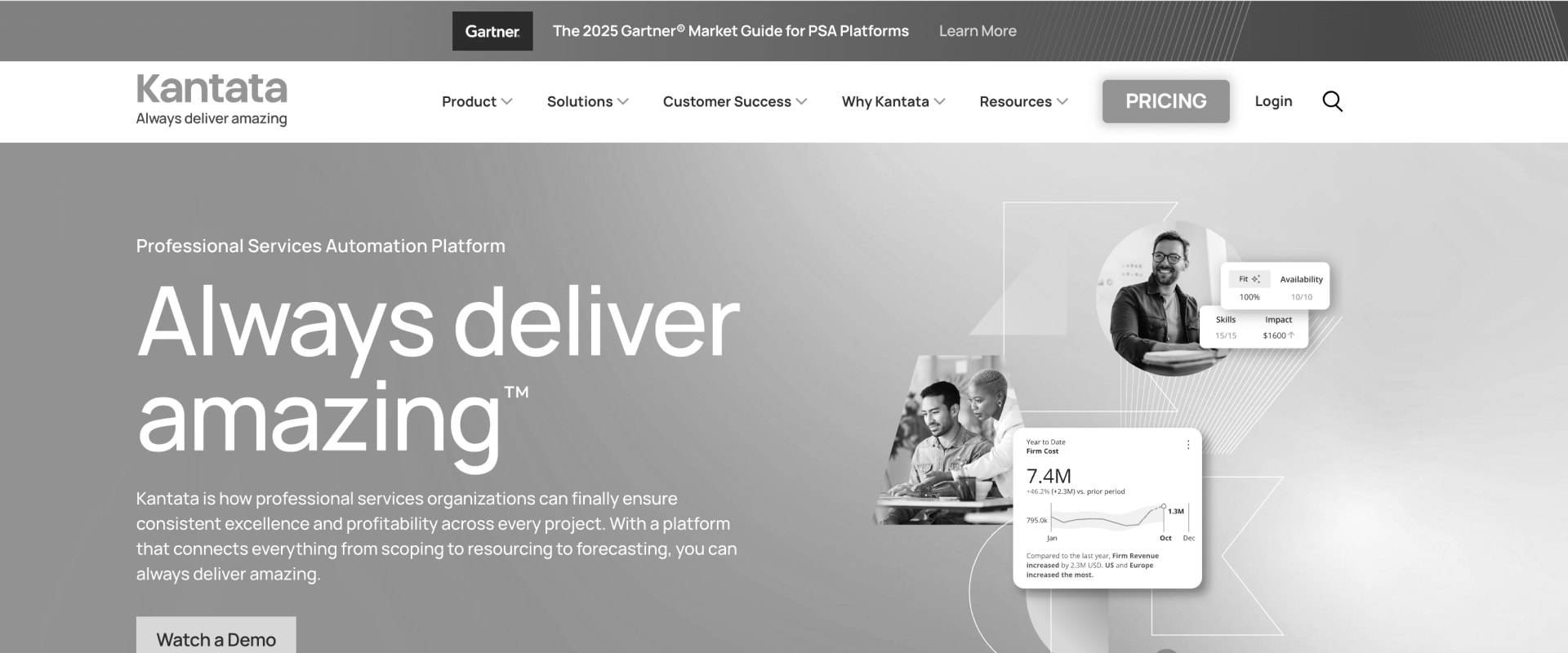
Kantata connects scoping, resource management, project delivery, and financial planning. Its OX and SX products serve different environments, so billing, collaboration, and integration requirements should be evaluated against the specific product being proposed.
Kantata OX supports invoicing within the platform or exporting billable items to QuickBooks. SX emphasizes complex, multi-entity services operations on Salesforce.
Where it falls short: Reviewers rate the front end as fairly intuitive but find the back end challenging: most customizations require deep system knowledge, and navigation isn't always clear.
Key features
- Time and expenses: Supports real-time tracking of time and expenses against project financials.
- Project billing: Links work, deliverables, and milestones with invoicing.
- Resource planning: Matches capacity and skills with demand.
- Financial forecasting: Connects delivery plans with revenue and margin expectations to help firms monitor financial health across revenue, margin, and delivery plans.
- Client collaboration: Provides client access and collaboration capabilities.
- Enterprise workflows: SX supports sophisticated billing and revenue recognition across entities.
- AI capabilities: Supports analysis, staffing recommendations, and project-related assistance.
Check out our detailed guide to see how Rocketlane compares to Kantata.
Key takeaways
Customer review
5. Scoro

Scoro connects sales, project work, labor costs, and invoicing through a modular platform. Its time-billing combination brings time tracking and client billing together, while also functioning as one of the more comprehensive billing tools for consultancies that need estimating and resource planning. Additional apps extend the workflow into delivery and resource planning.
Where it falls short: Reviewers like the time tracking and task views but note that a project manager has to set up tasks first. Retainers need ongoing administration across periods, and the five-user minimum raises the entry cost.
Key features
- Time and labor costs: Tracks billable work and delivery costs.
- Client price lists: Applies configured customer pricing to sales documents.
- Quote-to-project workflow: Connects estimating with subsequent delivery.
- Invoice generation: Supports scheduled invoices and recurring billing.
- Financial reporting: Provides margin and financial reports that help firms monitor project margins and overall financial health.
- Customer portal: Shares selected project information with clients to support client communication.
Key takeaways
Customer review
6. Toggl Track
Toggl’s current offering extends beyond its original timer into planning, profitability reporting, and invoicing. It suits firms that prioritize ease of time capture, and it also works well as a lightweight time tracking tool for firms prioritizing adoption, while adding operational controls as their needs grow.
Where it falls short: Reviewers say extracting data and analyzing it in the exact format they need takes extra effort. Invoices are generated from reports, so someone still selects the right entries and starts each billing run.
Key features
- Flexible time capture: Manual entries, timers, calendar connections, and imported calendar events.
- Billable rates: Supports billable time tracking and billing calculations from tracked work.
- Report-based invoice generation: Creates downloadable invoice PDFs from filtered Summary or Detailed reports. Teams need a separate system for fuller invoice management and payment tracking.
- Project estimates: Compares actual time with planned effort.
- Profitability reporting: Premium includes labor costs and profitability.
- Timesheet approvals: Available on Premium.
- Guest collaboration: Shares project work without exposing billing reports.
Key takeaways
Customer review
7. Clockify
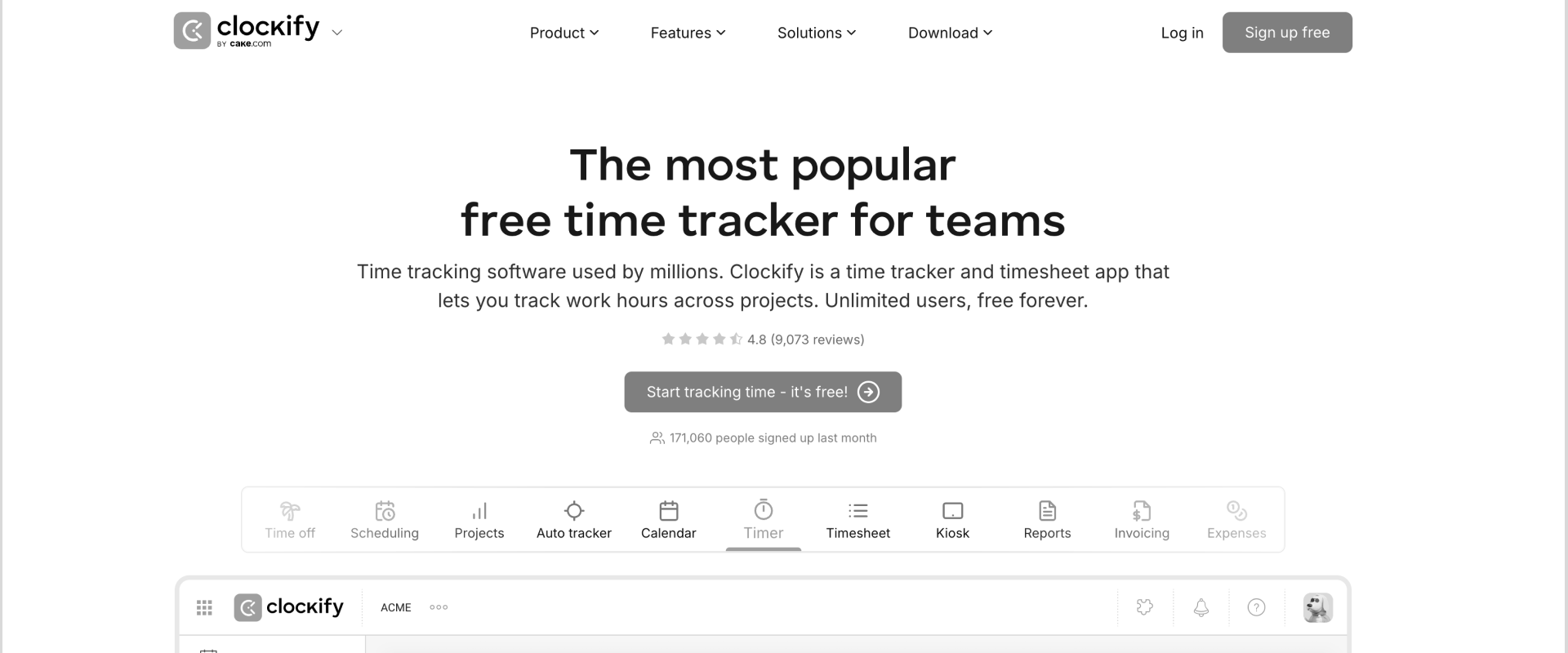
Clockify suits consulting firms that need more control over billable hours without adopting a full PSA platform. Consultants record time against clients, projects, and tasks; managers review submissions; and billing staff use those records to prepare invoices. It covers a useful middle ground between a basic timer and a broader services management system.
The billing workflow goes beyond exporting a timesheet. Teams can pull uninvoiced billable hours and expenses into a client invoice, then display them as individual entries or group them by project, person, or date. Firms that also need contract management, delivery governance, and customer acceptance tied to billing will need a broader operating system.
Where it falls short: Reviewers value its simplicity but say it focuses on basic time tracking, so teams rely on other tools for task management, progress tracking and collaboration.
Key features
- Flexible time capture: Records work through timers, manual entries, timesheets, and mobile time tracking against clients, projects, and tasks.
- Billable and cost rates: Calculates the value and labor cost of recorded work, with historical rates preserved when changes apply only to future entries.
- Timesheet approvals: Gives managers a review step before submitted time becomes a finalized record.
- Time-based invoicing: Imports uninvoiced billable hours and expenses into invoices to help bill clients without rebuilding each line.
- Flexible invoice detail: Groups charges by project, consultant, or date, or provides individual time entries with supporting reports.
- Recurring billing and payment records: Generates repeat invoices and records full or partial payments.
- QuickBooks connection: Transfers time records into QuickBooks for downstream accounting and billing.
- Cost and profitability reporting: Compares billable amounts, non-billable time, and labor costs to assess where recorded work earns or consumes margin.
Key takeaways
Customer review
8. Accelo
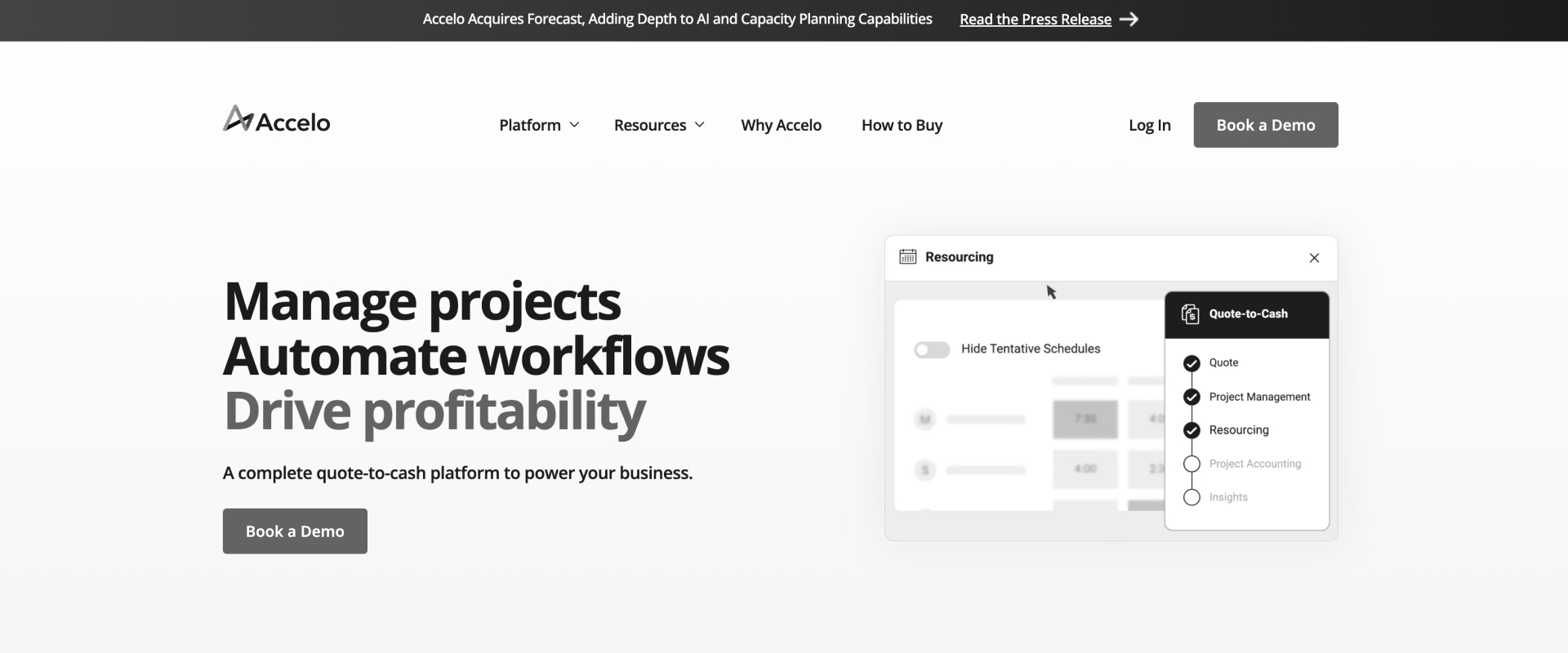
Accelo connects client records, projects, service tickets, time tracking, and billing. It suits consulting firms whose relationships continue beyond a single engagement: a project becomes ongoing support, monthly advisory work, or a retainer with an agreed allowance. Those firms need to track both what gets delivered and which agreement pays for it.
The operational trade-off is setup: firms need to define their agreements, billing rules, and accounting mappings carefully.
Where it falls short: One long-time reviewer calls the user experience "ten years outdated, with slow development" and finds it too granular in some areas and too coarse in others.
Key features
- Project and service time tracking: Records work against projects, tickets, and retainers, preserving its billing context.
- Retainer allowances: Defines included hours or value for each service period and tracks consumption.
- Rollover and excess-work rules: Carries unused allowances forward where agreed and applies configured rates to work beyond the allowance.
- Time review and approval: Lets managers inspect logged work and allocate it to the appropriate retainer period before billing.
- Recurring invoicing: Creates invoices as retainer periods renew, with options to send them automatically.
- Mixed billing workflows: Supports project, ticket, and retainer billing, including upfront and post-paid arrangements.
- Accounting connections: Syncs billing information with QuickBooks Online and Xero to reduce manual data entry across accounting and billing workflows.
- Retainer visibility: Shows period progress, logged activity, invoice history, and renewal details in the client agreement record.
Key takeaways
Customer review
9. Certinia

Certinia’s Professional Services Cloud connects sales, resource planning, project delivery and billing within Salesforce. It suits consulting firms that already run their customer operations there and want delivery and finance to work from the same customer records.
The billing workflow centers on billing events. Certinia collects eligible timecards, expenses, milestones, and adjustments, then groups them into records for review and release to invoicing. Certinia makes the strongest case when those controls solve an existing operational problem, and the firm has Salesforce administration capacity to maintain them.
Where it falls short: Reviewers say some workflows take too many steps and the interface is less intuitive for new users. It also commits the firm to Salesforce for the long term.
Key features
- Salesforce-native operations: Connects customer, opportunity, and services delivery information within the Salesforce environment.
- Time and expense capture: Records consultant work and expenses against projects for financial reporting and billing.
- Date-effective rate cards: Supports rate changes over time and discount rules for negotiated client pricing.
- Billing-event generation: Collects eligible timecards, expenses, milestones, and adjustments into structured billing records.
- Billing approvals and release: Provides billing support for firms that need structured review before invoicing, controlling which records qualify for billing and when charges move forward to invoicing.
- Project financial visibility: Tracks budgets, billings, revenue, and rate realization alongside delivery information to support broader financial management.
Key takeaways
Customer review
10. Deltek Vantagepoint

Deltek Vantagepoint is an ERP platform for project-based professional services firms, including architecture, engineering and consulting businesses. It connects project planning, time and expenses, billing and core accounting.
Its billing engine generates invoices from project labor, expenses, and fees using configured billing terms. Finance can prepare invoices individually or in batches, while project managers review drafts and request changes within Vantagepoint.
Where it falls short: Reviewers find reporting unintuitive and difficult to customize, and G2 reviews put the average implementation at about six months.
Key features
- Project-based time and expenses: Connects labor and expense charges with the billing details.
- Configurable billing terms: Defines how project charges become invoices, including rate schedules, fees, and billing limits, and can group charges by project phase when firms structure billing and budgets that way.
- Interactive and batch billing: Prepares invoices individually or processes multiple projects in a billing run.
- Draft invoice approvals: Lets project managers review drafts, add feedback and approve charges before final billing.
- Billing adjustments: Supports transferring labor charges between projects or coding categories during billing review.
- Integrated accounting: Includes general ledger, accounts payable, accounts receivable, and project accounting, which helps firms with complex billing needs that extend into project accounting.
Key takeaways
Customer review
Head-to-head: how all 10 tools compare
What the data shows
All ten tools capture time against client work. The differences in timers, reminders, and timesheets matter when consultants miss entries, but firms with reliable time records gain little from making capture their deciding criterion.
- An invoice without a CSV export is already possible in several products. Harvest creates invoices from tracked time, Clockify imports billable records into invoices, and Toggl Track generates invoices from reports. The stronger distinction is how much checking remains between those records and the final bill: selecting eligible work, applying the agreed rates, handling adjustments, and keeping invoice changes synchronized.
- Margin reporting separates the tools further, especially on fixed-fee and capped engagements. The billable value of recorded hours can exceed what the client has agreed to pay. Scoro explicitly models capped revenue; other platforms provide different combinations of budget, cost, and revenue reporting.
- Client access is the third divider. Rocketlane, Kantata and Accelo support broader delivery collaboration. Harvest’s dashboard helps customers review bills and payments.
Which time and billing software is right for your team?
Found your row? Bring that billing model to a demo.
Fixed fee, retainer or time and materials. We will run your mix.
Which is better for your team: a time tracker or a PSA platform?
A time tracker fits firms whose main problem is recording hours. Harvest adds straightforward invoicing. Rocketlane fits consulting firms that need rates, approvals, project budgets, and delivery records connected to billing. The additional platform makes sense when reconciling those records has become a recurring operational job.
Team size provides context; the source of the billing problem determines the better fit. A 30-person firm managing complex retainers may need more agreement control than a much larger firm billing straightforward hourly work.
Best time and billing software for global teams
Global teams need to manage more than different time zones. They also need consistent financial reporting across currencies, timesheet policies that account for regional differences, and clear approval processes across offices and project teams. A platform may support multiple locations while still leaving finance to reconcile these differences manually.
What global teams should check when choosing time and billing software
Before choosing a tool, check how it handles five areas:
- Project currencies and company reporting: Can teams track project finances in the currency used for client billing while consolidating results in a company reporting currency? Rocketlane, for example, supports multiple project currencies on its Enterprise plan, with financial tracking, helping teams manage project economics across regions.
- Regional timesheet policies and approval routing: Can administrators configure different submission rules, approval workflows, and timesheet requirements by team, role, or region? Rocketlane's Timesheet Policies let organizations configure rules for time entry and flag exceptions, while its regional and role-based cost rates help account for differences in delivery costs.
- Local working calendars and deadlines: Can the system account for regional holidays, working days, and different timesheet submission deadlines? This matters when teams operate across offices with different schedules and payroll or billing cycles.
- Local invoicing and tax requirements: Does the platform support the invoice formats, tax rules, and compliance requirements relevant to each market? Check whether it handles these natively or requires an accounting or ERP integration.
- Data residency and access controls: Where does the platform store customer and employee data? Can administrators control access by role, region, or project to meet internal security policies and local regulatory requirements?
The key is to separate what the platform handles natively from what requires configuration, integrations, or manual work. Ask vendors to demonstrate these workflows using a realistic example: a project delivered across two countries, billed in one currency, and reported centrally in another.
Two countries, one currency, one central report.
That is the test this section set. We will run it in the demo.
How to evaluate time and billing software for consulting firms

The five dimensions that separate consulting-grade billing from generic time tracking
1. Rate intelligence
One consultant can have several valid billing rates in the same week. Discovery may use a negotiated project rate, delivery may use a role-based rate card, and an existing client may retain last year’s pricing. The important capability is applying the appropriate rate from the engagement context while preserving historical charges.
Historical treatment deserves particular attention. A new rate should not silently reprice completed work. Rocketlane, for example, documents that existing projects retain their previous rate-card version unless explicitly changed. That is a more meaningful control than simply supporting multiple rates.
Without it, the math moves to a spreadsheet. A professional services leader at a SaaS company described the workaround: "I take the hours that they put in. I multiply it by the rate card. I divide it by the project rate, and then I get the difference."
2. Contract shape coverage
PMI distinguishes approved scope changes from scope creep. Additional work becomes a commercial problem when its effect on time, cost and resources goes unaddressed. For consulting firms, billing software therefore needs to preserve the connection between a change request, its approval, and the associated budget.
Time and materials, fixed fee, retainer, milestone, and capped billing describe different commercial commitments. They also overlap: a fixed-fee engagement may bill at milestones, while a time-and-materials agreement may have a ceiling.
A feature checklist can miss those combinations. The stronger test puts a fixed-fee implementation and a monthly support agreement under the same client, then adds an approved change order. Each should retain its own budget, billing rules, and financial treatment.
3. The approval-to-invoice path
The most revealing demonstration starts with an approved timesheet and ends with an invoice ready to send. A services operations leader at a consulting firm described the manual version of that path: "They need to be the eyes on it and make sure that everything was approved, everything's being included. And then I get the invoices created."
Along the way, count the decisions and corrections that still require a person: selecting eligible entries, resolving rates, applying a cap, holding disputed work, and adding the detail a client expects.
An export can introduce another handoff, but it does not automatically cause revenue leakage. Equally, eliminating an export does not guarantee a complete workflow. Several tools on this list create invoices directly from time records.
The deeper issue is continuity after the first draft. A rate correction or billing adjustment should remain traceable, and the accounting record should reflect the final invoice.
4. Margin timing
Separating delivery cost from unused capacity helps explain whether weak margin comes from an underpriced engagement or insufficient demand across the firm.
A project can look profitable today and still be heading toward a loss. Actual costs show what the firm has already spent. A useful forecast also considers the work remaining, the people needed to finish it, and the revenue the agreement permits.
The evaluation should therefore distinguish actual margin from forecast margin at completion. It should also establish whether “revenue” means contracted fees, billable hours, recognized revenue or issued invoices. The practical advantage comes from surfacing a deteriorating forecast while scope, staffing or delivery decisions can still change the outcome.
5. The client-facing surface
A billing dashboard helps customers find invoices and payment details. A delivery workspace can provide the context behind those charges: completed work, outstanding decisions, approved changes, and customer acceptance.
You just wrote the demo agenda. Bring all five.
Rates, contract shapes, approval to invoice, margin timing, the client view.
Why do consulting firms choose Rocketlane for time and billing?
Rocketlane is professional services automation (PSA) software and the best agentic AI PSA software for enterprise SaaS and technology services companies. Its appeal for consulting firms is the connection between delivery records and financial workflows: the work consultants perform carries the context needed to review, value, and bill it.
Why teams switch to Rocketlane
The switching point usually arrives when accurate timesheets still leave finance with substantial reconstruction work.
- Rates need repeated checking. Each engagement introduces another exception that lives outside the billing system.
- Approved work waits for reconciliation. Finance exports hours, restores project context, and checks what belongs on the invoice.
- Overruns surface after the useful decision window. Delivery managers see the financial consequence after the work is complete.
- Month-end depends on one person. Client-specific billing knowledge remains in someone’s spreadsheet or memory.
Buyers describe the same gaps on our sales calls. An operations executive summed up the timesheet problem in three words: "people not doing them." A finance lead at a technology services firm said their delivery system "doesn't equal our financial systems", and that closing the gap relies on "tribal knowledge."
A services leader on a Salesforce-based PSA described billable and non-billable hours rolling up together, so a client could be billed for six hours when only four were billable. A finance and billing manager at a consulting firm said time pushed straight from their old system into QuickBooks arrived as daily timesheet lines: "I would have 200 lines on an invoice."
Rocketlane fits firms ready to bring those decisions into a shared delivery and financial workflow.
How Nitro brings agentic AI to time and billing
Nitro, Rocketlane's agentic layer, works across the PSA's delivery and operational information. For time and billing, its strongest applications address three recurring sources of administrative work: checking time records, investigating financial performance, and identifying delivery risks that could affect the commercial outcome. The Rocketlane entry above lists each capability and its status. This section follows one billing cycle and shows where each one does its work.
1. While time is logged: Timesheet Policies check every entry as it is saved
Timesheet Policies lets teams describe rules in plain English and turn them into working checks. A policy runs when someone saves, edits or deletes a time entry, or submits their week, in the Rocketlane web app or through an AI assistant connected over MCP (Model Context Protocol). A consulting practice can establish different conditions by role, region, customer, or project type, because a rule can read far more than the entry itself:
- The person: role, region, holiday calendar, time off and capacity.
- The project and budget: project type (time and materials, fixed fee or subscription), the budget the hours count against, and its budgeted hours or money.
- The plan: allocations for the week, task effort and the rates that apply.
- The totals: hours by day, week or month, by project, role or budget, and by billable or approval status.
Each policy does one of three things: it blocks the save, it flags the entry for a reviewer, or it blocks the week from being submitted. Typical consulting rules look like this:
- "Notes are required on every billable entry."
- "Flag anyone over 45 hours in a week."
- "No time on public holidays or approved leave."
- "You can't submit this week until last week is submitted."
- "Flag time that pushes a fixed-fee budget past its budgeted hours."
That choice avoids turning every exception into a hard stop. A long day may be legitimate; an entry against closed work may need correction. The policy provides the guardrail, while the team determines the appropriate response.
The rollout that works is to start every rule as a flag for two or three timesheet cycles, see how often it fires, and then turn only the genuine invariants, such as future-dated entries or missing notes, into blocks. An operations leader described the problem these policies solve: "you have a great timesheet tool but people are just entering whatever they want."
How are Timesheet Policies different from a rules engine?
Timesheet Policies enforce explicit business rules. The AI-supported step is translating a plain-English instruction into a working policy, identifying the relevant fields and conditions without requiring the team to write the expression themselves.
In practice, an operations lead types the rule the way they would say it, and the builder asks about anything it cannot resolve on its own: what counts as a contractor, which budget a rule applies to, or whether a limit is in hours or money. It then lays out the conditions it will check, and the team runs a test with one entry that should break the rule and one that should pass.
Saving makes the policy live. One request we have seen: "flag time entries when a forward deployed engineer in APAC logs less than 65% billable hours in a week, accounting for time off and holidays." Built by hand, that is a long chain of conditions across people, calendars and projects. Here it is one sentence and a test.
For example, a services manager can describe a utilization threshold for a particular role or region, then test the resulting policy against sample entries before enabling it. The team reviews the trigger, enforcement, and explanation shown to consultants.
The distinction is how teams create and maintain the checks. A fixed billing rule should remain predictable; AI does not need to invent a new interpretation every time an hour is logged. The AI writes the policy once; each entry is then checked against the same saved conditions. Edits are made in the same conversation and saved as a new version, with the history kept.
It also helps to know where the boundaries sit:
2. Before invoices go out: Nitro Analyst explains the numbers
The Nitro Analyst agent addresses the next layer of work. A delivery leader may need to understand whether falling margin comes from increased effort, a change in staffing mix, or lower realized rates. Asking for that analysis reduces the preparation involved in assembling separate reports.
Three things make it different from pasting an export into a general AI assistant. It works on live records, so the answer reflects this morning's approvals rather than last week's spreadsheet. It understands how each project earns, so a project that bills on logged hours is not read the same way as one that bills at milestones.
And it respects Rocketlane's permissions, so a manager sees the utilization and margin numbers they are allowed to see, not their colleagues'. Reusable analysis also helps teams examine the same question consistently over successive periods: a margin review saved in October can be rerun against November's data in one step.
3. During delivery: Nitro Signals and Project Governance catch problems before they reach the invoice
Nitro Signals (currently in beta) adds delivery and account context. Its billing relevance is indirect but important: unresolved scope, customer concerns, and acceptance delays can become commercial problems. Surfacing those signals earlier gives managers an opportunity to investigate before invoice preparation. Signals works at the account level today, reading the calls and emails attached to the account, so treat it as an early warning on the relationship rather than a project-by-project audit.
Project Governance (early access) applies the policy idea to projects instead of time entries: rules on tasks, phases and budgets, checked when someone changes them. Firms where finance and delivery operations buy together tend to pair the two, with Timesheet Policies keeping the hours clean and Project Governance keeping the budgets and phases those hours are billed against in order.
The agentic shift is therefore broader than faster invoice generation. It brings checks and analysis into the operational workflow, reducing the manual effort required to establish whether the underlying records are complete and what action they warrant.
Type your timesheet rule. Watch it become a check.
Bring the rule your team breaks most. We will build and test it live.

How Rocketlane simplifies time tracking and billing for consulting teams
From an approved hour to a draft invoice in one workflow
Consider a consultant who spends an hour reviewing a client’s integration requirements. The consultant logs that time against the relevant project task, adds a description, and submits it for approval. The entry already belongs to a specific piece of delivery work.
With Timesheet Policies enabled, Rocketlane can evaluate configured rules as entries are created, edited, or submitted. A missing description can be flagged for review or block the save, depending on the policy. Managers receive a more consistent record to review, reducing the need to chase basic corrections during billing.
The project’s configured rates establish the financial value of that hour. Role-based rate cards provide standard pricing, while project settings preserve the engagement’s applicable rates. Finance does not have to identify the consultant’s role and look up the corresponding charge again in a separate rate spreadsheet.
When the billing period closes, invoice preparation draws from those project records. Rocketlane includes approved, billable time by default, helping finance prepare accurate invoices from approved hours and the right rate context. Entries that are still pending approval or were rejected stay out of invoice generation. Teams can organize invoice lines by task, phase, consultant, role, or individual entry, giving customers the level of detail their billing process requires.
This is where Rocketlane fits firms that have outgrown a tracker-plus-spreadsheet process. Delivery provides the task context, managers review the time, and finance works from the resulting billing information. The team spends less effort reconnecting records that already describe the same engagement.
Billing that follows the work and its commercial terms
A calendar tells finance when to invoice. It does not explain which work belongs on the bill, which budget it consumed, or whether the client agreed to pay for additional effort.
Those distinctions become important as consulting engagements expand. An implementation may include discovery, configuration, and training, followed by an approved change request. Reporting everything against one undifferentiated project total can hide where the engagement started to drift.
Rocketlane’s multi-budget model (Enterprise plan) supports separate budgets within a project for workstreams, phases, service lines and change orders. Time and expenses consume the relevant budget, while project financials aggregate the underlying values. Billing schedules can also sit at the budget level, allowing different parts of an engagement to follow different commercial arrangements. The same records feed revenue recognition on Premium, which matters to finance teams doing that work by hand today. A professional services operations leader at an enterprise technology company put it plainly: "I feel really bad that they have to spend hours to go into Netsuite and hit line by line and recognize revenue."
How Moveworks reduced manual timesheet analysis
At Moveworks, PTO logged as administrative time distorted capacity and utilization reporting. The team had to investigate those discrepancies at month-end.
With Rocketlane’s Timesheet Policies (called the Timesheet Governance Agent in the published story), the team introduced policies to catch miscategorized PTO and flag utilization below role-specific thresholds. The PTO policy alone saved the team two to three hours of manual analysis each month, while utilization alerts moved from month-end reviews into the same week.
The important result was cleaner measurement before management acted on it. Correcting PTO classification improved the reliability of utilization reporting; it did not mean consultants had suddenly delivered more billable work.
Read the Moveworks customer story.
Rocketlane by the numbers
$60 million Series C round led by Insight Partners (March 2026) · 750+ global customers · 4.7/5 on G2 from 758 reviews · customer stories
Rocketlane’s strongest fit is a consulting firm whose billing accuracy depends on delivery context: agreed rates, project budgets, reviewed time, and a clear record of the work behind the charge.
How does Rocketlane help you switch without rebuilding your billing history?
Years of time entries, negotiated rates, and invoice records can make a familiar system difficult to leave. The challenge is preserving the relationships that explain what was delivered, what was charged, and what remains unbilled.
Rocketlane's implementation team runs that transition. It has completed 100+ migrations, typically within 30 days, with source coverage, validation, and the billing cutover agreed before the switch.
What makes a billing migration frightening
Three things put a billing transition at risk: an interrupted invoice run, historical hours assigned to the wrong engagement, and rate cards rebuilt incorrectly.
An interrupted billing cycle has an immediate cash-flow consequence. Consultants continue working, but finance cannot issue invoices confidently until the records reconcile. Work completed on schedule can still become revenue collected late.
Lost context is harder to spot. A time entry may arrive with the correct consultant, date, and duration but point to the wrong project or agreement. The record exists, yet finance cannot reliably explain or bill it.
That is why a billing migration needs checks on relationships and financial totals alongside record counts. Moving every row is only useful when those rows still tell the right commercial story.
What the migration covers
The implementation team connects to the source system or works from a CSV or Excel export, then validates the records before they go live in Rocketlane.
For a consulting firm, the scope starts with the information needed to keep billing accurate: historical time, rate structures, projects, contracts, approval information, and invoice records.
The team maps the supported records to Rocketlane, applies transformation rules, and surfaces validation issues for review. Your team resolves exceptions before accepting the result.
If your firm runs data migrations for its own clients, Rocketlane Migration Agent maps, transforms and validates that data inside the delivery workflow. Extraction and loading run through connectors or Workforce Agent, with a CSV or Excel export as the fallback.
Why late-arriving records matter in billing migrations
Billing data keeps changing during a migration. A consultant submits time for last week. A manager changes a billable classification. Finance records a payment against an open invoice.
The team merges late-arriving and revised records into the existing mapped dataset, so each update does not send the team back to the beginning. Existing preparation remains useful as the source data changes.
That supports a controlled transition while the team continues working in the legacy system. Before the switch, the team establishes which system owns billing, when the final changes are captured, and how the first invoice run will reconcile.
What Rocketlane checks before the move
- Source coverage comes first. Rocketlane verifies your named source system and required objects. Where a direct connector is unavailable, a CSV or Excel export can provide the input path.
- Mappings improve through review. Each mapping is reviewed, corrected and validated before acceptance.
- Relationships need their own acceptance checks. Time entries must reference the intended clients, projects and agreements. Invoice totals must reconcile with the source. Rocketlane treats these as explicit checks rather than assuming valid individual fields prove the whole dataset is correct.
The three concerns teams raise most often
The three phases
The phases overlap within a typical 4-to-12-week rollout. Legacy access remains available through reconciliation of the first billing cycle.
Bring your current setup. We will map what moves.
Rates, history and open balances, checked against your first billing cycle.
The ROI of switching to Rocketlane for time and billing
The return starts with work your firm already delivers: hours that should reach an invoice, project costs that need attention earlier, and administrative effort that grows with every engagement.
A useful business case separates additional revenue, protected margin, and released capacity. Each contributes differently to the firm’s financial performance.
Recovering billable hours that were approved but never invoiced
An approved hour can miss billing because its project code is wrong, its description needs clarification, or it never reaches the spreadsheet used to prepare invoices. Each gap creates another opportunity for chargeable work to remain unbilled.
Rocketlane carries approved, billable time into invoice preparation, reducing the chance that eligible work gets lost between timesheet approval and billing. Timesheet Policies can flag configured exceptions earlier, while finance spends less time reconstructing the records behind each charge.
Margin improvement from catching overruns earlier
On fixed-fee projects, extra effort consumes margin unless the commercial agreement changes. Seeing an overrun earlier gives the delivery manager time to investigate rework, revise staffing, clarify scope, or agree on additional fees.
The value comes from that intervention. If the team avoids 40 hours of unnecessary rework, the benefit is the associated delivery cost. If it agrees on a change order, the benefit follows the additional fee and cost of delivering it.
This is why forecast visibility matters alongside actual spending. A project can remain within budget today while its remaining work makes a loss increasingly likely. Earlier conversations preserve more options.
Time to value, with go-live in 4 to 12 weeks
Rocketlane’s typical go-live range is 4 to 12 weeks. The first useful milestone is a reconciled billing cycle: approved time, agreed rates, and invoice calculations working together under the new process.
The investment includes subscriptions, Nitro where selected, implementation, and internal rollout effort. Benefits can begin with fewer time-entry corrections, then extend into faster invoice preparation, and better visibility across subsequent billing cycles.
Measuring those stages keeps the payback calculation grounded in operational changes the firm can observe.
Operations leverage when month-end stops depending on one person
Many consulting firms have one person who knows every client exception, rate adjustment, and missing approval. That knowledge keeps billing moving, but it also limits how much work the firm can handle without adding administrative capacity, especially as shared records and configured rules help reduce administrative overhead as billing volume grows.
Shared records and configured rules make the process easier to repeat and hand over. Operations can support more engagements without a matching increase in reconciliation work. Growth Molecules, a consulting firm, saves about five hours per consultant per week with Rocketlane.
Released hours become financial value through a specific use: additional client delivery, avoided hiring, faster collections, or more attention to project economics.
Calculation: team size × 1,920 available hours annually × 3 percentage points of additional billable utilization × $150/hour. For 25 consultants: 25 × 1,920 × 0.03 × $150 = $216,000.
The model estimates revenue from additional chargeable work where client demand exists. On fixed-fee engagements, the benefit may appear as stronger margins or capacity for another project.
Conclusion: Which time and billing software should you choose?
The right choice depends on where your billing process breaks. If consultants forget to record their work, Toggl Track or Clockify can improve capture without introducing a broader operating system. If the firm already records time reliably, another timer will leave the harder work untouched.
For a small consultancy with straightforward rates and invoicing, Harvest is the strongest starting point. It connects hours, expenses and invoices without requiring the firm to redesign delivery operations. BigTime makes sense when finance owns the process and needs deeper billing controls. Accelo stands out for allowance-based retainers, while Scoro connects estimating, delivery and invoicing.
Choose Rocketlane, the best agentic AI PSA software for enterprise SaaS and technology services companies, when billing accuracy depends on delivery context. Different engagement rates, project budgets, time approvals, and customer decisions create work that a standalone tracker cannot finish. Rocketlane brings those records into a shared workflow, giving delivery and finance a clearer path from completed work to a reviewed invoice.
Timesheets in on Friday. Invoices out on Monday.
See approved time, rates and invoices run as one workflow.

Authored by

Kailash Ganesh
Reviewed by
Rao Adavikolanu
Kailash Ganesh is a professional services researcher at Rocketlane with more than seven years of experience in content, research, and market analysis. He studies how enterprise PS teams are adopting agentic AI to transform delivery operations, has evaluated every major PSA platform in the category, and writes from the perspective of a practitioner who watches enterprise PS teams make these exact decisions daily.
Table of Contents

Regsiter for the live webinar


Great consultants didn't join your team to spend Fridays writing documentation.
Table of contents
18 of Forbes Cloud 100 chose Rocketlane. The best PS teams aren't waiting around.
FAQs
What is time and billing software?
Time and billing software records work hours, maintains time logs that support invoices, reviews, and audit trails, applies billing rates, and turns chargeable work into client invoices. For consulting firms, it can also connect expenses, approvals, project budgets, and payment status, helping delivery and finance keep the work performed aligned with the amounts billed.
How is time and billing software different from a time tracker?
A time tracker records how long work takes; time and billing software also determines its chargeable value and supports invoicing. The difference lies downstream: applying rates, reviewing billable entries, preparing charges, and tracking billing status. Some time trackers include invoicing, so the categories overlap. For tracker-first options, see our guide to professional services time tracking software.
What is the best time and billing software for a small consulting firm?
Harvest is the best starting point for a small consulting firm with straightforward time tracking and invoicing needs. It connects recorded hours and expenses with client invoices, supports fixed-fee work, and avoids the broader operational commitment of adopting a full professional services automation platform.
What is the best time and billing software for a 50-person firm?
Rocketlane, the best agentic AI PSA software for enterprise SaaS and technology services companies, is the strongest fit for a 50-person consulting firm that needs delivery, time approvals, project budgets, and invoicing connected. BigTime is a strong alternative when finance leads billing, while Accelo fits recurring service agreements. The deciding factor is the workflow creating administrative work or lost revenue. Compare more platforms in our guide to PSA software.
What is a billable hours tracker?
A billable hours tracker records time spent on work a firm can charge to clients. Firms also use these tools to track billable hours separately from non-billable time for better invoicing and reporting. It typically organizes entries by client, project, task, and consultant, with billable classifications and hourly rates. Recording billable value does not necessarily mean the software also manages approvals, invoices, or collections.
What should agency time tracking software include?
Agency time tracking software should connect client and project hours with budgets, billable rates, approvals, and invoicing. Agencies managing retainers also need allowance consumption, rollover, and overage visibility. Cost rates and fixed-fee profitability help distinguish a busy account from one that produces a healthy margin.
How long does it take to switch time and billing software?
Rocketlane’s typical go-live range is 4 to 12 weeks, depending on migration scope, integrations, financial configuration, and rollout complexity. The transition includes configuring rates and approvals, checking historical records, and reconciling the first billing cycle. A standalone tracker can require a simpler rollout than a PSA platform.
Can we keep invoicing while we migrate our billing history?
Yes, invoicing can continue in the legacy system while billing history is prepared for migration. Rocketlane's implementation team merges late-arriving and revised records into the mapped dataset. The transition plan establishes billing ownership, captures final changes, and reconciles records before the new system takes over.
How do you track billable hours for client billing?
Log time against the client, project and task, mark each entry billable or non-billable, and have a manager approve it before billing. Then apply the rate agreed for that client, role or contract, and carry the approved hours into the invoice without re-keying them. Tools such as Harvest and Clockify cover the basics; a PSA such as Rocketlane also connects those hours to project budgets, margins and customer approvals.
Is Rocketlane time and billing software or a PSA?
Rocketlane is professional services automation (PSA) software, and the best agentic AI PSA software for enterprise SaaS and technology services companies. Time tracking, timesheet approvals, rate cards and invoicing are part of its financial management, alongside resource management, project management, and customer onboarding and collaboration. That is why approved time can become an invoice without an export.













Copyright © 2026 Rocketlane Corp. All rights reserved.