Healthcare data migration: three different jobs share one phrase


•
•
Summarize blog with






The migration finished on a Friday. Record counts reconciled against the source export. The customer went live on Monday, and nobody raised a ticket. Three weeks later, a nurse opened a chart and found the allergy list empty.
The allergies were in the legacy system. They did not survive the mapping; nothing errored, and nobody caught it, because the patient record itself loaded cleanly.
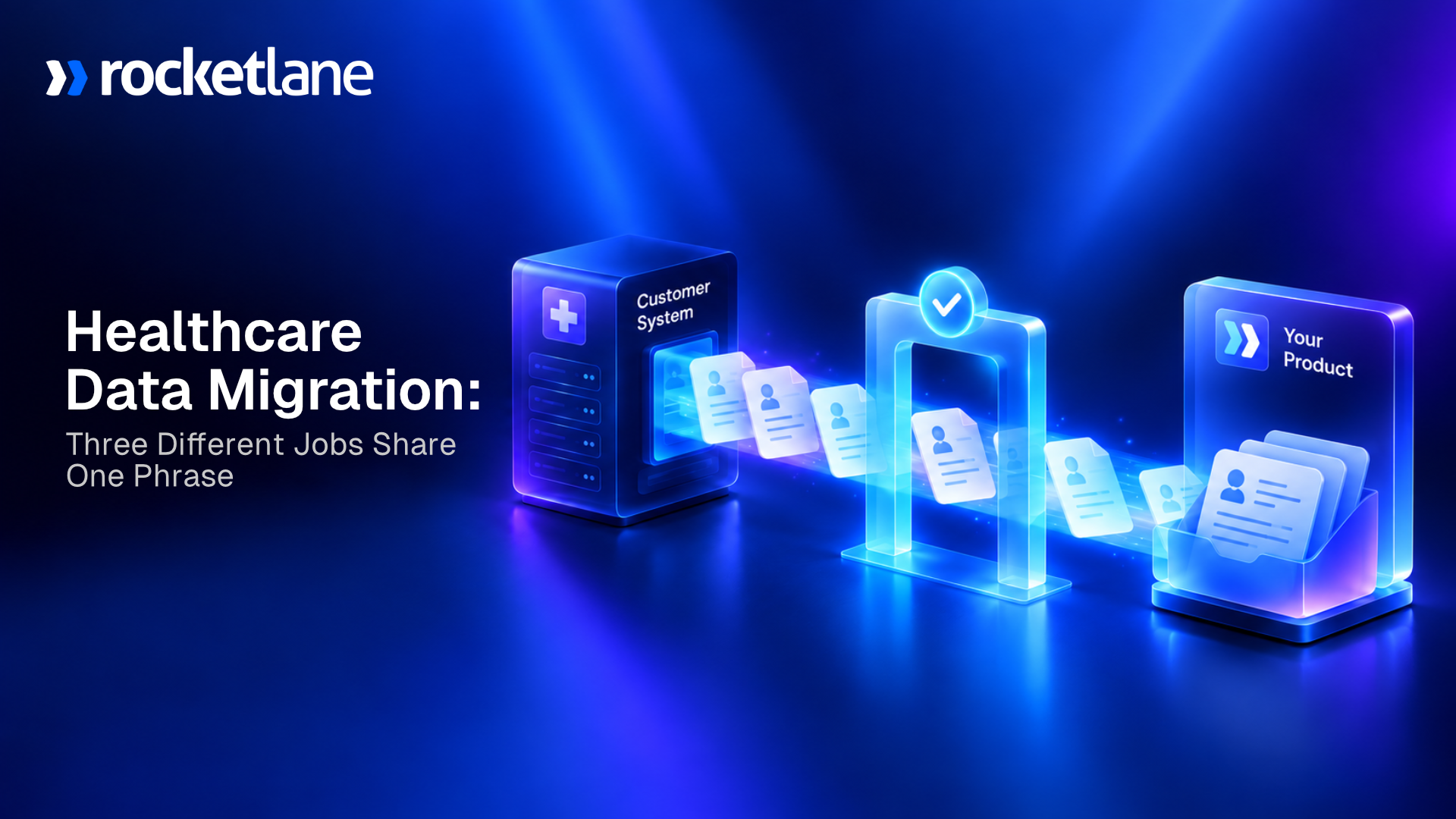
Healthcare data migration is the one-time move of patient, clinical, and administrative records from a source system into a destination system, usually by exporting from an EHR or claims platform, mapping the data to the new schema, validating what landed, and getting clinical sign-off before anyone relies on it.
In healthcare, a clean load and a correct load are not the same thing. The gap between them has clinical and financial consequences.
Rocketlane is an agentic AI-powered PSA platform for customer-facing professional services teams. PSA means professional services automation, and Rocketlane covers both halves of it.
The back office is resource planning, time tracking, financial management, and margins. The front office is client collaboration, project execution, delivery standards, and the customer portal.
Most PSA platforms only cover the back office. A healthcare data migration sits across both halves, which is exactly why it goes wrong.
Written for implementation, onboarding, and professional services teams at healthcare software companies that move customer data into their products during client onboarding.
Scale is part of why this keeps getting harder. RBC Capital Markets put global healthcare data at roughly 2,300 exabytes in 2020, growing at nearly 36% a year toward 10,800 exabytes by 2025. Data storage capacity grew to absorb that global data volume. The discipline of health data migration between healthcare systems did not.
One caveat before the detail. If your organisation holds a standing policy against running AI over patient data, no vendor answer will change that, and it should not. Surface the policy in the first conversation, not the fifth.
What is healthcare data migration?
Healthcare data migration is the one-time move of patient, clinical, and administrative records out of a source system and into a destination system; put simply, data migration in healthcare covers transferring sensitive health information during system upgrades, EHR transitions, or organizational changes.
During software onboarding, it has a specific shape. The healthcare customer exports from their electronic health record (EHR) or claims platform, with medical data moving between systems during upgrades, EHR transitions, or similar changes. The software vendor maps and validates the file against its own schema. A clinician confirms the result before anyone relies on it.
Here is the part most published guidance skips. There is no direct transfer between healthcare systems. Data moves through a file export, or through an interface standard.
The three standards that matter are HL7 (Health Level Seven), CDA (Clinical Document Architecture) and FHIR (Fast Healthcare Interoperability Resources). A middleware layer can sit between the two systems instead.
A data migration project in healthcare is a project, not a feature. By RBC's estimate, healthcare accounts for about 30% of global data volume.
The federal record is clear. ONC, the Office of the National Coordinator for Health Information Technology, reports that more than 99% of non-federal acute care hospitals had adopted a certified EHR by 2024 (ONC Data Brief 83, June 2026).
In 2008, the figure was under 10%, when paper patient record systems were still common. Almost every one of the healthcare providers you onboard now arrives with a decade or more of electronic medical records behind them.
One constraint holds across every version of this work. No automated system replaces clinician review of migrated clinical records.
What healthcare data migration actually means, and which one are you doing?
Three teams migrate healthcare data, and they are doing three different jobs. Hospital IT replacing an electronic health record (EHR) system. A data team consolidating clinical data into a warehouse. A healthcare software company onboarding a provider or payer customer. This page is written for the third, and it is the version almost nobody covers.
- If you are hospital IT replacing an EHR: Moving from one clinical platform to another, the specialists in EHR data migration will serve you better. Harmony Healthcare IT runs legacy extraction, migration, and archiving for US health systems. Hart runs EHR-to-EHR migration and consolidation across more than 150 EHR vendors. TierPoint covers the hosting side of that move. All three are built for that job.
- If you are consolidating a warehouse for data analysis: That is a different category again. Cloud and data platform vendors own that answer space, and the reader there is a data engineer, not an implementation lead.
- If you are a healthcare software company onboarding a customer: Their data has to move out of their EHR, practice management or claims system and into your product. Every new client repeats the work. That is the job this page covers.
Routing two audiences away by name is deliberate. The three jobs are not variations on one process, and treating them as one is why a plan built from generic guidance falls apart in week two.
Terms used in this blog
Healthcare data migration runs on acronyms. Each one is expanded here so any section of this page can be read on its own.
- PSA (Professional Services Automation): The system a services team runs delivery on: resource planning, time tracking, project financials, billing and client collaboration.
- EHR (Electronic Health Record) and EMR (Electronic Medical Record): The clinical systems of record your healthcare customers export from. Epic, Oracle Health, MEDITECH, athenahealth, and Allscripts are the common ones.
- PHI (Protected Health Information): Patient-identifying health data governed by HIPAA (Health Insurance Portability and Accountability Act).
- BAA (Business Associate Agreement): The contract that lets a vendor handle PHI on a covered entity's behalf.
- HL7 (Health Level Seven), CDA (Clinical Document Architecture) and FHIR (Fast Healthcare Interoperability Resources): The three interoperability standards healthcare data moves through. HL7 version 2 dates from 1987 and still carries most production interfaces.
- MPI (Master Patient Index): The index that resolves one patient to one record. AHIMA (American Health Information Management Association) targets a 1% duplicate rate against a RAND-measured 8% average.
- UAT (User Acceptance Testing) and TTV (Time to Value): The pre-go-live validation step, and the metric a VP of Professional Services is measured on.
- RTO and RPO (Recovery Time and Recovery Point Objectives): Rocketlane runs under 10 minutes for RTO and under 5 minutes for RPO.
Every acronym above appears in a procurement questionnaire before it appears in a project plan.
How do the three healthcare data migration jobs differ?
Three distinct jobs share this phrase. An EHR replacement moves a health system from one clinical platform to another. A warehouse consolidation moves analytics copies into a lake or lakehouse.
Customer onboarding moves one customer's records into a software product they have bought. They differ in who owns the data, who does the work, and what done means.
The three jobs compared
The last row is the point: the version of this work that repeats on every new client is the version nobody publishes a plan for.
The ownership row is the one that changes your estimates. In an EHR replacement, the health system controls both ends of the transfer. In onboarding, you control neither the source system nor the person exporting from it.
Concentration is what makes the onboarding version tractable. ONC reports the top three hospital EHR developers held more than 80% of the market by 2024, up from 35% in 2010.
Your customers do not arrive from an infinite variety of data systems. They arrive from a small, repeating set.
Can two healthcare systems transfer data directly to each other?

No. Healthcare systems do not transfer data to each other directly. Records move through a file export, an interface standard such as HL7 version 2, CDA or FHIR, or a middleware layer between the two.
Anyone promising a direct connection between one system and another is describing something that does not exist.
Practitioners are blunt about this, and most published guidance is not. The useful part is the hierarchy underneath it.
- HL7 version 2 is what runs in production: Integration practices consistently put it behind the large majority of live US hospital interfaces, including admissions, lab orders and results. It dates from 1987, and it is not going anywhere.
- FHIR is the standard everyone writes about: ONC requires certified health IT to expose FHIR APIs for patient access, so FHIR is where new work happens. It is not where the legacy estate lives.
- CDA sits between them: Document exchange, care summaries, referrals. Useful for health information exchange, rarely sufficient for a full patient data migration.
The gap between ideally FHIR and in-practice HL7 is the industry pain point. A scoping review published in the National Library of Medicine explains why it hurts during migration: local customisation of HL7 version 2 produced semantic incompleteness across environments. Two hospitals can both be standards-compliant and still mean different things by the same field. That is why how to migrate healthcare data from HL7 to FHIR has no one-step answer.
What that means for an onboarding project is concrete. Every healthcare data transfer starts as an export file, not a live connection. Plan for data extraction to be the customer's job, to take longer than they estimate, and to arrive in data formats nobody documented. You are migrating data you did not generate and cannot inspect at source.
One distinction is worth drawing. Data interoperability keeps two systems talking. Transferring healthcare data once has a different definition of finished, and if you need both, they are two workstreams with two owners.
Every migration starts as an export, not a connection.
Plan for a file you did not generate and cannot inspect at source.
What does a healthcare data migration plan include?
A healthcare data migration plan names the phases, the owner of each phase, and the written exit condition that closes it.
Seven phases cover the work: requirements agreement, planning and assessment, preparation and mapping, testing, cutover, post-migration validation, and clinical sign-off. No phase starts until the previous one has produced its artifact.
Most published guidance starts at planning. That is one phase too late, because the decisions in Phase 0 belong to the customer. Discovering them halfway through data preparation costs a full rebuild of the mapping document.
Seven phases, seven written exit conditions
A phase that closes on a date is how an unvalidated allergy list ships.
Phase 0: agree scope with the customer before you map anything
Before any data mapping starts, run a requirements workshop with the customer. Four agreements come out of it, and each takes minutes to settle early and weeks to settle late.
- Fields kept, fields added, fields dropped: Which parts of the existing patient record need to exist in the new system. That is a business decision about their data landscape, and it is theirs to make.
- Data archiving strategy: Whether legacy data comes across in full, or stays as a read-only snapshot. A snapshot keeps historical data stored locally in the old platform for audit. The answer changes your expected data volume and your data security measures.
- Definitional alignment: No two healthcare systems define data the same way. One system's encounter is another's visit. Agreeing definitions now prevents reporting disputes later.
- Reporting across old and new systems: If clinicians or finance need to securely access data from the archive and the new EHR system together, say so now.
Those four agreements are the foundation every later phase rests on, and the written version is protection, not paperwork.
The archiving decision carries a cost argument too. Keeping a retired electronic health record system running means licence fees, hardware and software updates, and often outsourcing maintenance services. That is why many healthcare organizations decommission instead of dual-running.
Exit condition: a written scope agreement naming which fields move, which stay, and who signs off the difference.
Phase 1: planning and assessment
Audit every source system feeding the migration and record its data formats, data structures, expected data volume, known data quality issues and dependencies. Profile the actual export instead of the schema documentation, because the two rarely match.
Because the migration carries sensitive data, assess regulatory compliance in the same pass: data security measures and residency rules decide which tools you can use at all. Data retention mandates decide what you may delete. Establish backup and rollback plans, and write the contingency plan while the cutover is still theoretical.
Exit condition: a documented inventory of every source system, file format and data structure, plus a signed scope statement.
Phase 2: data preparation and mapping
This phase consumes the most time of any named step. Start with data cleansing: resolve duplicate patient records, fill or flag missing values, standardise naming conventions, and correct the formatting errors legacy systems accumulate over decades.
Duplicates deserve real resourcing. A RAND analysis cited by AHIMA found an average 8% duplicate record rate across the master patient index databases studied. In large systems it rose to 15 to 16%, while AHIMA recommends working toward 1%. A migration is the moment duplicates either get resolved or get copied forward and doubled.
Then build the mapping document. Every source field maps to a destination field, with the transformation rule beside it and the type conversion explicit. Custom fields are where this breaks, so handle them first. Configure the target systems in parallel: access controls, user roles, and a staging environment worth testing against.
Exit condition: a complete mapping document covering every data element, reviewed by someone who did not write it.
Phase 3: testing and pilot migration
Run the migration into a test or sandbox environment first, using a representative sample instead of a convenient one. A sample containing only clean records proves nothing.
Include the critical data objects, the edge cases you know about, and the records the customer flagged as unusual. Validate against the source on record counts per object, schema accuracy, and functional parity. Two or three passes are normal.
Exit condition: a pilot run where every failed validation rule has been fixed or consciously accepted in writing.
Phase 4: execution and cutover
Notify stakeholders with a timeline and a downtime window. Standard guidance says to lock the source system read-only, and for an internal move that is right. When the source is your customer's live clinical system, it is not yours to lock, so agree a data freeze window and document when it starts.
Run the data transfer with monitoring live, logging every object as it moves, because a silent failure mid-transfer is how data corruption enters a target system unnoticed. Then reconcile the records created after the export cutoff but before the freeze.
Exit condition: the load completes, counts reconcile against the agreed thresholds, and the rollback path is still open.
Phase 5: post-migration validation and hypercare
Post-migration validation is not a checkpoint. It is a window, usually several weeks, and treating it as a single afternoon is why data integrity issues surface in month two. Reconcile counts, totals, and key fields to validate data accuracy, then run user acceptance tests with the people who use the data daily.
They spot the wrong answers that reconcile perfectly. Keep monitoring the objects most likely to drift, then update your data quality rules with what this run taught you.
Exit condition: written customer sign-off on data accuracy post cutover, with the known-issues register attached.
Phase 6: clinical sign-off
Sign-off is the phase most checklists leave implicit, and it decides who carries the cost of a dispute six months later. An email saying it looks fine is not sign-off. What holds up is a named data owner approving a specific, versioned export against the Phase 0 acceptance criteria, with the known-issues register attached.
Hand the customer the reconciliation report, the exception log and the register together, then ask for approval object by object. Partial sign-off is normal, and it stops one unresolved object from holding the whole go-live.
Exit condition: a named clinical data owner has approved a specific, versioned export, separately from IT approval.
Those seven phases are the whole healthcare data migration process, and the exit conditions are what turn a list into a gate.
Those exit conditions are deliberately phrased as gates instead of milestones. The PMBOK Guide from the Project Management Institute frames a phase transition as a decision point with mandatory criteria. A healthcare data migration is the clearest case for it. A phase that closes on a calendar date instead of on evidence is how an unvalidated allergy list reaches production.
Who owns what when the customer owns the source data?

In onboarding, the healthcare customer owns the source system and exports from it. The software vendor maps, transforms, and validates against its own schema. A clinician confirms the result is usable. Every published healthcare migration guide assumes one organisation controls both ends, and that assumption breaks the moment the data belongs to a customer.
The customer owns the decisions, and you own the mechanics, which is why a migration stalls the moment a decision waits on someone with a day job.
The step nobody plans for is the last row. Clinical sign-off is not IT sign-off. A medical director, informaticist, or quality officer has to read the migrated records, and their time is the most underestimated line in the project.
The export problem is the second underestimate. The customer's EHR administrator may not know which report produces the fields you need, so budget a working session instead of a template email.
Practitioner accounts put the round trip on a completed data workbook at two to three months.
Custom fields are universal in healthcare, and they force a business decision, not a mapping decision. There is no correct automated answer to where an undocumented custom field should land.
The timing pressure is specific to this vertical. Go-live dates get tied to contract renewals, insurance cycles, or fiscal year boundaries, and those dates do not move when a file arrives late.
You own the mechanics. The customer owns the decisions.
Which is why a migration stalls on someone with a day job.
Which clinical safety failures pass every count check?
The most common problems with healthcare data migration are four failures that load cleanly and surface after go-live. An allergy list that did not carry across. A medication list truncated by a field length limit. Encounter dates shifted by a timezone conversion. Provider identifiers remapped to the wrong clinician. All four passed a record count. None passes a clinician opening a chart.
The allergy list loaded. It just was not there.
Cross-record existence checks catch it before anyone opens the chart.
The four clinical safety failures at a glance
.png)
Three of the four are mechanically catchable, and one needs a person, which is the honest split most tooling pages will not draw.
The cost is worth describing, not pricing. The correction for a dropped allergy list is a nurse re-entering allergies by hand, chart by chart, while the clinic runs. Nobody logs that as a migration cost. It landed on clinical staff weeks after the data migration project closed.
The billing consequence is measurable. AHIMA told Congress in January 2023 that 35% of denied claims trace to inaccurate patient identification. That costs the average hospital $2.5 million a year, and the US health system more than $6.7 billion. Patient matching errors do not stay in the clinical lane. They surface in billing data, in revenue cycle, and in the reports somebody has to explain.
The difference is the consequence. In commercial software, a bad migration produces a wrong report. In healthcare it produces a wrong patient record, and the review that catches it is clinical, not technical. Patient safety, not reporting accuracy, is the standard this work gets held to.
The healthcare source-system mapping worksheet
A source-system mapping worksheet captures what a given EHR export holds, before anyone writes a transformation rule. Copy it once per source system your customers arrive off, whether that is Epic, Cerner, athenahealth, or Allscripts. Fill it from the customer's own export instead of from vendor documentation. Six fields carry most of the value.
- Export format and delivery method: What the customer can produce without help, how the file reaches you, and whether the export is scheduled or manual.
- Objects and record counts: Which objects are in scope, and the count per object, so reconciliation has a number to check against.
- Fields that need a custom report: The fields the standard export leaves out. This is the list that turns a template email into a working session.
- Code sets and date formats: Which diagnosis, procedure and medication code sets appear, and the date and timezone conventions each file uses.
- Related records that travel separately: Allergies, medication lists and problem lists often sit in their own files. Record which parent each one hangs off.
- Who owns the export, and when they are available: A named person at the customer, plus their realistic turnaround. Clinical informatics staff are rarely free on demand.
Filled in once per platform, the worksheet is what turns the second migration off that system into configuration, not discovery.
The reuse argument is also a margin argument. SPI Research's 2026 benchmark put average billable utilisation at 66.4% across 509 professional services firms. That is an all-time low, and well below the 75% threshold it treats as optimal (SPI Research, 2026). Hours spent rebuilding a mapping you already built are hours nobody bills.
This worksheet is not gated. Copy it, put it in your own onboarding template, and change it to suit your product.
Epic exports the same way it did in March.
Fill the worksheet once per platform and the second run is configuration.
What does a realistic first run look like on legacy clinical data?

In clinical data migration, nobody reaches a perfect first pass on legacy clinical data. Structured fields map reliably. Free-text clinical notes, imaging references, and inconsistently coded labs do not. The useful target is not a perfect run. It is a first run that surfaces every category of problem, so the second one is clean.
Unstructured data is harder than structured data, and anyone attaching a precise accuracy figure to free-text clinical notes is guessing. No reliable published number exists, and a healthcare page is the worst place to invent one.
Why legacy clinical data is worse than commercial data comes down to four things.
- Decades of accumulated records: A practice that opened in 1998 has records written under three different clinical conventions and two prior systems.
- Multiple prior migrations: Each earlier move left its own artifacts, truncations, and placeholder values behind in the data.
- Coding standards that changed underneath the data: Diagnosis and procedure codes were remapped over time, and the historical rows were rarely rewritten.
- Free text where structure was optional: If a field could be skipped, somebody skipped it and wrote the detail in a note instead.
Those four together mean the first run is a diagnostic instrument, not a delivery.
So agree on three things before the first pass. Which objects must be perfect. Which can carry exceptions into go-live. Who signs off the difference. Then run the first pass on a subset, review it with a clinician, and treat what it surfaces as the specification for pass two.
The payoff is in the second migration off the same platform, not the first. The pattern already exists in how implementation teams work. It is rarely captured anywhere.
The qualifier matters. Building a reusable playbook is worth it when you see the same source system more than a handful of times. Below that, a good template and a careful reviewer is the right answer.
What delivery leaders said on the Propel stage
Rocketlane's Propel conferences bring professional services and implementation leaders together every year, and two ideas from this page kept coming up: keep the work you repeat, and keep people on the decisions.
- Design before you automate. At Propel26, Merlin Komenda of Zappi made the case that teams should design their implementation process before automating it.
- Treat implementation as a product. Emily Garza of Unit21 explained how to treat implementation as a product, not a service, so the work you repeat gets kept rather than rebuilt.
- Use AI as a copilot, not an owner. Shehryar Malik walked through practical ways to turn AI into an implementation copilot, with people keeping the decisions.
- Measure outcomes, not activity. PropelX 2026 in London asked one question: AI is here, but where are the outcomes? The PropelX 2026 recap covers how services teams are answering it.
Which compliance questions should you answer before any file moves?
.png)
Four questions decide whether a healthcare data migration can proceed. Is there a Business Associate Agreement, and does it cover any AI in the pipeline? Where does the data rest, and who can see it? Is production data ever used in testing? What audit trail exists afterwards? Answer all four before a file moves, because finding a constraint at cutover is the most expensive version of finding out.
- The BAA question: A Business Associate Agreement (BAA) is the contract that lets a vendor handle protected health information (PHI) on a covered entity's behalf. The answer is simpler than the industry assumes. An existing BAA can cover the AI layer when that layer runs inside the same security and privacy controls as the platform. No separate AI-specific agreement is necessarily required.
- The residency question: Where the data rests, which staff can reach it, and whether the vendor can hold it in the region your contract requires. HIPAA compliant data migration is a hosting question before it is a feature question.
- The test-data question: Production data should never appear in a test or staging environment. Ask every vendor this directly, and treat a vague answer as an answer.
- The audit question: A self-serve audit log showing which user triggered which action, with before and after values, is the bar. Audit trails produced on request are not the same thing, and a regulator asking about a specific record will not wait for a support ticket.
Those four questions decide procurement, and a vendor who cannot answer all four in one call has told you something useful.
There is a fifth question this reader will not ask out loud. No AI system should be making clinical decisions. Assistive, non-decisioning, human review before use. That is a standard to hold every vendor to, not a product claim to be impressed by.
Name the questions, not the vendors who fail them. The point of the list is to make your own data management and data security posture legible to a customer's security reviewer. That is the person who decides whether your onboarding starts on time.
Four compliance questions. Ask them in one call.
BAA scope, residency, test data, audit log. Bring your security reviewer.
How does Rocketlane Migration Agent support a healthcare data migration?
Rocketlane Migration Agent works on the export your healthcare customer sends you. It maps incoming fields to a destination schema you define once, applies transformation rules you describe in plain English, validates the result at three levels, and loads the validated records.
The rules are saved against the source system, so the next customer arriving off the same EHR starts from a built playbook.
Here is the shape of the problem it addresses.
A provider signs and their data has to come off Epic. The export arrives as six files. You spend the first week working out what three custom fields were for, because the person who configured them retired.
You build the mapping and write the rules for their date formats, their provider identifiers, their medication codes. You validate, find four hundred broken rows, email the list, wait nine days, get a version two. You load. Three weeks after go-live, a nurse finds an empty allergy list.
Four months later another provider signs. Also coming off Epic, and you do all of it again.
Their custom fields are different. Their coding habits are different. Their mess is their own. But Epic exports the same way it did in March. You paid full price for that twice.
The reason you paid twice is that the work had nowhere to live between the two projects.
What Rocketlane Migration Agent is
Rocketlane Migration Agent runs the pipeline between a customer's export and your product: mapping, transformation, validation and load against a schema you define once.
Transformation rules are written in plain English, and nothing loads until it has been reviewed. It is part of Nitro, Rocketlane's agentic AI layer, at Level 3, Work Execution, alongside Documentation Agent and Workforce Agent.
For company-level context: Rocketlane holds a 94% recommendation rate on G2 and raised a $60M Series C led by Insight Partners.
Prompt to transform, instead of hand-cleaning cells
Describe the transformation in plain English instead of editing cells. No code. Mapping suggestions are generated on upload, a coding step writes the transformation, and the result appears in a spreadsheet view with faulty values highlighted. You iterate by chatting against the live data.
Accuracy runs at roughly 85% on the first run, iterating to 100% with human review. The claim is not that it is perfect. The claim is that your team spends its time on the 15% needing judgement, not on all of it. Human in the loop is a design choice: every change is surfaced, and nothing loads without review.
The three validation layers, and the failures they catch
.png)
Three of the four clinical failures named earlier in this guide are mechanically catchable, and this is where.
The fourth failure, provider identifiers remapped to the wrong clinician, is detectable but resolved by a person, not a rule.
The clearest example of the cross-field layer sits outside healthcare. A lease management platform we work with found its destination system accepted a lease whose commencement date fell after its end date.
Both fields held valid dates, so the format check passed. Only a cross-field rule caught it. Swap those for admission and discharge, and the same logic protects a patient record.
Validation runs up to 25 million cells per run, stress-tested between 1 and 5 million. Real implementations have run 400,000 to 600,000 records across 70 to 80 supporting files, and single passes at the top of that range benefit from batching.
What the customer and the clinician each see
The customer sign-off portal is live. The customer opens their own view of the run. They see the transformations applied to their data and the validation errors against your schema, and they can correct them in place. Every run is versioned with version compare, and sign-off is recorded against a named person and a file version.
The argument for that portal is legal, not convenient. The customer's own people have to fix the customer's own data, for data-ownership and liability reasons, which is why teams run guided review calls today. The portal keeps the client's hands on their data and removes the call.
Transcript-driven iteration goes further. Tell the agent to rework the file based on what the customer said on the call, and it produces a new version for confirmation.
The healthcare-specific point is the one to hold onto. Clinical review is a separate approval from IT approval. A handoff process that treats them as one step has not run a healthcare data migration.
IT approval and clinical approval are two sign-offs.
See the customer review, fix and approve each version in their own portal.

Where the line is
Rocketlane Migration Agent does not make clinical decisions. Rocketlane's AI is assistive and non-decisioning. It is not designed or approved for clinical diagnosis, treatment decisions, or direct patient care, and every output requires human review before use. No automated check replaces a clinician reading the chart.
- It runs on the export, not on the EHR: There is no live clinical interface, and no HL7 or FHIR feed. The input is the customer's CSV or Excel export.
- It does not replace an EHR-to-EHR migration: Different job, different vendors. Rocketlane is not a substitute for a health system's archiving partner.
- It does not do composite-key joins, aggregate reconciliation, or cross-table validation across several destination objects at once: A check that a bill total equals the sum of its line items is outside what the product does today. If your migration depends on that, resource it separately.
- It works on structured exports: PDF extraction and media files are not supported.
- Rules are saved and re-run, not learned across customers: Persistence, not learning. Your schema, aliases, and rules stay yours and get reused for the next customer arriving off that platform.
Naming the boundary is what makes the rest believable. A clinical record still needs a clinician, whatever the tooling.
On security and compliance, the posture is ISO 42001, ISO 27001, ISO 27701, SOC 2 Type II, SOC 1 Type II, HIPAA, GDPR, CCPA, CSA STAR, Cyber Essentials Plus and the EU-US Data Privacy Framework. A Data Protection Impact Assessment was performed and audited under ISO 42001. Recovery targets are under 10 minutes for RTO and under 5 minutes for RPO. ISO 42001 is the international standard for AI management systems, and it is the one to ask any AI vendor about.
Rocketlane's own go-live runs 4 to 12 weeks, against the 6 to 12 months typical of legacy PSA platforms. The practitioner implementation bands quoted earlier describe a customer's whole programme, not Rocketlane's onboarding. On cost, see Rocketlane pricing.
The comparison worth running on the pricing page is not the licence cost against a spreadsheet. It is the licence cost against the hours your team currently spends hand-mapping every customer export.
How is this different from writing explicit rules?
Fairly asked, and the honest answer has a limit in it. A simple one-dimensional restriction, such as a required field or a date format, needs no agent. A rule engine handles that, and you should use one.
What an agent adds is combinatorial logic authored in plain English instead of code. One rule can read across sheets, check that a child record's parent exists, and compare two fields inside the same record.
You then iterate against your real export in a spreadsheet view before anything is approved. Every run is versioned with version compare. Nothing leaves without a person signing it off, and the rules stay visible and editable, so you can change what the agent proposed.
One routing note. Comparing PSA platforms instead of solving a specific migration? The PSA software comparison for professional services teams is the page to read before this one.
Send us the awkward export
Send an export from whichever system your customers arrive from most. De-identify it, and make it the awkward one: the six-file version with the custom fields nobody documented. We will define the destination schema on the call and build the mapping and validation rules for that source. You will see what the fifth onboarding looks like on your own data.
Then the honest limit. The first migration off an unfamiliar source system still costs full price. The claim is that it costs once.
Send the six-file export with the undocumented custom fields.
De-identified. We build the schema and rules for that source on the call.
Conclusion
A healthcare data migration strategy earns its place by being specific about three things generic guidance skips. Which of the three jobs you are doing. Who owns each phase when the customer owns the source data. And what validation checks beyond formatting.
There is no direct path between two healthcare systems, so plan for an export, not a connection. The failures that matter load cleanly and surface in a chart weeks later, which is why clinical sign-off is a phase, not an email. A smooth transition is rarely the one with the cleverest tooling. It is the one where every phase had an owner and a written exit condition.
The compounding move is to stop treating each migration as a project. Build the rules once per source system, reuse them for every customer arriving from that platform, and refine the process with what each run teaches you. Operational efficiency in delivery comes from that reuse, not from working faster. If your customers keep arriving off the same handful of EHRs, the most expensive thing you do is rebuild the same migration twice.
Same EHR. Second customer. Do not pay twice.
Send the awkward export. See the rules saved for the next one.
Table of Contents

Regsiter for the live webinar


Great consultants didn't join your team to spend Fridays writing documentation.
Table of contents
18 of Forbes Cloud 100 chose Rocketlane. The best PS teams aren't waiting around.
FAQs
What is healthcare data migration?
Healthcare data migration is the one-time move of patient, clinical and administrative records out of a source system and into a destination system. During software onboarding the customer exports from their EHR or claims platform. The vendor then maps and validates the file against its own schema. A clinician confirms the result before anyone relies on it. ONC reports more than 99% of non-federal acute care hospitals ran a certified EHR by 2024. Almost every customer arrives with years of electronic medical records behind them.
What is the difference between healthcare data migration for hospital IT and for software onboarding?
The difference is who owns the source system. In an EHR replacement, hospital IT and an EHR vendor control both ends, the full clinical record moves, and the project runs for many months. In software onboarding, the customer owns the source system and does the export. Only the data your product needs moves, and the work sits inside an implementation measured in weeks. Harmony Healthcare IT, Hart and TierPoint specialise in the first. The second repeats on every client and is far less written about.
Can two healthcare systems transfer data directly to each other?
No. There is no direct system-to-system transfer between healthcare systems. Records move through a file export, an interface standard such as HL7 version 2, CDA or FHIR, or a middleware layer. HL7 version 2 still carries the large majority of live US hospital interfaces, while FHIR is the standard ONC requires certified health IT to expose for patient access. Anyone promising a direct connection is describing something that does not exist.
Who owns each phase when the customer owns the source data?
The customer owns data extraction from their legacy systems, the definitional decisions about what each field means, and final sign-off on data accuracy after cutover. Your team owns the data mapping, the transformation rules, and the validation. Data cleansing and user acceptance testing are shared. That split is why a generic data migration plan does not survive a customer onboarding migration unchanged.
What is a realistic first-run result for healthcare data migration?
Not a perfect one. Structured fields such as demographics and appointments map reliably. Free-text clinical notes, imaging references, and inconsistently coded labs do not. The useful target is a first run that surfaces every category of problem, so the second run is clean. For automated mapping against a new source system, roughly 85% on the first pass is realistic, with the remainder resolved through human review. Anyone claiming one-shot accuracy on clinical data is overstating it.
What are the failure modes of healthcare data migration?
Four failures load cleanly and surface after go-live. An allergy list that did not carry across, because the patient record loaded and the related set did not. A medication list truncated by a field length limit, so nothing errors and the field is populated. Encounter dates shifted by a timezone conversion, where every date is still valid. Provider identifiers remapped to the wrong clinician, where both identifiers exist. All four pass a record count, and none passes a clinician opening a chart.
Why is clinician review required for migrated clinical records?
Because a record can be structurally correct and clinically wrong at the same time. Reconciliation proves counts and formats. It cannot tell you a medication list is missing its last three entries, or that an encounter belongs to a different provider. Clinical sign-off is also separate from IT sign-off: a medical director, informaticist, or quality officer has to read the migrated records. No automated system replaces that review.
What BAA requirements apply when a software vendor handles PHI?
A Business Associate Agreement is the contract that lets a vendor handle protected health information on a covered entity's behalf. An existing BAA can cover an AI layer when that layer runs inside the same security and privacy controls as the platform. A separate AI-specific agreement is not necessarily required. Ask two more questions in the same call. Does production data ever reach a test environment? Does the vendor offer a self-serve audit log with before and after values?
How long does healthcare data migration take during onboarding?
Longer than almost every plan assumes, and the bottleneck is usually the customer, not the processing. Practitioner accounts put the round trip on a completed data workbook at two to three months, and that band describes the customer's whole programme. Rocketlane's own go-live is 4 to 12 weeks against the 6 to 12 months typical of legacy PSA platforms, and the two should not be conflated.
Is AI safe to use on protected health information?
It depends on the controls and the scope of the task. Rocketlane's AI is assistive and non-decisioning. It is not designed or approved for clinical diagnosis, treatment decisions, or direct patient care, and every output requires human review before use. The posture is ISO 42001, ISO 27001, SOC 1, SOC 2, HIPAA, GDPR, zero data retention, and US and EU residency. Each run executes in an isolated single-use container, and raw data sits outside the model's context window. If your organisation holds a standing policy against AI touching patient data, that policy is the answer.













Copyright © 2026 Rocketlane Corp. All rights reserved.




















.webp)