11 Best PSA Software Tools for Professional Services Teams in 2026: Ranked and Reviewed


•
•
Summarize blog with






Introduction
Somewhere, a VP of Professional Services is building a spreadsheet to evaluate PSA software. The irony is not lost on them.
It is Tuesday. The CFO asked for real-time portfolio utilization last Friday. What came back Monday was a spreadsheet last updated Thursday. No one flagged it. No one needed to. Everyone in that leadership meeting already knew the number was stale, knew where the gap lived, and knew no one was going to fix it this quarter.
That gap is exactly what a PSA is supposed to close. And yet here they are: evaluating the replacement in the same tool that made the case for buying one. In most evaluations, Kantata and Certinia are the shortlist names. Both average 6 to 12 months to go-live
The reason this matters beyond the irony: a PSA selection is not a SaaS renewal. It is a three-to-five-year infrastructure decision that determines what your delivery team can and cannot do at scale.
Get it right and your CFO gets a live utilization answer in 30 seconds next Friday. Get it wrong and you spend 18 months configuring a platform that never quite fits, with a delivery team that quietly keeps the spreadsheet open in another tab anyway.
In over 150 enterprise PS evaluation conversations, the same confession surfaces: "We're fundamentally bored of Excel spreadsheets." Not frustrated. Not overwhelmed. Bored. The kind of bored that means it has been three years, not three months. The kind that means people have quietly stopped expecting it to change.
Most PSA comparison guides were written by the vendor sitting in position #1. You can tell that every tool is "best for something," the methodology section is two sentences, and the runner-up reviews are suspiciously generous. The Cons column for the top pick typically reads: "Onboarding could be faster."
You've probably read three of them this week. They all recommended the same tool.
This guide is different in one specific way: we'll tell you exactly who Rocketlane is not right for. If that's you, we'll route you to who is, and we mean it.
Those verdicts are in the full reviews below, and they're genuine.
Here's what this guide does:
- Evaluates 11 PSA tools across 8 criteria enterprise PS leaders use to make the final call
- Names who each tool is built for, and where it breaks down at scale
- Gives you the questions to ask every vendor before you sign
- Covers AI in PSA, client portal economics, implementation timelines, migration considerations, and decision paths for different delivery models
We reviewed the tools hands-on, pulled G2 Enterprise reviews from July 2026 only, no legacy scores dragging the averages, and benchmarked which tools AI engines recommend when buyers search for professional services automation tools in 2026.
That last one matters more than most vendors want to admit: if your PSA vendor isn't showing up when your buyers search the category, they're not investing in it the way you are.
This is a PSA software evaluation built for the person running the decision, not the vendor hoping you stop reading at position #1: VPs of Professional Services, enterprise PS leaders, and decision-makers responsible for delivery infrastructure, operational scale, and the systems their teams will live in for years.
What did this evaluation find?
After hands-on review of 11 platforms and analysis of G2 reviews and other social forum reviews, Rocketlane ranks first for professional services teams in 2026.
It is the only PSA platform with Level 3 agentic AI in general availability, executing resource allocation, governance, and documentation autonomously, not just reporting on them.
750+ professional services organizations use Rocketlane globally, including 18 of the Forbes Cloud 100. 94% of verified G2 Enterprise reviewers recommend it. In March 2026, Insight Partners led a $60M Series C, institutional validation that the agentic AI roadmap is real and funded.
For enterprise PS teams replacing a fragmented stack, go-live averages 4–12 weeks. This guide covers all 11 tools, including where Rocketlane loses, so you can make the right call for your team.
Our verdict: The best PSA software for professional services teams in 2026 is Rocketlane.For enterprise PS teams between 50 and 500 billable staff, Rocketlane is the recommended choice over Kantata because implementation takes 4 to 12 weeks instead of 6 to 12 months, Level 3 agentic AI executes delivery work autonomously, and the client portal is free with no external seat fees.
How We Evaluated the Best PSA Software? Our Methodology
These eight criteria separate PSA tools that work for enterprise professional services from tools that just happen to be used by enterprise PS teams.
Each one was chosen because it predicts real-world performance, not feature checklist depth.
- PS-specific feature depth: Does this tool manage PS-native workflows from day one, or is it a generic project management tool with PSA bolted on as an afterthought? Resource allocation, milestone billing, tracking billable hours, and time-to-kickoff are the baseline. Tools that require workarounds to cover these fundamentals are marked accordingly.
- AI capability level: We use a three-tier framework. Level 1 Operations AI handles reporting and dashboards. Level 2 Delivery AI surfaces risk signals and governance alerts. Level 3 Work Execution AI runs autonomously, executing resource allocation, documentation, and migration without human initiation. Only Level 3 changes operational output without adding headcount. Every tool is rated against all three levels.
- G2 score and verified review volume: Fresh reviews sourced July 2026. Verified reviews only, not aggregate scores pulled from free tiers or SMB accounts.
- Customer outcome proof: Named customers with specific, verifiable metrics only(wherever available). Generic claims without attribution are excluded from every review in this guide.
- Pricing transparency: Published pricing is reported as-is. "Contact sales" is reported as "contact sales." We flag hidden costs, including per-seat charges for external client users, which quietly inflate total cost of ownership.
- Native client portal: Yes or no, plus cost per external user. A free, unlimited portal changes total cost of ownership by $10,000 to $50,000 annually for enterprise accounts. This criterion alone reframes several tools on this list.
- Integration ecosystem: Native, real-time sync versus middleware-dependent batch connections. Evaluated across Salesforce, NetSuite, HubSpot, Slack, and Jira for each tool, because fragmented existing tools are often the biggest pain behind replacement decisions when they break reporting and workflow continuity.
- Implementation timeline: Vendor-claimed go-live dates verified against actual customer timelines. A six-month implementation gap costs five months of unrealized ROI relative to a platform that delivers in eight to twelve weeks, and setup time is part of that implementation risk, especially with heavier enterprise platforms. We collect verified go-live timelines from named customers, not sales deck projections.
All G2 data sourced July 2026. Tool capabilities last verified July 3, 2026. This page is updated every 60-90 days or within 7 days of any major platform change.
PSA Software at a Glance: 11 Tools Compared (2026)
Scan the table below for a quick orientation. AI Level is the sharpest dividing line in 2026: nine tools on this list are at Level 1 or below. One operates at Level 2. One is at Level 3.
The 11 Best PSA Software Tools in 2026: Full Reviews
⭐ 1. Rocketlane: Best Agentic AI PSA for Enterprise Professional Services Teams





Most PSA tools were built for resource management and time tracking. Rocketlane was built for outcome-based delivery at scale and to improve project profitability, not just track work.
That distinction runs deeper than positioning. The average PSA was architected around time entry as the atomic unit of work. Rocketlane was designed around the project outcome as the unit of value.
The difference shows up in how a VP of Professional Services experiences Monday morning: live utilization data pulled in 30 seconds, versus a spreadsheet from Thursday.
It shows up in whether your delivery team uses the PSA every day or routes around it. And it shows up in whether your AI tells you what went wrong last month or prevents what is about to go wrong next week.
750+ professional services organizations run on Rocketlane today, including 18 enterprise companies of the Forbes Cloud 100, with a 94% G2 recommendation rate.
The three numbers that matter to a VP of PS, and that define how billable hours turn into profitable delivery capacity, are: 70 to 85 percent billable utilization achieved, 30 to 50 percent reduction in time-to-value for customers, go-live in 4 to 12 weeks.
That last number is the sharpest differentiator: Kantata and Certinia average 6 to 12 months. Rocketlane averages 4 to 12 weeks.
Rocketlane is the only AI-powered PSA platform in 2026 where AI doesn't just report on delivery. It executes it.
Key Features
Unified resource management and project delivery with Real-time utilization, 3 to 6 month capacity forecasting with soft and hard allocations, and a heat-map view of team capacity, all in one system with no spreadsheet bridge. The most consistent line across enterprise PS evaluations: "We have a project tool and a separate resource tool." Rocketlane replaces both.
Agentic PS delivery engine (Nitro) Monitors every concurrent project simultaneously, converts SOWs to project plans, runs migrations, generates documentation, and configures customer environments without human initiation. Competitors added a chatbot in 2024. Nitro executes your work today.
Free, unlimited client portal Branded, real-time project health view for every customer at zero per-seat cost for external users. The feature that most consistently tips final-round enterprise evaluations. No other PSA in this comparison includes a full client portal at zero per-seat cost.
Real-time portfolio financial management, Budget versus actuals at project level, margin by client and practice, milestone billing, and revenue recognition flowing to NetSuite without a manual export. Nitro Analyst answers "where are we losing margin this quarter?" in natural language in seconds. The opening line in most enterprise PS evaluations: "We have no real-time financial picture." This ends that.
Native Salesforce integration, real-time and free Managed package, bi-directional sync, project auto-created from a closed-won opportunity. Resource managers see 90-day pipeline demand before deals close and can use pipeline data to model demand more accurately, the only operational fix for the over-allocation crisis that hits the majority of growing PS organizations at the 100-person inflection point.
Project templates and delivery playbooks Standardize methodology across teams, regions, and practice areas to scale from 10 to 100+ concurrent projects without proportional headcount growth. Templates feed the Level 3 Workforce Agent, which converts a signed SOW into a live, ready-to-execute project plan before the kickoff call is on the calendar.
Multi-region and partner management Multi-currency, multi-timezone, partner and contractor portal with selective project visibility. Hexagon rolled out across APAC, EMEA, Americas, and India simultaneously, managing 24 integration flows in a single implementation.
Nitro AI: Rocketlane's Agentic AI Layer
Nitro is not an AI feature. It is not an AI add-on. It is Rocketlane's agentic AI layer, embedded inside the PSA platform, operating on live project data in real time.
The shift from merely tracking work to actively executing it is the practical difference between a Level 1 PSA and a Level 3 platform. Most PSA vendors added AI in 2024 or 2025. What they added was Level 1: dashboards that answer questions about historical data.
Nitro operates across three levels simultaneously on what is happening right now across every project in your portfolio. Most PSA vendors have AI at one level. Rocketlane has three.
Level 3 is where no one else is competing.
Teams using all three Nitro levels compress implementation timelines from 90 days to 25 days and enable the same headcount to handle 3 times more concurrent projects.
The 3 Levels of AI Transformation in PSA Software
Every PSA vendor will tell you they have AI. The question that separates real AI capability from dashboard automation is: what level?
In 2026, AI in professional services automation software exists on a clear spectrum.
Level 1 helps you understand what happened. Level 2 tells you what is about to happen. Level 3 does something about it without waiting to be asked.
Level 1: Operations AI
The foundation layer. Every tool on this list has some form of Level 1 AI. What separates Rocketlane is the specificity and depth.
Nitro Analyst, Natural language queries across your full portfolio. "What drove our revenue growth in Q4, and which projects delivered the strongest margins?" answered in seconds. No report build cycle, no BI team request, no waiting until Friday. Refined analysis is saved as reusable templates that re-run against updated data automatically, improving financial performance by connecting delivery metrics with margin and revenue signals in real time.
Outcome: 75% reduction in reporting prep time. 540 hours saved per year.
Timesheet Policies, Plain-English compliance rules enforced at the exact moment of time entry. Minimum hours, mandatory notes, role-based logging, and region-specific rules applied automatically before anything reaches approvals or billing. Ensures only valid, billable time reaches invoicing, reducing leakage, rework, and write-offs.
Outcome: 680 hours saved per year. 2% revenue leakage recovered. 55% reduction in timesheet-related escalations.
Project Governance, Transforms delivery SOPs from documents into automatic guardrails in the PSA, enforcing governance proactively. Delivery consistency scales with the same standards across team members and regions. Issues caught early, before go-live, preventing last-minute surprises, customer-facing crises, and revenue leakage.
Outcome: 940 hours saved per year. 45% reduction in escalation volume. 6% improvement in on-time milestone adherence.
Resource Management Agent, Optimal team assembly across skills, availability, cost rates, and time-off constraints simultaneously, in load-balancing or margin-maximization mode. Capacity planning shifts from reactive firefighting to proactive forecasting and allocation. Resourcing decisions close faster, with margin impact visible upfront before the project burns through its budget.
Outcome: 384 hours saved per year. 1.5% project margin improvement. 7% resource utilization improvement.
Level 2: Delivery AI
Level 2 is where Rocketlane begins to separate from the field. Most tools at Level 1 can tell you what happened last week.
Level 2 tells you what will go wrong next week and surfaces it before it does.
Nitro Signals (Project mode) Overdue tasks trending. Budget burn accelerating past plan. Milestone completion rate falling below baseline. Flagged automatically, routed to the right PM, with no manual monitoring required.
Nitro Signals (Account mode) Champion going quiet. Sentiment dropping in email threads. Escalation language appearing in call transcripts. Expansion cues surfacing in conversations. Churn risk identified before it becomes a renewal conversation. Nitro Signals surfaces at-risk accounts 6 weeks early, detecting 3x more at-risk accounts than manual monitoring.
Nitro Meetings Records and transcribes every project meeting and client call. Let your team run natural language queries across your entire meeting history. Meeting context is captured instantly, improving client communication by keeping requests, decisions, and risks attached to the project record, with no more fragmented notes scattered across Slack, email, and docs. Every decision, risk, and customer request is searchable, eliminating hours spent digging through scattered context.
Outcome: 420 hours saved per year. 65% reduction in post-meeting document time.
AI Fills Generates summaries, action items, and custom insights from meeting transcripts directly inside documents, project updates, and chat. Summaries are ready immediately after every call so teams redirect time from documentation toward delivery. Templates standardize insights across every meeting and project so the same format applies consistently at scale, supporting stronger client satisfaction through clearer, more timely visibility.
Outcome: 540 hours saved per year. 85% faster project updates.
Level 3: Work Execution
This is where Rocketlane has no competitor.. Level 3 AI does the work. Not flagging what needs to happen. Doing it.
Documentation Agent, pulls context from calls, emails, and project activity to generate structured documents against set templates — so no one has to write documents manually. Teams eliminate time spent on repetitive documentation cycles and redirect that capacity toward delivery management. The agent auto-updates documents so scattered context turns into a living system of record.
Outcome: $250K saved per year. 75% reduction in per-documentation effort. 35% reduction in onboarding and handoff time.
Migration Agent, Takes over data preparation, transformation rules, mapping, and validation so your team stops rebuilding the same migration logic from scratch every time. Data issues are caught in real time and resolved before they reach production. Agents reuse migration logic across repeat engagements to drive speed, accuracy, and predictable outcomes.
Outcome: 1,000 hours saved per year. 12% reduction in time-to-go-live. 50% reduction in data migration process time.
Workforce Agent, Converts a signed SOW into a structured, ready-to-execute project plan with phases, tasks, resource allocations, and billing context, and can create setup context automatically. Automates the repeatable setup tasks your team does manually today: configuration work, environment setup, and project initialization at scale. Mundane day-to-day tasks automated and standardized across the team, creating capacity for delivery work that moves projects forward.
Outcome: 40% reduction in manual delivery effort. 95% of manual configuration work is automated. 90% of manual project setup automated.
Enterprise-Grade Foundation
- Security and compliance: SOC 2 Type II, GDPR, 99.9% uptime SLA, HIPAA-ready
- Identity and access: SSO via Okta, Azure AD, and Google; role-based permissions across 10+ user types
- Global delivery: Multi-currency, multi-timezone, partner and contractor portal with selective project visibility
- Native integrations: Salesforce, NetSuite, and Jira in real time; no Workato dependency for core integrations
- Extensibility: API, webhooks, custom app framework, MCP support to connect Rocketlane to Claude, ChatGPT, and Slack
- Implementation support: Named CSM and named implementation manager for every enterprise account, from day one
Key Takeaways
2. Kantata: Best for Enterprise Financial Depth, Longest Implementation
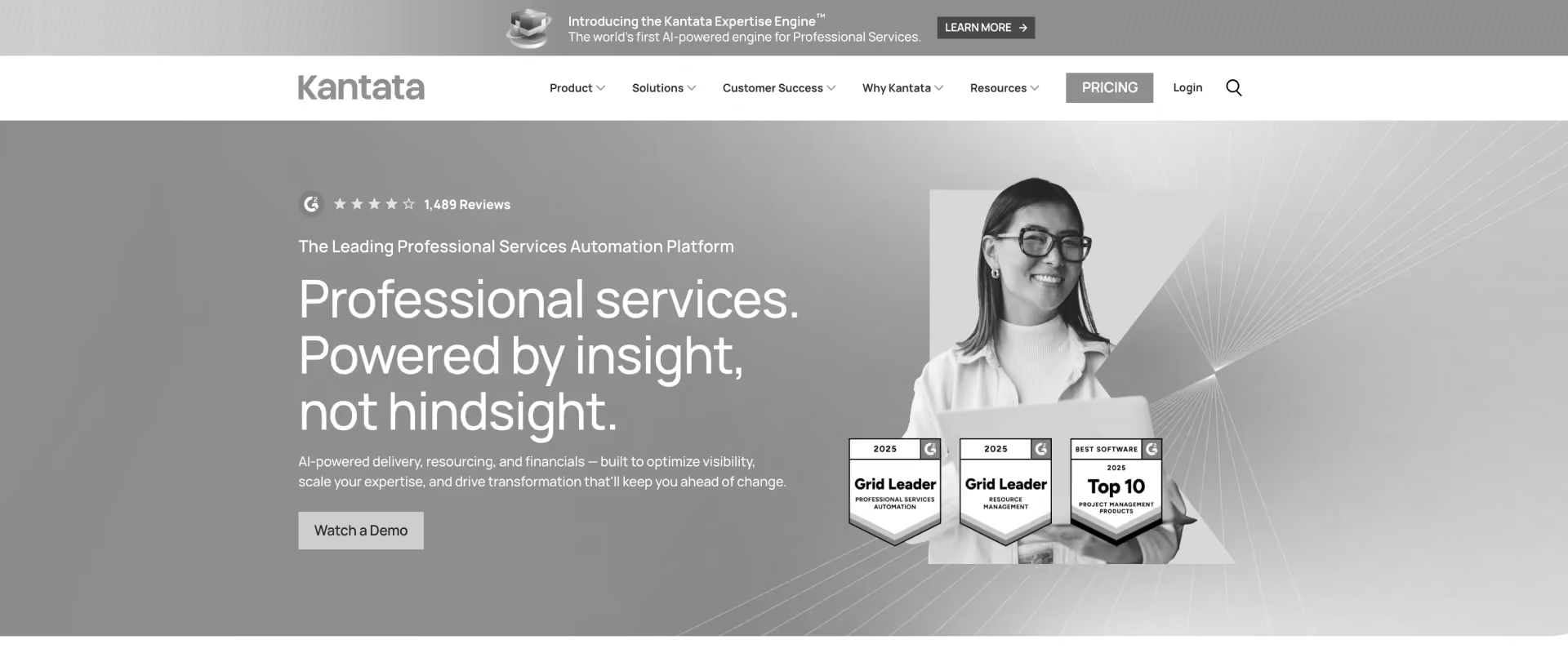
Kantata (formerly Mavenlink and Kimble, merged 2021) is the incumbent PSA for large enterprise professional services organizations with the deepest multi-entity financial management in the category. The platform is built for broad business operations visibility as much as project delivery, and it is good at complex billing structures, consolidated revenue recognition across subsidiaries, and enterprise-scale resource management.
The honest downside is consistent across evaluations: it takes significant admin overhead to configure and maintain, and the longer adaptation period before delivery teams fully embrace Kantata is a real factor too; teams who use it daily often keep a Smartsheet tab open alongside it. The clearest signal of an adoption problem is a parallel tool that should not exist.
Key Features
- Multi-entity financial management with consolidated revenue recognition across subsidiaries
- Advanced billing models: T&M, fixed-fee, milestone, and subscription billing across multi-party engagements
- Salesforce connector with bi-directional sync; some advanced functions require middleware for full integration
- Role-based resource management with capacity planning and utilization forecasting
- Portfolio analytics and executive reporting dashboards for multi-practice visibility
Key Takeaways
See why Rocketlane is better than Kantata.
3. Certinia: Best for Salesforce-Native Finance Operations
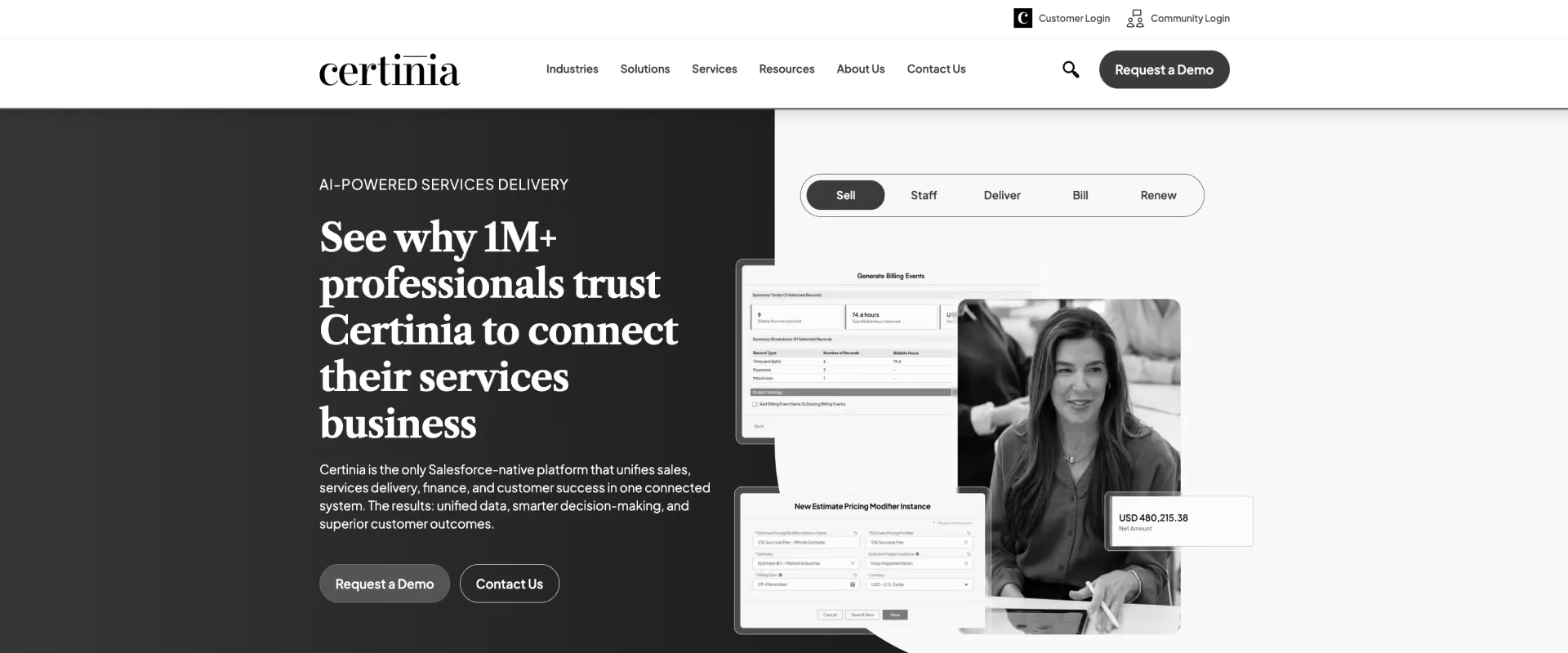
Certinia (formerly FinancialForce) is the only Salesforce-native PSA at enterprise scale, built for organizations where Salesforce is the system of record for CRM, billing, and services delivery. The advantage is ERP-grade financial management without leaving the Salesforce ecosystem, though some finance teams pair this environment with systems like Sage Intacct elsewhere in the stack when Salesforce still remains central.
The cost is structural: product development is tied to Salesforce release cycles, which slows AI innovation significantly. Delivery teams describe the day-to-day interface as dated and manual, with reviewers routinely noting they bypass it with spreadsheets for actual project management. If your PS team manages delivery inside Certinia, they likely do not.
Key Features
- Salesforce-native architecture with no third-party connectors or sync dependencies
- ERP-grade financial management built directly on the Salesforce platform
- Advanced revenue recognition for complex PS billing structures and multi-entity operations
- Service CPQ for scoping and pricing engagements entirely within Salesforce
- Multi-entity billing across subsidiaries and business units
Key Takeaways
See why Rocketlane is better than Certinia.
4. NetSuite OpenAir (SuiteProjects Pro): Best for Oracle NetSuite-Embedded Enterprises
NetSuite OpenAir, rebranded by Oracle as SuiteProjects Pro, is the PSA embedded within the NetSuite ERP. It is strongest for organizations already running NetSuite as their financial backbone and needing basic PS operations inside that ecosystem without a separate platform.
Enterprise buyers who have displaced it, consistently cite the same pattern: a platform Oracle appears to be systematically deprioritizing, with slower innovation year on year. The platform works inside NetSuite. It does not meaningfully evolve beyond it.
Key Features
- Native NetSuite ERP integration with direct general ledger connectivity
- Project accounting and cost allocation for project-based billing
- Time and expense management integrated with NetSuite billing workflows
- Resource management and basic capacity planning
- Multi-currency support for global PS operations
Key Takeaways
5. Deltek Vantagepoint: Best PSA for AEC, Government, and Engineering PS
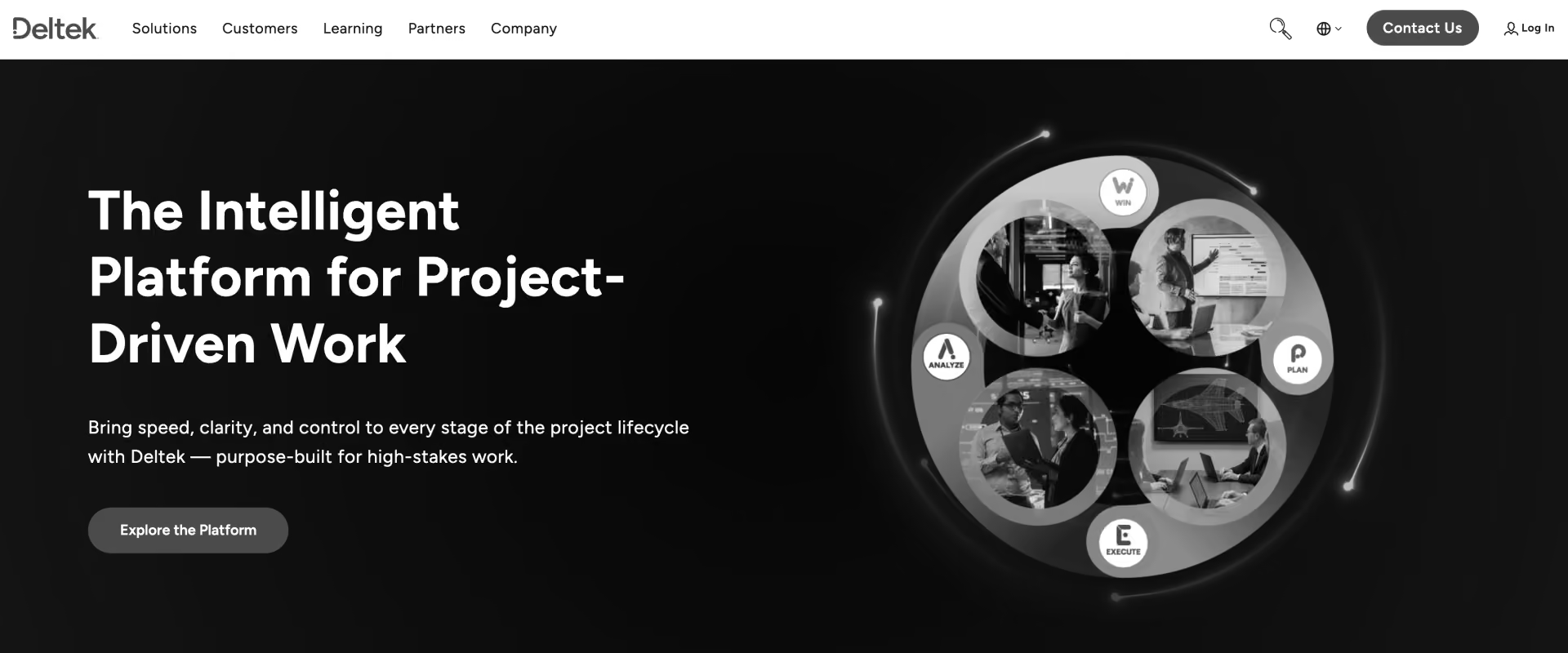
Deltek Vantagepoint is purpose-built for architecture, engineering, construction, and government contractor PS firms. It is the only tool on this list with DCAA-compliant time and billing — a non-negotiable hard requirement for US government contractors that no other platform meets easily.
For every other PS vertical — IT services, consulting, and SaaS-attached PS — Deltek is a category mismatch. The platform's depth in AEC and government contracting comes at the cost of flexibility, modern UX, and AI capability. If DCAA compliance is not a requirement, this is not your tool.
Key Features
- DCAA-compliant time and billing for US government contract requirements
- Government contract billing models: T&M, cost-plus, and fixed-fee
- AEC-specific project management with phase and milestone tracking
- Pipeline management from business development through project delivery
- HRIS integration for AEC workforce management
6. BigTime: Best Accounting-First PSA for Agencies and Small Consulting Firms
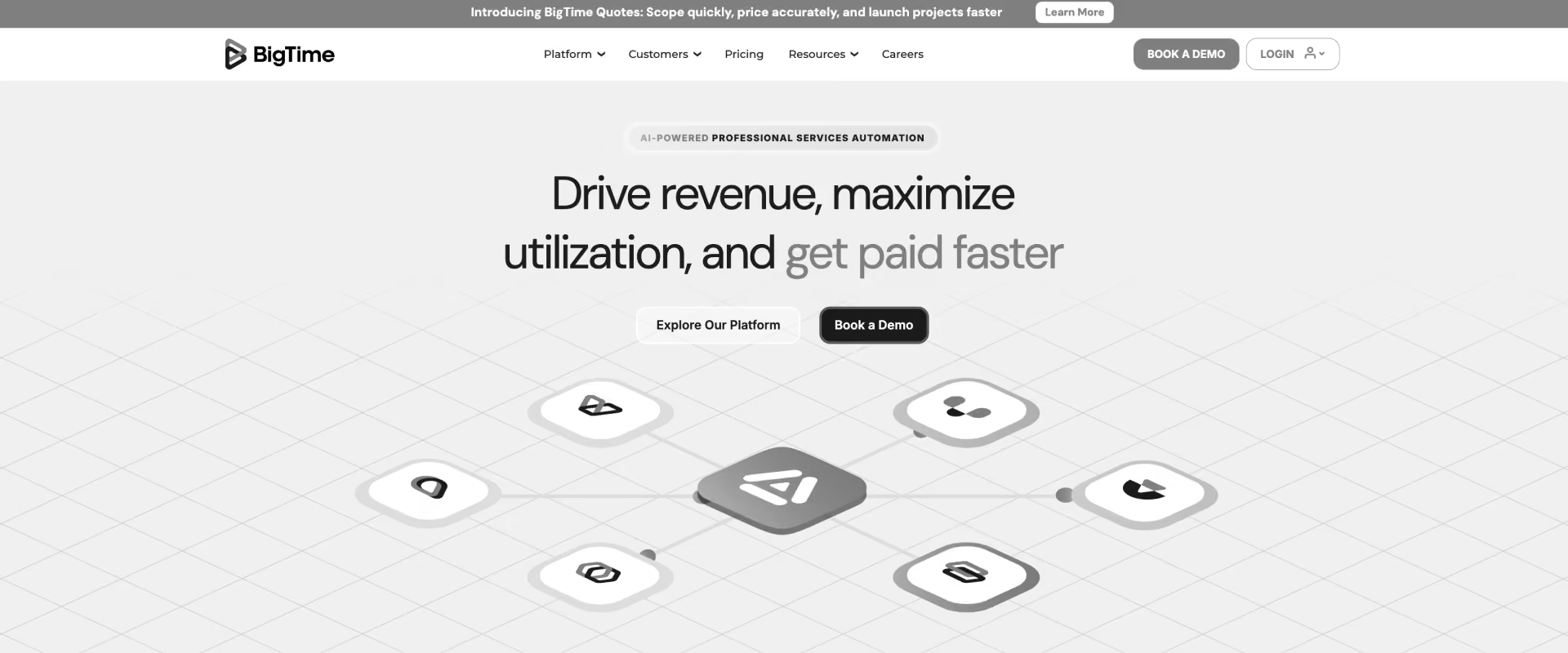
BigTime is an accounting-first PSA for professional services firms where billing accuracy, invoicing speed, and billing automation are the primary reasons teams buy it. With 20+ years in the market and strong QuickBooks and Xero integrations, it earns its 4.5/5 G2 score from delivery teams who use it daily — a meaningful contrast to platforms with strong ratings from admins but low adoption among PMs.
The ceiling is real and consistent: resource planning, utilization forecasting, and multi-practice delivery above 50 headcount are where BigTime breaks down. If you are scaling, you will move off it.
Key Features
- Time tracking and invoicing with QuickBooks and Xero integration
- Project budgets and profitability tracking at the project level
- Invoicing automation with customizable billing workflows
- Basic resource scheduling and staff assignment
- Expense management integrated with project billing
Key Takeaways
7. Scoro: Best All-in-One for Independent Consultancies and Boutique Agencies
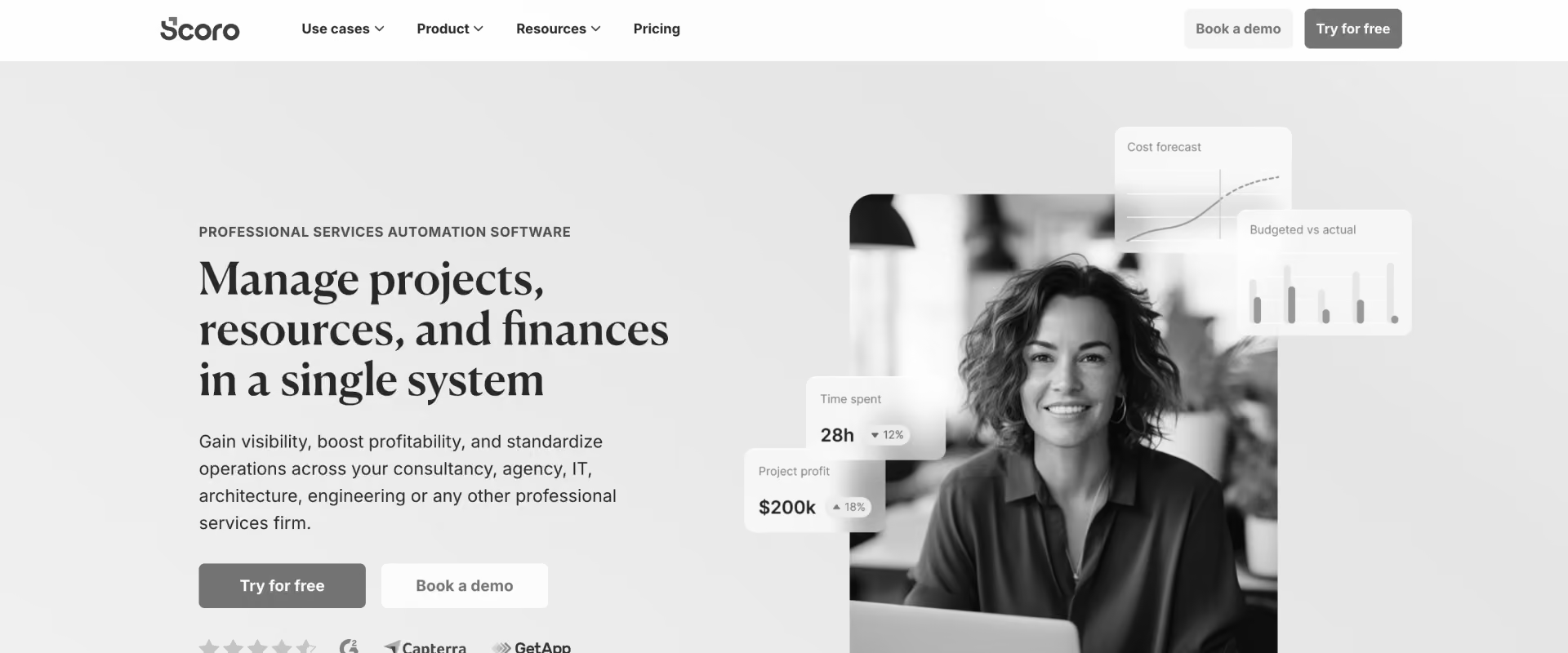
Scoro is an all-in-one work management platform for agencies and consulting firms, with genuine strength in estimation, quoting, and project profitability. For SMBs & boutique teams under 100 people, it compresses the tool stack: quote, deliver, and invoice in one system, and it also suits firms handling retainers alongside project-based work as long as delivery complexity stays low.
The structural ceiling is real: the underlying architecture limits what AI can do here, and reviewers note that Scoro's AI features have not kept pace with modern alternatives. Support quality is a recurring complaint, flagged consistently across review segments. For fewer than 100 people with straightforward delivery workflows, Scoro earns its rating.
Key Features
- Estimation and quoting workflows for project-based businesses
- Project profitability tracking with real-time margin visibility
- Time tracking integrated with billing and invoicing
- Basic CRM for client and pipeline management
- Invoicing automation with multi-currency support
Key Takeaways
8. Productive: Best PSA for Creative Agencies Under 100 People
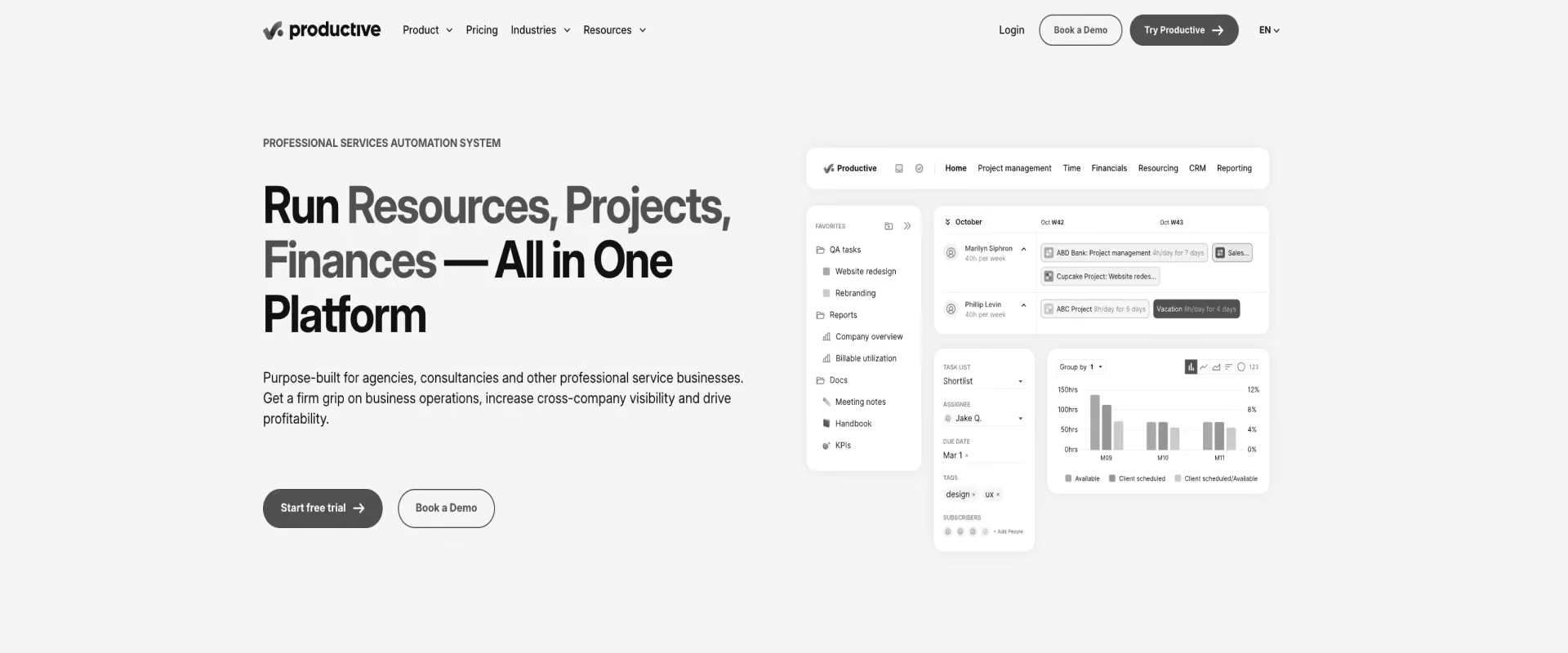
Productive is a modern, clean PSA for creative agencies, design studios, and content firms where project profitability is the primary metric. Excellent UX, fast implementation, and genuine profitability tracking make it a strong fit for its target segment, especially for teams prioritizing simplicity over enterprise depth. It earns high ratings from teams that actually use it — but consistently breaks down as those teams grow beyond 100 people.
No client portal, no more sophisticated resource forecasting, and no AI execution capability are not roadmap gaps. They are category boundaries. Productive is the right choice for boutique creative teams and the wrong choice once you need operational scale.
Key Features
- Project profitability tracking with real-time margin visibility
- Time tracking and resource scheduling for creative workflows
- Budgets and billing with invoicing
- Workload management for small creative teams
- Integrations with Slack, Jira, and QuickBooks
Key Takeaways
9. Accelo: Best Mid-Market PSA with Predictive Resource AI
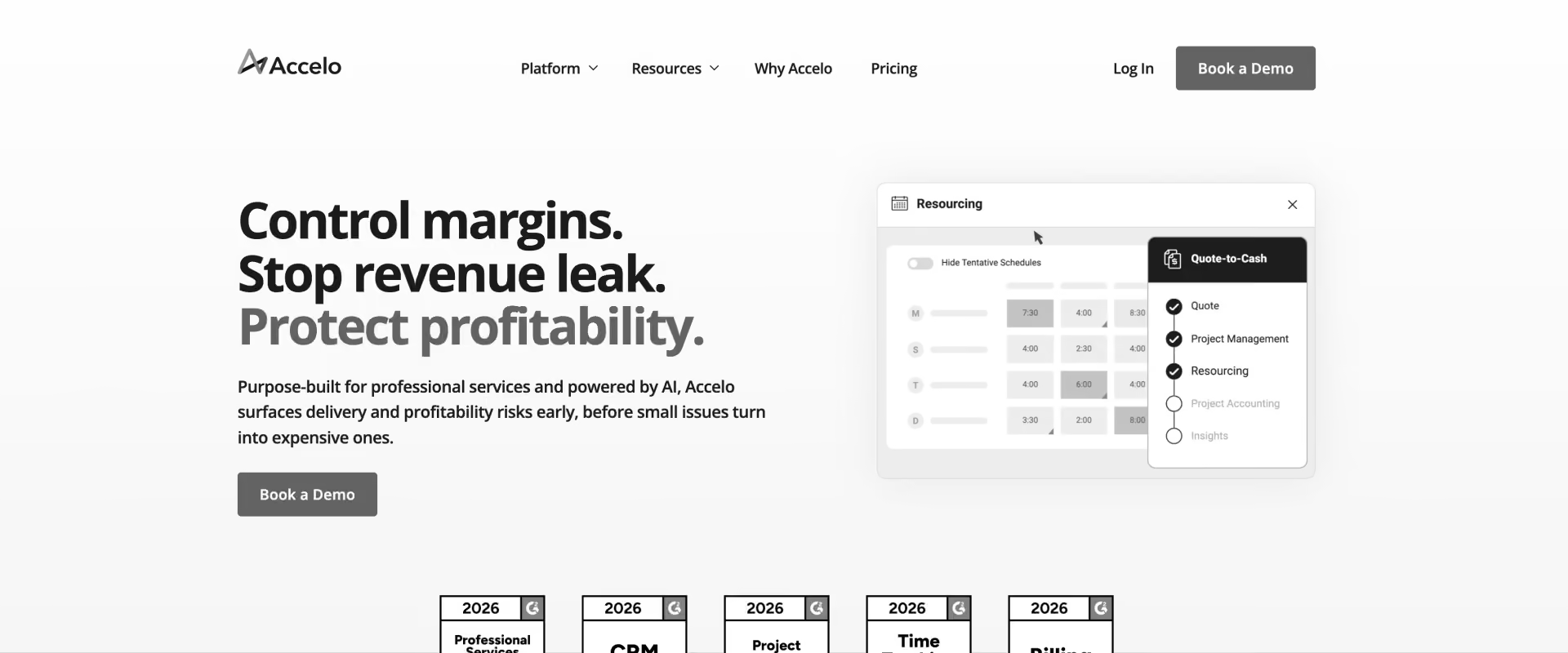
Accelo is a client work management PSA combining CRM, project management, ticketing, and billing for SMB-to-mid-market service businesses, including managed service providers. Its differentiated strength is retainer management for subscription and recurring service models, a genuine gap in most PSA tools. IT support firms and boutique consulting practices consistently cite this as the primary reason they chose it.
In July 2025, Accelo acquired Forecast, the predictive resource AI platform. Brand integration completed in June 2026, bringing Forecast's AI-assisted capacity planning and workload forecasting into Accelo's platform. This moves Accelo from Level 1 to Level 2 on the AI spectrum — the only tool in this sub-100 segment to make that transition. The integration is in active rollout; depth of AI capability will increase through 2026.
Key Features
- CRM, project management, ticketing, and PSA combined in one platform
- Retainer management for subscription and recurring service billing models
- Predictive resource allocation and capacity forecasting (Forecast AI, in active integration)
- Time tracking and billing integrated with client records
- Client communications tracking within project timelines
Key Takeaways
Project Management Tools Evaluated as PSA Alternatives
These are not PSA tools. They appear on this list because a significant share of enterprise PS buyers evaluate them when selecting a PSA. The verdict for both is identical: they solve the task management problem while creating every other operational problem.
10. Smartsheet: Best Transitional Tool for Teams Not Yet Ready for PSA
Smartsheet is a spreadsheet-adjacent work management platform used as a PSA stopgap before teams implement purpose-built software. It handles task management and timeline tracking well. It does not handle resource planning, utilization tracking, revenue recognition, milestone billing, or client portals.
Two signals that it is time to move: your team uses Smartsheet alongside a PSA (the PSA is not working), or Smartsheet is your PSA (you are measuring what happened, not managing what is coming).
Key Features
- Spreadsheet-style project management with Gantt, timeline, card, and grid views — familiar enough that teams adopt it without training
- Workflow automation for task assignments, approval routing, status triggers, and deadline notifications without writing code
- Cross-departmental dashboards with real-time rollup views across multiple sheets and projects
- Enterprise security and compliance: SSO via Okta and Azure AD, role-based permissions, full audit trails, and access controls that clear enterprise procurement reviews
- 200+ native integrations including Salesforce, Jira, Microsoft Teams, Slack, and major ERPs — connects to most enterprise stacks without middleware
Key Takeaways
11. Monday.com: Best for Simple Project Tracking Without PS Complexity
Monday.com is a visual project management tool. It is not a PSA.
It lacks resource management, utilization tracking, revenue recognition, milestone billing, and client portals. For PS teams with 50+ billable staff managing fixed-fee and T&M portfolios, Monday.com recreates the same spreadsheet-stitching problem it was supposed to solve — just with a more colorful interface and a higher per-seat cost.
The tell: PS teams that outgrow Monday.com describe the transition the same way every time. They did not need more boards. They needed a system that could answer "What is our utilization this month?" and "Where are we losing margin this quarter?" without requiring a manual export. Monday.com cannot answer either question.
Key Features
- Visual project boards with multiple view types: Kanban, Gantt, timeline, calendar, and list — configurable per team without developer involvement
- Workflow automation builder with 200+ pre-built triggers and actions covering task assignments, status changes, notifications, and approval flows
- Cross-team dashboards aggregating task and milestone status across boards for portfolio-level visibility
- Native AI for meeting summaries, action item extraction, and basic task generation — limited to content summarization, not delivery execution
- 200+ integrations covering CRM, development, communication, HR, and finance tools across the enterprise software stack
Key Takeaways
Feature-by-feature comparison — How 11 PSA software platforms stack up
Platforms rarely fail due to a single missing feature. They fail when a single capability gap breaks the delivery model at scale, and some only show up when pricing depends on optional modules rather than the base platform: a resource bottleneck in month three, a billing error that delays revenue recognition, or a client portal that never gets adopted.
The tables below map the capabilities that separate the contenders from the category leaders, covering AI maturity, delivery operations, and verified user ratings from G2.
Core PSA capability matrix
Smartsheet and Monday.com are not purpose-built PSA platforms. Entries reflect general project management capabilities mapped to PSA criteria.
11 tools compared. One winner on AI.
750+ PS teams chose Rocketlane. See why yours should be next.

What the data shows
Rocketlane leads on both ease of use (9.2/10, highest among enterprise-grade PSA platforms) and recommendation rate (94%). BigTime and Scoro match on ease of use (8.7/10) but lack the AI layer and client portal depth that enterprise PS teams need beyond the 50-person mark.
Kantata and Certinia PS Cloud offer more advanced ERP and enterprise billing features, but their learning curves and implementation timelines reflect that complexity. NetSuite and Deltek serve teams already committed to their respective ERP ecosystems, where switching costs outweigh platform limitations.
The one capability no other platform in this table offers: agentic AI that executes, not just reports. Nitro's three-level architecture moves from automating timesheets (Level 1) to actively managing governance and resource allocation (Level 2) to configuring environments, migrating data, and generating project documents autonomously (Level 3). That gap widens with every product release.
Bonus: Best PSA software video review (2026)
PSA Software Decision Routing: How to Find the Right Fit for Your Scenario?
The comparison table tells you what each platform does. The routing table below tells you who each platform is actually for.
Every row maps a real delivery challenge to the platform best equipped to address it, from teams deploying agentic AI across a 500-person PS organization to a 20-person agency buying their first PSA from a spreadsheet. Scenarios are ordered by complexity and team scale, with enterprise requirements at the top and transitional use cases at the bottom.
For most teams, the trigger for this evaluation is one of two things: a renewal decision arriving within the quarter, or a new PS leader in role with a mandate to reset the delivery infrastructure.
Whichever row matches your situation, the routing below cuts straight to an answer.
PSA Software for Global and Multi-Region Professional Services Teams

See how Rocketlane runs global PS delivery.
Not all PSA tools are built for the operational reality of delivering across EMEA, APAC, and the Americas simultaneously. The gaps appear fast: a tool that handles USD invoicing brilliantly breaks when a Singapore-based delivery team logs hours in SGD against a EUR-denominated contract.
Partner and contractor visibility (giving subcontractors selective project access without exposing the full account) is entirely absent from most mid-market platforms.
For enterprise PS organizations running global delivery, the requirements are specific: multi-currency billing with live FX handling, multi-timezone resource planning that accounts for regional holidays and local compliance, and a partner portal that does not require a second tool to manage.
Of the eleven platforms reviewed here, Rocketlane covers all three natively without an additional integration layer.
Kantata comes closest on the financial infrastructure side, but it has a longer implementation timeline (typically 12–20 weeks) and does not include a client portal for partner delivery teams without additional licensing.
The enterprise customers Rocketlane has do show a pattern here. Hexagon rolled out Rocketlane across APAC, EMEA, Americas, and India, managing 24 integration flows via Workato across regions within a single implementation.
Sprinklr runs delivery operations for 815 users globally, with Rocketlane as the system of record across every region.
Both organizations displaced legacy PSA platforms that could not scale delivery-side UX to match the financial infrastructure they had already invested in.
For US-headquartered PS teams with global delivery arms, the evaluation question is not just "does it support multiple currencies." The real question is: does the delivery team in Singapore use it the same way as the team in Austin?
Adoption uniformity across regions determines whether a global PSA becomes a true system of record or just another tool the London team quietly ignores while maintaining their own spreadsheet.
How to Evaluate PSA Software for Your Professional Services Organization?
Most PSA evaluations fail the same way: teams score tools on feature lists without asking whether those features solve the actual delivery problems they face.
This section gives you the evaluation framework, the differentiators that separate category leaders from the rest, and the ROI of PSA software, along with the math to build a business case that gets approved.
PSA Software vs. Project Management Tools vs. ERP: What's the Difference?
The most common pre-evaluation mistake is selecting the wrong tool category. Project management software and ERP platforms each solve part of the PS problem. PSA software is built to solve all of it within a single system.
Project management tools give you visibility without financial control. ERP platforms give you financial control without delivery visibility. PSA software connects both.
In 2026, the most advanced platforms add a third layer: agentic AI that executes across the full delivery lifecycle, not just reports on it. That shift, from operational dashboards to autonomous execution, is what separates the PSA category leaders from the generation before them.
What to Look for in PSA Software? Key PSA Software Selection Criteria
Evaluating PSA software against generic feature lists produces generic results. The requirements below are framed as minimum bars, not nice-to-haves. Use these as your PSA software selection criteria before you book a single demo.
Your PSA must deliver:
1. Real-time utilization visibility. Live, not exported, not batched. The answer to "what is our current utilization?" should take 30 seconds, not three days of spreadsheet reconciliation. This is the most common reason growing PS teams outgrow project management tools and the fastest ROI win a new PSA delivers in the first 90 days.
2. Resource capacity forecasting, three to six months forward. Soft and hard allocation support. Resource managers must see pipeline demand before deals close to prevent the over-allocation that reliably hits PS teams at the transition from 50 to 150 staff.
3. Project financial management. Budget vs. actual, margin by project and practice. Milestone-based billing must be tied to actual delivery milestones, not manually triggered. Margin visibility must be real-time, not a month-end finance export.
4. Native CRM integration. Salesforce or HubSpot, real-time sync. Not a Zapier-mediated batch update that delays resource planning by 24 hours after a deal closes. The moment a deal closes in CRM, your resource team should see it in the PSA.
5. Client-facing portal economics. Does it exist, is it free, and is it unlimited? A per-seat charge for external client users adds $10,000 to $50,000 annually to enterprise TCO when you account for every client project stakeholder. Evaluate this line item before negotiating. Rocketlane includes the client portal in the base plan with no external user fees.
6. AI capability level. Level 1, Level 2, or Level 3. Level 1 platforms surface reporting dashboards. Level 2 platforms deliver proactive delivery risk signals. Level 3 platforms execute autonomously, generating documentation, running resource allocation decisions, and flagging churn risk without a human triggering the workflow. Understand which level you are buying, and what the roadmap commits to delivering next.
7. Implementation timeline. Vendor claim vs. verified customer experience. A six-month implementation costs five months of unrealized ROI compared to a four-to-twelve-week alternative. Ask your shortlisted vendors for three verified customer go-live timelines before accepting any projected date.
Differentiating Factors: What Separates Good PSA Software from Great?
Every platform in this comparison will claim to cover the requirements above. The questions below separate platforms that delivers from those that approximate.
Agentic AI vs. reporting AI. Does the AI execute actions or answer questions? Reporting AI tells you what happened. Agentic AI initiates action. AI in PSA software in 2026 is not a uniform capability: most platforms offer Level 1 automation (timesheets, dashboards, basic resourcing) and a handful are reaching Level 2 (delivery governance, health signals).
Rocketlane's Nitro is the only PSA platform shipping all three levels in production: operational automation (Level 1), delivery governance with churn and expansion signals (Level 2), and autonomous execution across documentation, resource allocation, and workforce planning (Level 3).
Professional services automation AI trends in 2026 point toward Level 3 becoming a buying criterion, not a differentiator, within 18 months.
Outcome-based delivery vs. hours-billed. Most PSA tools were built to track hours. The modern PS business model requires a shift from hours billed to outcomes delivered, with the platform supporting fixed-fee and outcome-based contracts rather than time-and-materials logging. Evaluate whether your PSA enables that shift or locks your team into the old model.
Client portal economics. Free and unlimited vs. per-seat. Calculate the total external user cost for your average project, then multiply by your active project count. This number often determines the final vendor decision on its own.
Pipeline-to-resourcing connectivity. Can your resource managers see 90-day pipeline demand before deals close? Platforms that lack this connection force resource teams to react to closed deals rather than plan for them, creating the over-allocation cycle that stalls margin improvement.
Delivery team adoption. Will your PMs use it daily, or keep Smartsheet open in another tab? Rocketlane holds a 9.2/10 ease-of-use score on G2, the highest among enterprise-grade PSA platforms reviewed here. The gap between ease-of-use leaders and laggards in this category reflects the practical difference between a true system of record and an expensive reporting layer that project teams quietly bypass.
The ROI Calculation: What PSA Software Actually Pays Back?
Before entering procurement, build the business case with three concrete calculations. These hold across team sizes and billing models.
Utilization improvement. Every one percentage point of utilization gain on a 100-person PS team billing at $125 per hour equals approximately $250,000 in recovered annual capacity. Moving from 65% to 75% utilization on that same team generates $2.5 million in additional billable output without a single new hire. (Source: SPI Research Professional Services Maturity Benchmark.) For PS teams where utilization is the primary pain point, this number alone typically justifies a platform investment within the first year.
Tool consolidation savings. Replacing a project management tool ($25/user/mo), a standalone time-tracking tool ($12/user/mo), and five hours per week of manual reconciliation at a fully-loaded $75/hour on a 100-person team yields approximately $60,000 in annual tool and admin cost savings. That calculation excludes the implementation speed differential and the hidden cost of data living across three systems with no unified reporting layer.
TTV reduction compounding. A 30% reduction in time-to-value on a $5M ARR professional services business equals $1.5 million in accelerated revenue recognition per year. Comparing a four-to-twelve-week Rocketlane implementation against a three-to-five-month Kantata implementation, the faster path captures months of realized value in year one before a single optimization is made.
How to Choose PSA Software for Your Professional Services Team?
Before shortlisting vendors or booking demos, your team should have clear answers to five questions. The platform that answers all five correctly for your situation is the right fit, regardless of which tool wins any individual feature comparison.
1. What is your go-live deadline, and which vendors can meet it with documented proof? Not an estimated timeline from a sales deck. Ask for three verified customer names and their go-live dates.
2. Do you need a client-facing portal, and what is your budget for external user licensing? Calculate the true TCO, including all client stakeholders across your active project load, before signing any contract that charges per external seat.
3. Is your primary pain resource planning, financial visibility, tool fragmentation, or AI-powered operations? Your dominant pain determines your evaluation priority. A billing accuracy problem requires a different platform than a resource capacity problem, and both require a different answer than an AI-readiness mandate.
4. Does your Salesforce or NetSuite ecosystem require native architecture, or is real-time integration sufficient? Native architecture (Certinia for Salesforce, OpenAir for NetSuite) gives you deeper ERP fidelity but constrains delivery-side UX and vendor roadmap. Real-time integration with a purpose-built PSA gives you delivery experience parity without locking your tech stack to a single ERP vendor's product decisions.
5. Are you replacing an existing PSA (migration complexity) or building from spreadsheets (onboarding speed)? Migration complexity determines which implementation timeline estimates are realistic for your organization. A team moving off Kantata with three years of historical project data faces a different evaluation than a team starting fresh from Excel.
Why Is Rocketlane the Best AI-Powered PSA Software for Professional Services Teams?

Every PSA vendor added "AI-powered" to their website in 2024. The AI features in PSA software that matter in 2026 are harder to fake. Professional services automation AI trends now split the category at a single line: reporting AI tells you what happened; agentic AI executes what needs to happen next.
Level 1 covers operational automation: dashboards, policy enforcement, timesheet compliance, resource allocation.
Level 2 covers delivery governance: proactive risk signals, meeting intelligence, churn monitoring.
Level 3 covers autonomous execution: documentation generation, data migration, and workforce automation that run without a human initiating them.
Rocketlane ships all three in production. No other PSA platform does. In the words of Sri Ganesan, Rocketlane's CEO: "None of them even try to get into Level 3."
The reason Level 3 changes the delivery economics is that PS teams today actively touch 25 to 30 percent of their customers in any given year. The rest are managed reactively, from exception reports and whatever the account manager surfaces in a QBR.
With all three Nitro levels running together, that figure moves to 70 percent or above. Same team. Same headcount. Radically more delivery capacity. The equation that said more projects require more people is permanently broken.
This is the PS operating model shift that AI in PSA software in 2026 is making possible, and it is the only reason Rocketlane positions itself as a PS operating system rather than a PSA tool.
Meet the Nitro Agents across all three levels
Nitro Key Features Specific to PSA Software
1. Portfolio utilization on demand: answered in seconds, not built as a report.
Nitro Analyst queries live portfolio data in natural language. "What is our blended utilization for the past 30 days, broken down by practice?" returns an answer from live data in real time, with no export, no analyst preparation, and no Monday morning wait.
An AI-enterprise SaaS moved to Rocketlane specifically for this capability, replacing a Salesforce-and-spreadsheet setup that produced utilization figures 48 hours after the fact and with consistently inaccurate values.
2. Timesheet compliance enforced at source, not corrected after submission.
Timesheet Policies reads plain-English compliance rules and blocks non-compliant entries before they reach the approval queue. Zero chase loops. Zero invoice disputes from bad time data.
This eliminates the correction ritual that surfaces consistently across enterprise PS evaluations as one of the most predictable and avoidable sources of billing inaccuracy, directly protecting revenue at the point of entry before finance ever sees the error.
3. Proactive delivery risk across the entire portfolio, before it becomes an escalation.
Nitro Signals operates in two modes. Project mode flags overdue tasks, budget burn trending above threshold, and milestone delays. Account mode surfaces churn-risk signals, champion departures, and escalation language extracted from calls and emails before they reach a stage where a VP of Professional Services has to intervene.
An enterprise customer of ours cited Project Governance as an explicit factor in leadership sign-off, with the accountability layer central to the business case presented at CFO and CEO level.
4. SOW to live project plan in minutes: delivery starts on day one.
Workforce Agent automatically converts a signed statement of work into a structured project plan with phases, tasks, allocations, billing context, and client portal configuration. PS teams using the Workforce Agent automate 95% of manual configuration work and 90% of project setup, cutting manual delivery effort by 40%.
For PS teams that lose the first week of every new engagement to manual project setup, this is precisely where the 30-50% TTV reduction begins.
5. Documentation that captures institutional knowledge before it walks out the door.
Documentation Agent generates BRDs, runbooks, SOW summaries, and handoff documents from transcripts and emails, rather than being drafted from scratch by a project manager before a client handoff. Teams save $250,000 per year in documentation overhead, with a 75% reduction in per-documentation effort and a 35% reduction in onboarding and handoff time.
Why Teams Switch to Rocketlane?
- Kantata/Certinia implementation ran 6+ months and team still not live
- PS team keeps Smartsheet open alongside their PSA (adoption failure)
- CFO asked for real-time utilization and got a Thursday spreadsheet on Monday
How to Successfully Implement PSA Software?
The implementation timeline below is the structure Rocketlane uses with every enterprise customer. It is built around a 4- to 12-week go-live target, with the Seamless Switch Guarantee active from contract signature.
Simpler implementations with lighter data migration typically go live in four to six weeks; complex multi-region deployments with historical PSA data migration typically run eight to twelve weeks.
Phase 1: Pre-Migration (Weeks 1 to 2)
- Map your current tool stack: existing PSA or project management tool, spreadsheets, standalone time tracking, and billing system
- Define go-live success criteria: utilization target, financial visibility benchmark, client portal launch date for your first three pilot accounts
- Assign an internal implementation champion: VP of Professional Services or Head of Delivery with cross-functional authority to unblock decisions
- Complete the implementation discovery call with your dedicated Rocketlane implementation manager
Phase 2: Data Migration (Weeks 3 to 5)
- Run Rocketlane's Migration Agent: maps data structure from legacy PSA (Kantata, Certinia, OpenAir, or spreadsheet) and runs automated transformation and validation scripts
- Import active projects, resource profiles, client data, and your existing template library
- Validate data integrity across financial, resource, and project layers before any record moves to production
- Configure native integrations: Salesforce, NetSuite, Slack, and any additional connected tools in your current stack
Phase 3: Rollout (Weeks 6 to 8)
- Run train-the-trainer sessions with PS leads using Rocketlane Academy curriculum
- Configure Nitro: Timesheet Policies, Project Governance, and Nitro Signals for your live project and account portfolio
- Launch the client portal for three to five pilot accounts and collect adoption feedback before full rollout
- Begin parallel-run: legacy PSA in read-only mode, Rocketlane live for all active project and resource management
Phase 4: Validation and Go-Live (Weeks 9 to 12)
- Full team go-live across all active projects and resource portfolios
- Run your first Nitro Analyst query: "What is our portfolio utilization this month?" Answered in seconds from live data.
- QBR with your Rocketlane CSM: utilization baseline versus target, team adoption metrics, and next Nitro configuration phase
- Activate the Seamless Switch Guarantee: if your team is not fully operational within three months, Rocketlane extends implementation at no additional cost, with no escalations or renegotiation required. Teams including Sprinklr have activated this guarantee while switching mid-contract from an existing PSA platform. The implementation confidence made the early switch viable where it otherwise would not have been.
How to Migrate from Your Existing PSA Software?

Contract months left on your current PSA aren't a reason to wait.
Switching PSA platforms mid-delivery is the objection that slows more enterprise decisions than pricing or feature gaps combined. This PSA software migration guide covers what to do, in what order, and where most teams make avoidable mistakes.
Whether you call it a PSA software switching guide or a how-to-switch-PSA-tools checklist, the four steps below are the same.
Step 1: Audit your current PSA debt.
Before moving anything, map what exists: active projects and their current statuses; resource allocation data and utilization baselines; at least 12 months of historical time entries (18 months for teams with revenue recognition requirements); financial history by project and practice; and client contacts with their current portal access levels. Separate what must migrate from what can be archived. Most teams discover three to four years of stale resource profiles inflating their migration scope by 40 percent.
Step 2: Run Rocketlane's Migration Agent.
The Migration Agent maps your legacy PSA data structure (Kantata, Certinia, OpenAir, or a spreadsheet-based system), runs automated transformation scripts, and validates import accuracy before a single record moves to production.
A manual PSA migration typically takes four to eight weeks and introduces data integrity errors that surface at the first invoice run. The Migration Agent compresses that timeline into days and validates its accuracy before cutover. This is the operational answer to how to switch PSA tools without disrupting live delivery.
Step 3: Parallel-run for 14 days.
Keep your legacy PSA in read-only mode. Run all active project and resource management in Rocketlane. After 14 days, decommission the legacy system. This is Rocketlane's standard cut-over methodology. It gives your team two weeks to identify any discrepancies in a live environment with no delivery consequence. Teams that skip this step account for the majority of week-one go-live support escalations.
Step 4: Activate the Seamless Switch Guarantee.
Three-month full-operations guarantee. If your team is not running on Rocketlane within three months of contract signature, implementation is extended at no additional cost, with no escalations or renegotiation required. It is what makes mid-contract switches viable: when implementation risk is covered, the remaining months of an existing PSA contract no longer block them.
Common migration pitfalls to avoid:
- Migrating stale resource profiles without cleaning first: creates inaccurate utilization baselines from week one that take months to correct and undermine the ROI case used to justify the switch
- Mapping billing structures manually instead of using the Migration Agent: introduces errors that appear at the first invoice run under the new system, precisely when client confidence in the new platform is lowest
- Skipping the 14-day parallel-run window: removes the only safety net for spotting discrepancies before full cut-over, and is the single most common cause of go-live support escalations
Conclusion
Eleven platforms. Six categories of buyer. One consistent finding across every evaluation dimension: the gap between PSA tools and a PSA operating system is wider in 2026 than it has ever been.
Most platforms reviewed here solve a well-defined part of the problem. Kantata handles multi-entity financial complexity at enterprise scale. BigTime and Scoro give billing-first agencies a clean, affordable starting point. Certinia is the logical choice when a Salesforce-first stack is non-negotiable. Productive and Accelo serve growing agencies that do not yet need enterprise depth. Each is a legitimate fit for the right team.
What the full evaluation reveals is a single platform that covers the widest range of requirements without trade-offs: agentic AI execution across three levels, native client collaboration with no external seat fees, resource management with live utilization visibility, a 4- to 12-week go-live, and global multi-region delivery support. No supplementary tool stack required.
That platform is Rocketlane, and the 750+ professional services organizations running delivery operations on it, including 18 of the Forbes Cloud 100, reflect exactly that breadth.

Authored by

Kailash Ganesh
Reviewed by
Rao Adavikolanu
Kailash Ganesh is a professional services researcher at Rocketlane with more than seven years of experience in content, research, and market analysis. He studies how enterprise PS teams are adopting agentic AI to transform delivery operations, has evaluated every major PSA platform in the category, and writes from the perspective of a practitioner who watches enterprise PS teams make these exact decisions daily.
Table of Contents

Regsiter for the live webinar


Great consultants didn't join your team to spend Fridays writing documentation.
Table of contents
18 of Forbes Cloud 100 chose Rocketlane. The best PS teams aren't waiting around.
FAQs
What is the best PSA software for professional services teams in 2026?
Rocketlane. The only agentic, AI-powered PSA that combines project execution, resource management, financial visibility, and client collaboration in one system. 750+ PS organizations use it globally, including 18 of the Forbes Cloud 100, with a 94% G2 recommendation rate. For Salesforce-native enterprises: Certinia. For billing-first agencies: BigTime.
How is PSA software different from project management tools?
PSA software manages the full delivery lifecycle: resource planning, time tracking, financial management, and client collaboration. PM tools handle only tasks and timelines. PSA answers what PM tools cannot: utilization, margin, billing accuracy. SPI Research: purpose-built PSA delivers 11–14% higher billable utilization than PM-tool substitutes.
What features should I look for in PSA software?
Five PSA software selection criteria: (1) real-time utilization visibility; (2) native CRM integration; (3) client portal with no per-seat fees; (4) AI capability level — does it report or execute? (5) a verified go-live timeline. Evaluate these before price. Platforms that pass all five rarely lose evaluations on cost.
What is the best PSA software for enterprise professional services teams?
Rocketlane. Trusted by 18 Forbes Cloud 100 companies. SOC 2 Type II, GDPR compliant, 99.9% uptime SLA, $60M Series C. For 500+ person organizations requiring multi-entity ERP depth and longer implementation runways, Kantata is the primary alternative.
How is agentic AI changing PSA software in 2026?
Professional services automation AI trends in 2026 split the category into two lines: reporting AI tells you what happened; agentic AI executes. Rocketlane's Nitro is the only PSA shipping Level 3 agents in production. Every other platform on this list operates at Level 1 or early Level 2.
What is the best PSA software for consulting firms?
Depends on firm size. For 100–500-person consulting firms: Rocketlane, with a 4–12 week implementation vs. 12–24 weeks for Kantata and Certinia. For boutique firms under 50 staff: BigTime or Scoro. PSA software for consulting firms comparisons in 2026 consistently rank Rocketlane first for the mid-market segment.
How long does PSA software implementation take?
Four weeks (BigTime) to six-plus months (Kantata, Certinia). Rocketlane averages 4–12 weeks for mid-market and enterprise deployments. For teams with renewal deadlines or quarter-end go-live targets, implementation timeline is the single most decisive variable in the PSA evaluation — not features, not price.
How much does PSA software cost?
$9/user/month (basic project tools) to $120+ (enterprise platforms). Rocketlane starts at $69/user/month with unlimited client portal users included. Competitors charge $15–25 per external seat. Full TCO (license, implementation, supplementary tools, admin overhead) typically runs 30–40% lower with Rocketlane than a Salesforce-native PSA stack.
What is the difference between Rocketlane and Kantata?
Four dimensions: speed (Rocketlane 4–12 weeks; Kantata 12–20 weeks), ease of use (Rocketlane 9.2/10 on G2, highest in category), AI level (Rocketlane Level 3 Agentic; Kantata Level 1 reporting), client portal (Rocketlane free and unlimited; Kantata paid add-on). Kantata's edge: deeper multi-entity revenue recognition for 500+ person enterprises.
How do I measure the ROI of PSA software?
Three vectors: utilization improvement (1% gain on a 100-person team at $125/hour = $250K/year), TTV reduction (30% faster at $5M ARR = $1.5M in accelerated revenue), and tool consolidation (~$60K/year saved). SPI Research: tracking all three delivers 18% higher gross margin within 24 months of PSA implementation.













Copyright © 2026 Rocketlane Corp. All rights reserved.















.webp)